
August 12, 2021
Solved

The workflow cannot run properly once I add a process start form

  • August 12, 2021
  • 6 replies
  • 0 views

I am new to Appian and I am evaluating this platform recently. 

I defined a workflow without "process start form" it worked as expected and data finally has been save into db; This is my workflow and it is as simple as enough:
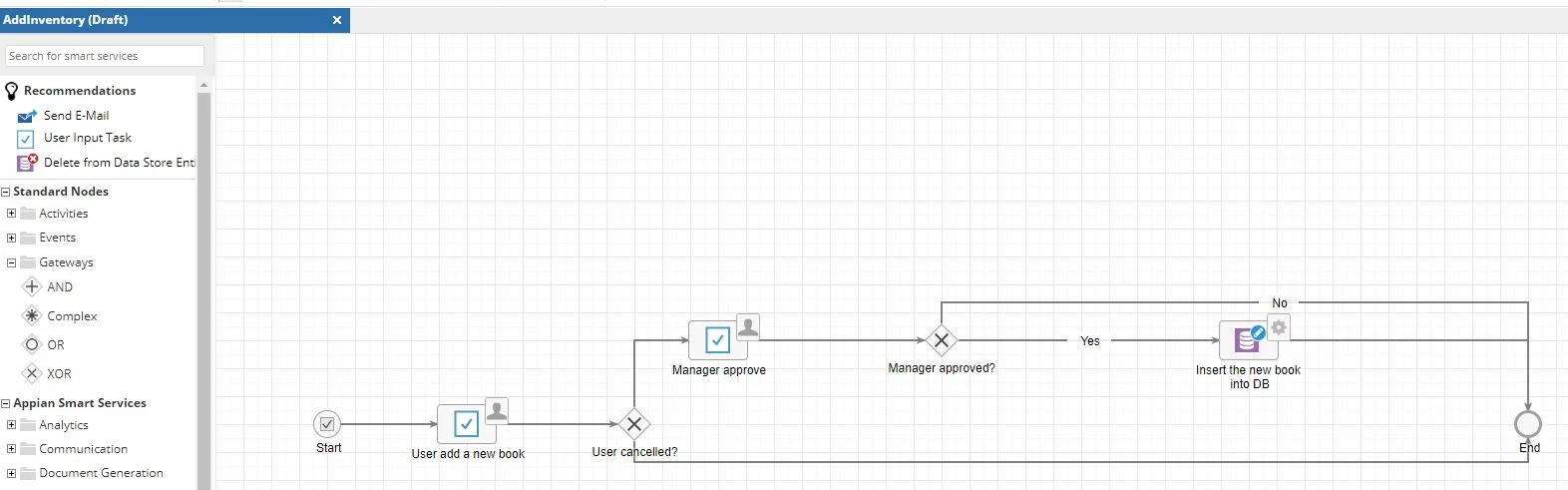
And then I tried to add a "process start form" (I didn't want it but seems a "start form" is required if you want to start a process from the site pages), in my "process start form", there is nothing but a "Notice" text block and a "Submit" button(submit = true). but it behaved oddly since then. It showed that it only has "Start Node" and "End Node" now when I debugged it.  From the debug monitoring tab it seems totally not my workflow.
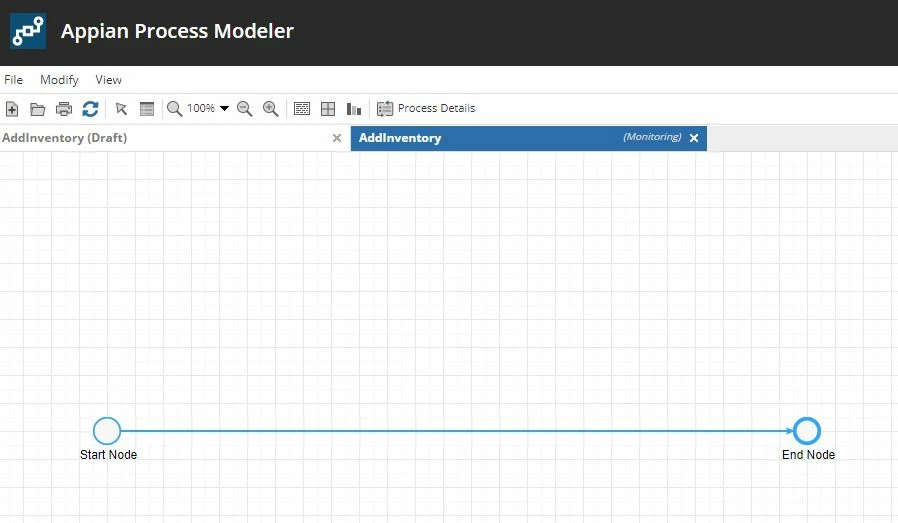
Please can anyone tell me what's wrong?

    Best answer by stefanhelzle0001

    Did you save&publish your model? Only the latest published version will be initiated. When debugging in modeler the last saved version will be used.

    6 replies

    stefanhelzle0001
    Brainy
    August 12, 2021

    Did you save&publish your model? Only the latest published version will be initiated. When debugging in modeler the last saved version will be used.

    sunx0001Author
    August 12, 2021

    Thank you sir for your reply. It works now after I "Save and Publish". So only save is not enough. Thank you very much sir.

    stefanhelzle0001
    Brainy
    August 12, 2021

    Save&Publish is the way to go. In case you only save and then modify a CDT used in that model, Appian will republish the latest published version and your changes would be lost.

    gayathris111098
    August 12, 2021

    Hi

    Configuring a process start form is identical to configuring the 
    Forms tab of an attended node or smart service except for having to define your process variables as parameters. The neat thing about start forms is that a process is not actually started until the start form is submitted.
    This is especially convenient if your process is of the type that people sometimes start, but don't finish, (essentially, they walk away, or abandon the process) then a start form saves you the trouble of configuring automatic expiration into your process.

    You can find your start form under process properties. 

    community.appian.com/.../what-is-the-difference-between-process-start-form-in-process-model-properties-and-form-in-input-task-configuration

    sunx0001Author
    August 12, 2021

    Thank you for your quick reply.