

stefanhelzle0001
December 6, 2024
Question

Usage considerations: Starting multiple processes at once when autoscale

  • December 6, 2024
  • 4 replies
  • 0 views

[mention:6b9f80ff18f9420082d13ef2d5121d56:e9ed411860ed4f2ba0265705b8793d05] 

I have a question regarding this section in the documentation: https://docs.appian.com/suite/help/24.4/Start_Process_Smart_Service.html#starting-multiple-processes-at-once
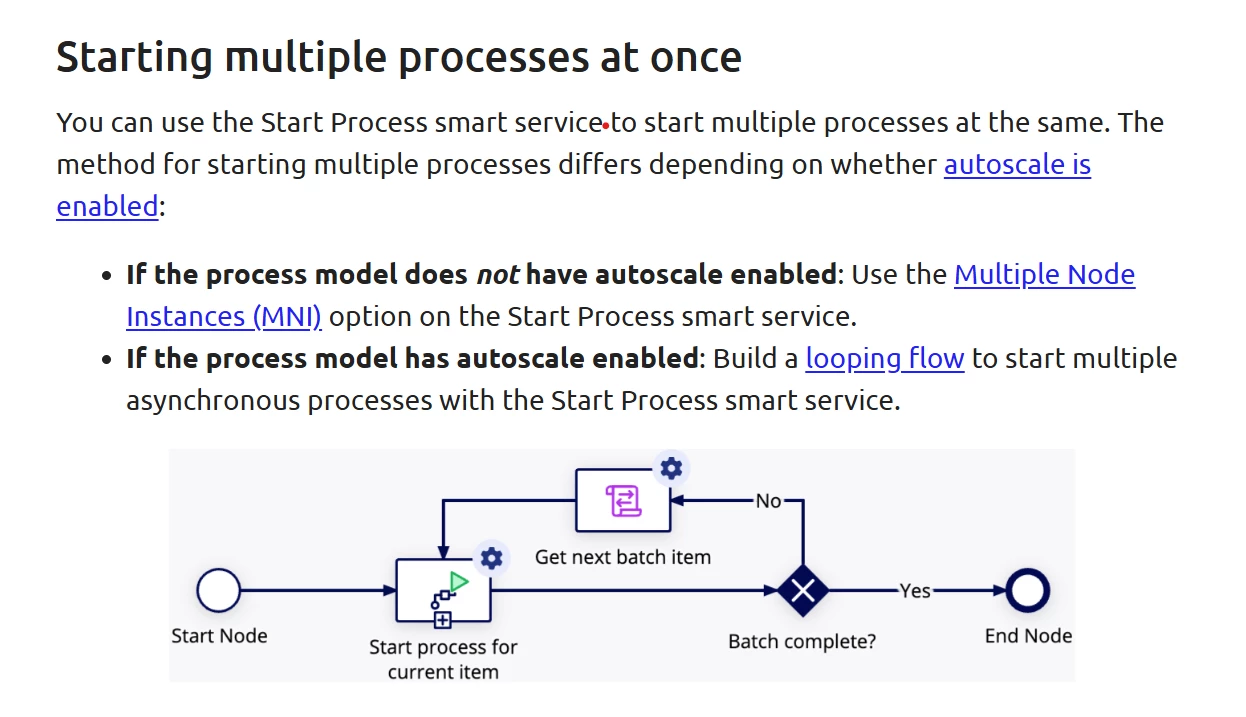
Why do we need to implement this in two different ways, depending on whether autoscale is enabled or not? Can you give us some technical details? I would like to understand what is going on under the hood.

    4 replies

    mathieud0001
    December 6, 2024

    Interesting, I would have thought it would be the reverse. Looping when it is not enabled and MNI when it is.

    james.lepone
    December 6, 2024

    Hi Stefan, MNI has more capabilities than the looping flow, and is not something we support in Autoscale yet (it is planned). That's why the current recommendation is to use a looping flow. Can you elaborate on what features of MNI you think would be most useful in Autoscale?

    stefanhelzle0001
    December 7, 2024

    OK. It makes sense, when MNI is not supported in autoscale processes for now. I was not able to extract this specific piece of information from the documentation. And this makes it difficult making good design decisions.

    I never thought of breaking MNI down into individual features. From the conversation with you guys, I had the impression that the only unsupported feature would be User Input Tasks, for good reasons. Now it seems like there are more, maybe even many, subtile differences with or without autoscale. Is there some kind of an overview available?

    https://docs.appian.com/suite/help/24.4/autoscale-patterns-practices.html#node-behavior-changes-with-autoscale

    This already explains some of the very interesting deviations, but it feels like there is more.

    james.lepone
    December 9, 2024

    The link you shared is the main resource for what you are asking about. As noted on that page, validating a process model after opting it in to Autoscale will give you feedback on any other configurations that are incompatible. The table on the docs page captures runtime behavior differences, while the validation captures incompatible configurations and nodes.