January 18, 2024
Question

Username not displaying after accepting user input task

  • January 18, 2024
  • 25 replies
  • 0 views

Hi All,

Firstly, sorry if this is duplicate question. I could not able find from discussion tab.

There is a scenario where we need to store UserName who accepts the task . So, the user who accepts the task needs to be captured after completion of task. The user who accepts the task (i.e tp!owner) needs to be stored in a db field. i have tried many times but in process variable i could see 'Null' value and not storing in DB column.

PFA. code snippet. kindly help me

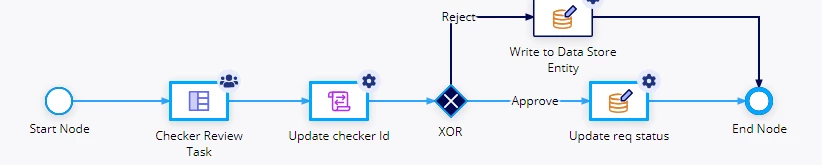
one of the process model.

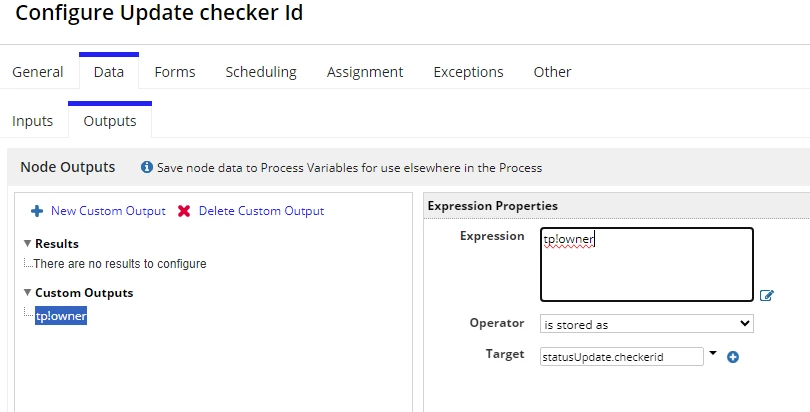
below script task i have configured like this and storing into CDT entity checkerid field.
after success process model run status.
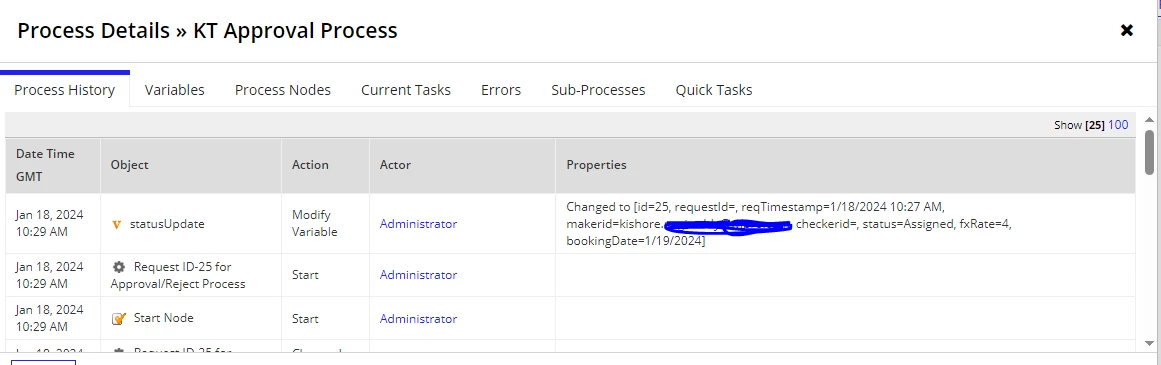
before task assigned to user the process variable properties showing like this status is = Assigned and CheckerId= null values.
from below screen print i have accepted task and approved. now status got updated to Approved. 
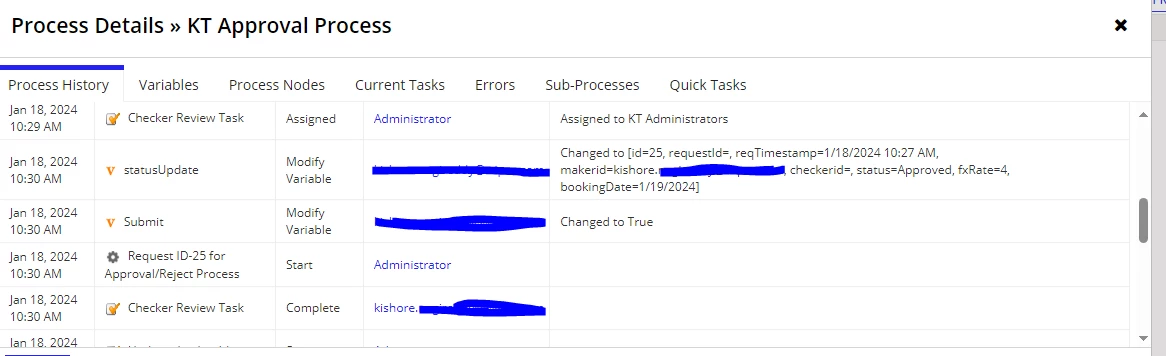
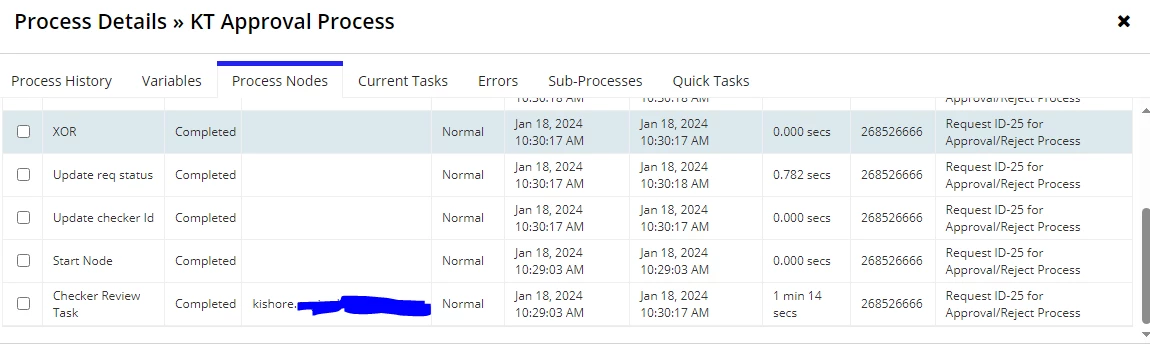
the next flow is to update task owner property to CheckerId field. but noting showing here. but i could see my name is reflecting under process nodes properties 
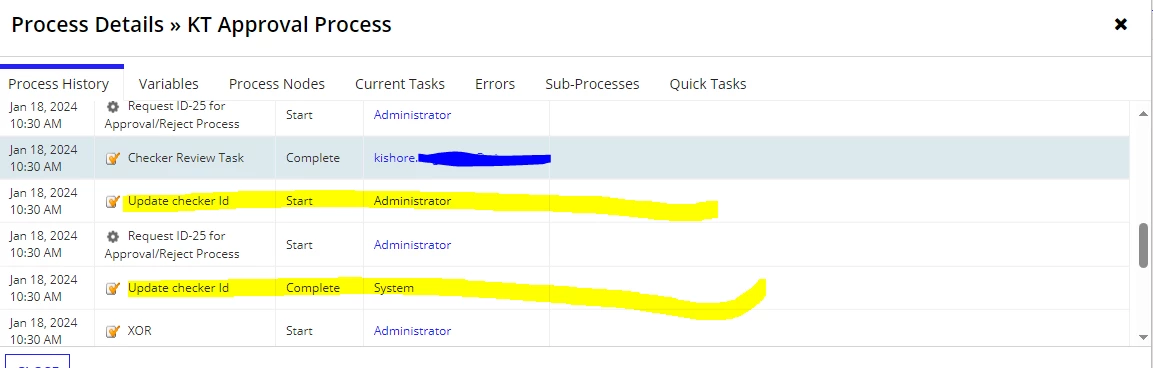
could you please help where to change code to get updated username post accpet task.

25 replies

harshitb6843
January 18, 2024

Hi, 

I guess this is happening because you have configured it in a script task. tp! domain usually runs in context to the current node and because there aren't any task properties in a script task, it is not returning anything. 

Instead of a script task, try adding the same in your User Input Task's output and see if this is giving you any result. 

January 18, 2024

Hi,

Thaks for your reply. i have changed it in User input task node for output tab but still it is not working.

Null value showing in process variables under process details 

harshitb6843
January 18, 2024

Strange. My next solution would be to create a process report. 

Pre-requisite - There should only be one task in a process. 

  1. Create a process report by process model and select this process model.
  2. Configure it to give outputs like pm!id, pp!id, tp!id, tp!owner etc. and pass the pp!id as a filter when querying data from that report.
  3. When the query executes, it will only give you one dictionary of data and then you can index that dictionary to get the required field (task owner)

Process Report - docs.appian.com/.../Process_Reports.html

jayaprakashr0001
Participating Frequently
January 18, 2024

Hi kishoren0004,

In the output of the user input task configure . using below image it will store the tp!owner.

Duplicate ticket Link

abhayd3663
January 18, 2024

Probably the statusUpdate PV is getting overwritten may be during the status update script task or write to DSE if you are saving stored value back to the statusUpdate PV. I never faced any issue storing tp!owner to a PV.

January 21, 2024

Hi,

As per suggetion, i have removed script task and i given "tp!owner" in User Input task output tab to store the checkerid value. still same issue gettig

jayaprakashr0001
Participating Frequently
January 21, 2024

Can you check that you are storing in text field or not.