

shubhama926776
July 20, 2023
Question

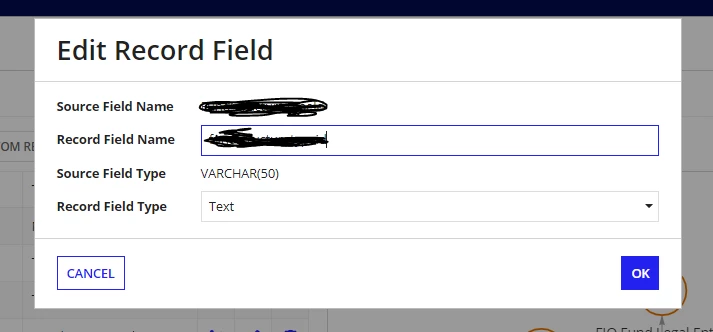
Appian Record Source Field is not getting column length from Database.

  • July 20, 2023
  • 7 replies
  • 0 views

We have created entity backed record using database table. That time length of column was 50 character later we update to 100 but source field is not taking 100 it still shows 50.
Anyone knows how to update column length?
7 replies

shikhat
July 20, 2023

Hi , try to remove the data source again and remap the fields .

Thanks

Shikha

shubhama926776
July 20, 2023

That is very big change all dependent also we have to change.
Looking for Better approach

shikhat
July 20, 2023

Try to sync maybe it will take the changes.

stefanhelzle0001
July 20, 2023

My assumption is that this has zero impact. Appian does not do any length checks internally. Except the 4k text field check for synced records.

July 24, 2023

Hi, When you change the length in the database for a field and you want to make the change in the record, you can click on Map Record Fields.

Then you can see a new Source Field Name at the end of the page for which you changed the length. You can click on the checkbox and click on finish to apply the changes. (In the below example before it is 255 but now I changed it to 400).

Then check the dependents of the record and try to make the changes where this field is mapped.

October 25, 2024

This did the trick for me! Thanks!