

rodrigoe0001
October 8, 2021
Question

Convert API response JSON to Array to disaply it on table

  • October 8, 2021
  • 21 replies
  • 0 views

Hello there!

I am trying to put data from bigquery response API, into a table to create record types. 

So far, I have been able to get the response from bigquery and convert it to appian values, the response looks like this:
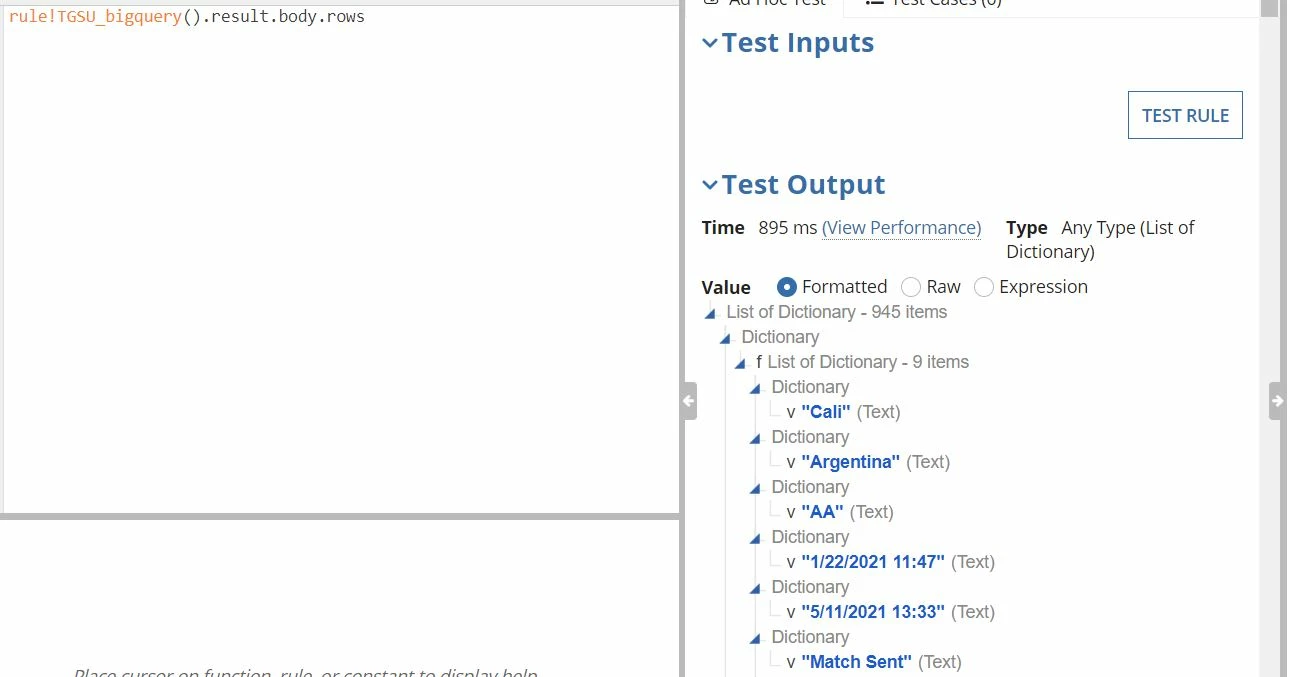
then, I created a rule to narrow down to the values, but as you can see, the column name does not come from the response, so it displays all the values as rows but on the following way :
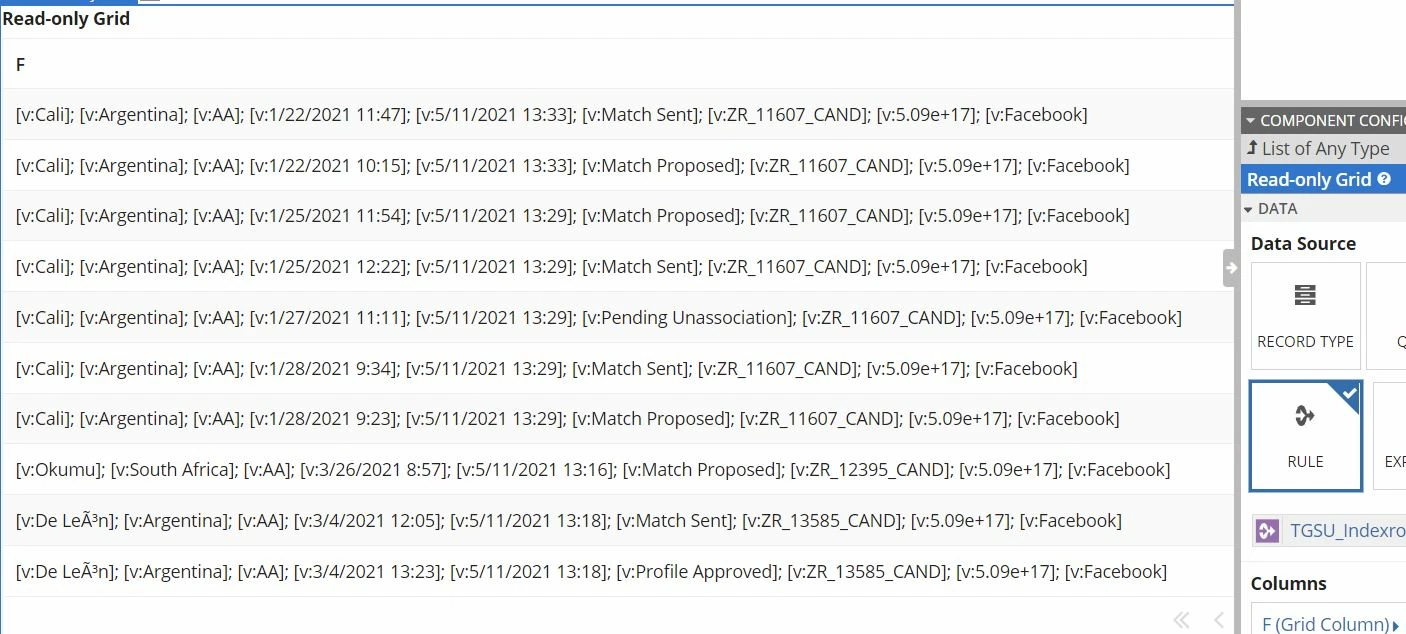
so as you see, I do not have columns  there , I guess the best way to go on this, will be to get the JSON response converted to an array, and then pass it to a table but not sure if this is possible, any advise?

    21 replies

    mikes0011
    Brainy
    October 8, 2021

    Do the column names come back somewhere else in the API response, or are you just expected to know them?

    Either way I suspect you'll have to loop over the response rows and manually construct the necessary dictionary from each row's results.  If each row will always have the exact same number of columns and you can just hardcode the column/property names, then this should be pretty easy.  If there's an expectation that the columns might be variable and/or will need to be named after data that's given in another part of the response, then it's still doable but might be a bit harder.

    The Expression Guru
    rodrigoe0001
    October 8, 2021

    Hello, thanks for your response. 

    From this response from bigQuery no, the column names do not come in the response anywhere, for that, you need to do another request on a different API from bigquery. 

    I get what you are saying of doing a loop, however, I have not found a way to create a table or a way to use loops, is it like on the interfaces or somewhere on the design pane?

    mikes0011
    Brainy
    October 8, 2021

    I just mean that you'd loop over the response rows in your handler Expression Rule and create a formatted dictionary that gets passed back to wherever you need it.  For starters:

    createDictionary(
      {"State", "Country", "Type", "Date"},
      {
        "Cali",
        "Argentina",
        "AA",
        today()
      }
    )

    The Expression Guru