March 22, 2024
Question

Data in sync record not updated after data sync

  • March 22, 2024
  • 5 replies
  • 0 views

Hi everyone, 

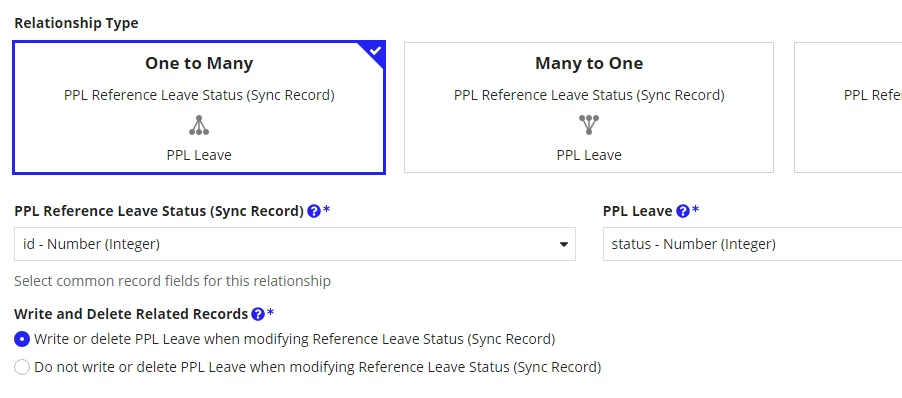
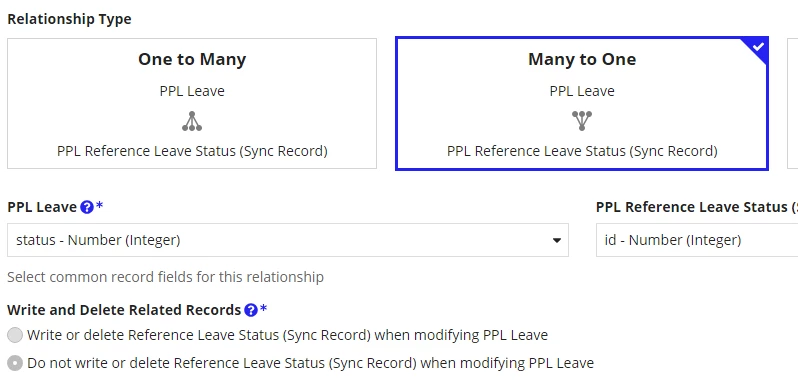
I'm having these 2 tables. For each table I created 1 synced record, in synced record for Leave, I set a many to one relationship with Status, and by contrast, I set a one to many relationship for Status to Leave.   
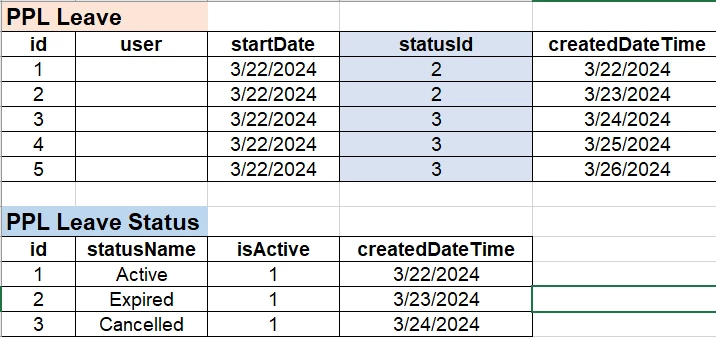
I ran a SQL script in DB to update statusId values to 3 (UPDATE User SET statusId = 3) and when I check again, SELECT * FROM PPL Leave WHERE statusId <> 3 returns 0 result.
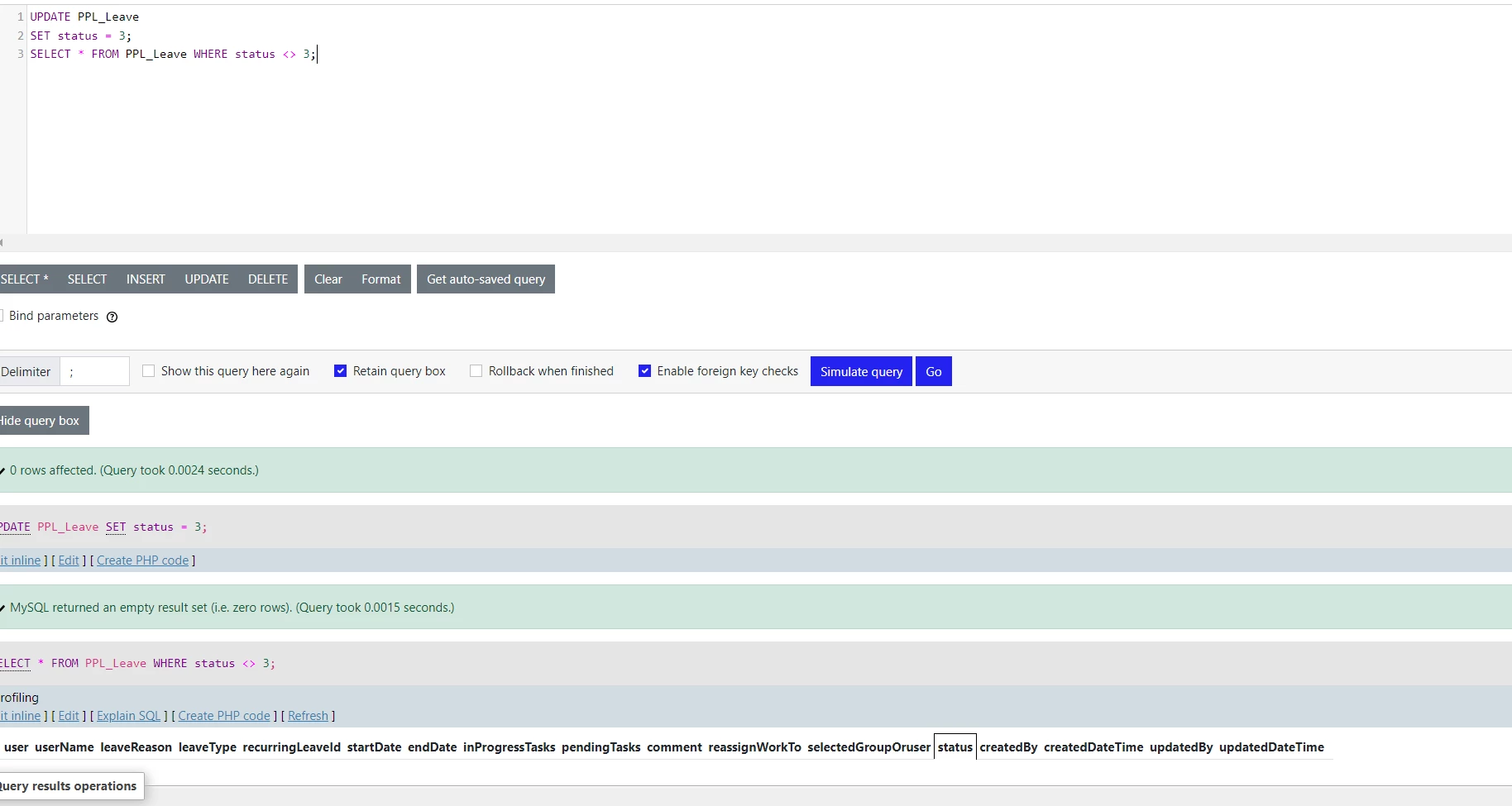
After that, I went into PPL Leave synced record and do a fully sync. I'm expect to see the synced record data to be updated to be the same with the table (all statusId = 3), but instead I can see no change in the sync record, and query SELECT * FROM PPL Leave WHERE statusId <> 3 returns 2 results (which I'm assuming after the sync, data in table was updated to be the same as in sync record). 

Is this a strange behaviour or did I set up something wrong? 

Also, if possible could you explain for me the below options under Write and Delete Related Records meaning?
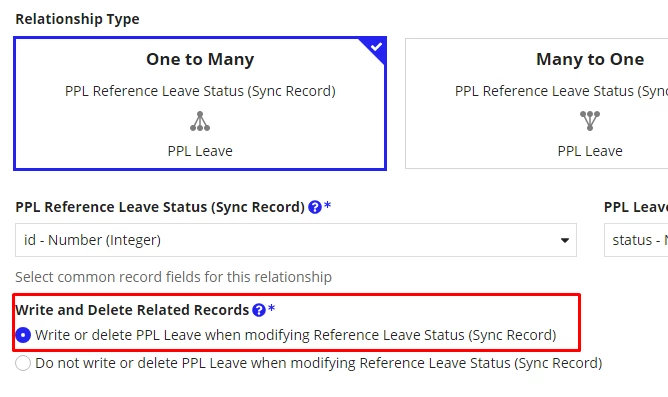
Thanks for your help!

    5 replies

    mathieud0001
    March 22, 2024

    Normally after a DB update, you need to do a full sync of the Record.

    Writing related records allows you to write a Record and it's children in one single write: https://docs.appian.com/suite/help/24.1/record-type-relationships.html#add-relationships

    One last note, I don't think your Leave Status Record should have a relationship with Leave. You should only have the many to one relationship between Leave and Leave Status.

    linhnAuthor
    March 26, 2024

    Hi, I have a more detailed answer down below. Please have a look at it. 

    I also want to have your explanation why we should not have 2 ways relationship between 2 records?

    peter.lewis
    Employee
    March 22, 2024

    Can you show the sync history page? Did the sync succeed? Also what happens if you make other kinds of changes (e.g. add or remove a row) - do you see any of those present in your record data?

    linhnAuthor
    March 26, 2024

    Hi, I did do a full manual sync after the data table update. The reason why I changed my DB data manually was to test the weird behaviour above only, normally I use Write to Data Store Entity to do the job, and I believe it also do an auto sync to my sync records. 

    After some other testing on changing data, I can see only 3 particular rows keeps having that strange behaviours (when I change status ID, only these 3 row's statusId did not change), other rows was updated accordingly. But if I change the option for Write and Delete Related Record to Do not Write or Delete, those 3 rows were also be updated. Any explanation for that? By my understanding it should not have anything to do with the change...


    peter.lewis
    Employee
    March 26, 2024

    Yeah I wouldn't expect this configuration to have any effect if you are making the changes via the database and doing a full sync.

    Nothing obvious is coming to mind why this would be happening - is it possible you have a source filter or something that is filtering out the data? Also what happens if you delete those rows and then add them back in?