
Question
Error with write to record smart service
I am using write to record smart service in my process which is breaking when I start this process with a basic user who has a viewer permission on record (and that user can successfully view record details on screen).
I am writing into SCC Case record without any events. Also, when I change the assignment of the node to whoever designed the process, then the process works as expected. Can you please help me with this issue ?
Error
The input "Records" refers to an invalid record type. The record type does not exist, has been deleted, or the user does not have sufficient privileges to access the data. Logs
2023-11-20 10:31:56,000 [ajp-nio-0.0.0.0-8009-exec-773] ERROR com.appiancorp.process.engine.UnattendedJavaActivityRequest - An error occurred while executing activity: id=268442382, classname=com.appiancorp.process.runtime.activities.WriteRecordsActivity
com.appiancorp.suiteapi.process.framework.ActivityExecutionException: The input "Records" refers to an invalid record type. The record type does not exist, has been deleted, or the user does not have sufficient privileges to access the data.

Caused by: com.appiancorp.record.service.error.RecordMutationValidationException: com.appiancorp.suiteapi.common.exceptions.AppianException: The input "Records" refers to an invalid record type. The record type does not exist, has been deleted, or the user does not have sufficient privileges to access the data. (APNX-1-4564-009)
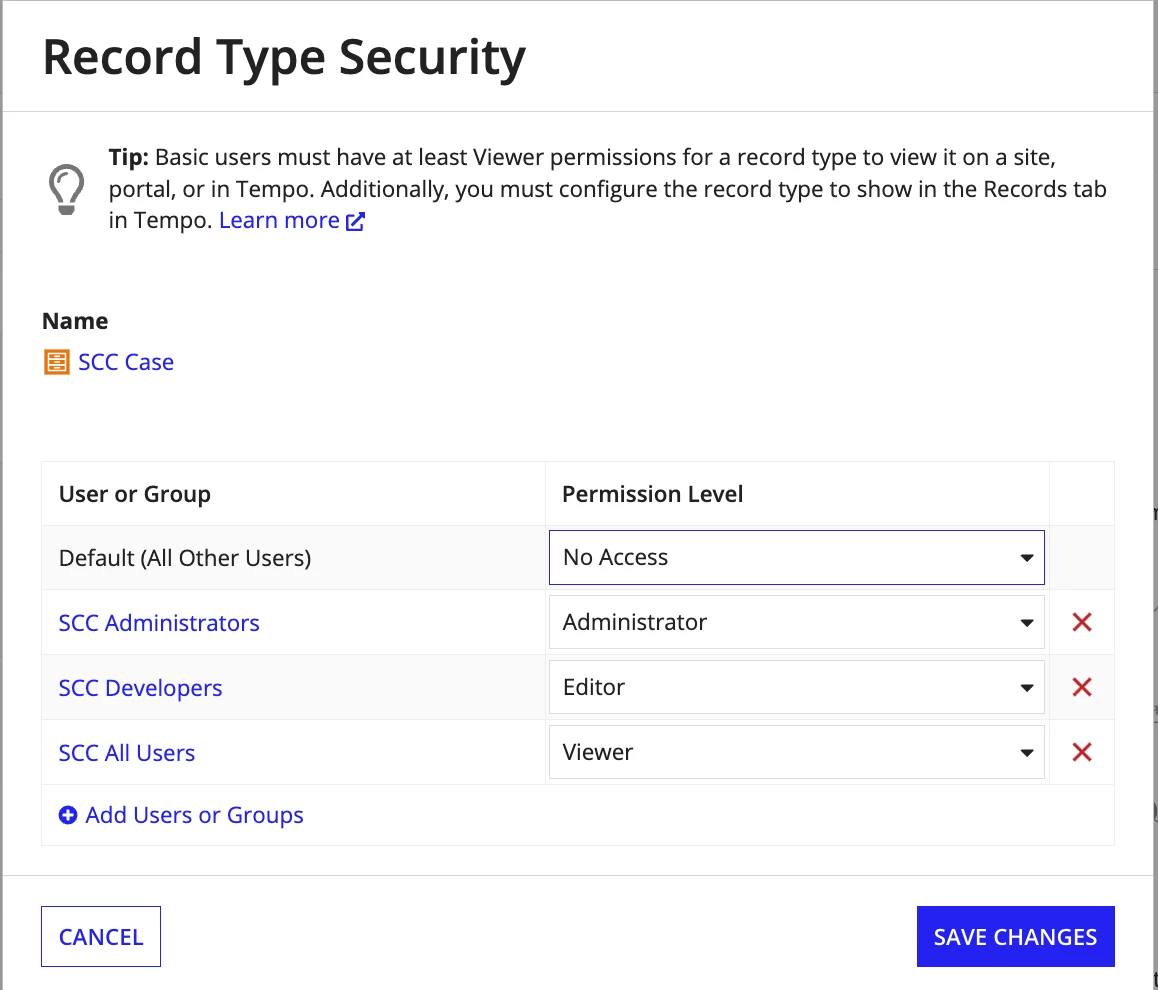
Security of record
User's groups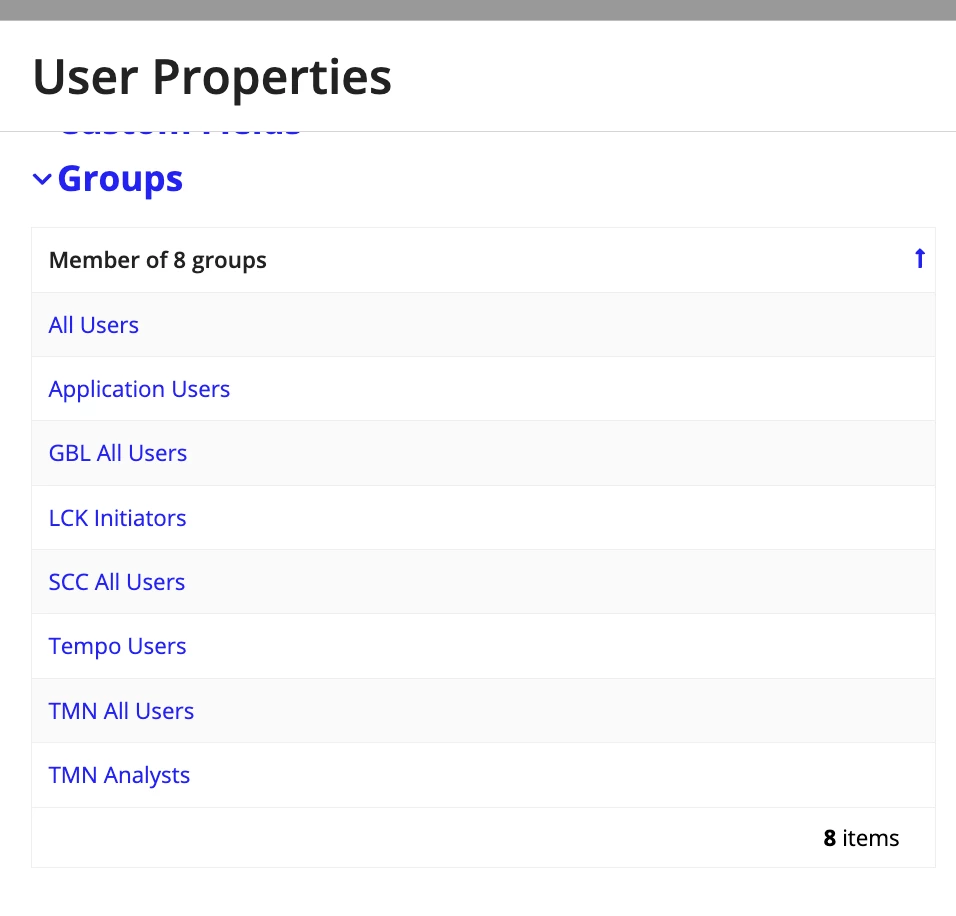
Thanks in advance!
Yogesh