
omkaro0002
Known Participant
June 23, 2022
Question

Exporting Data from Read Only Grid

  • June 23, 2022
  • 6 replies
  • 0 views

How can I export the data from read only grid (on an interface) with and without any filter, not from any CDT or record type?
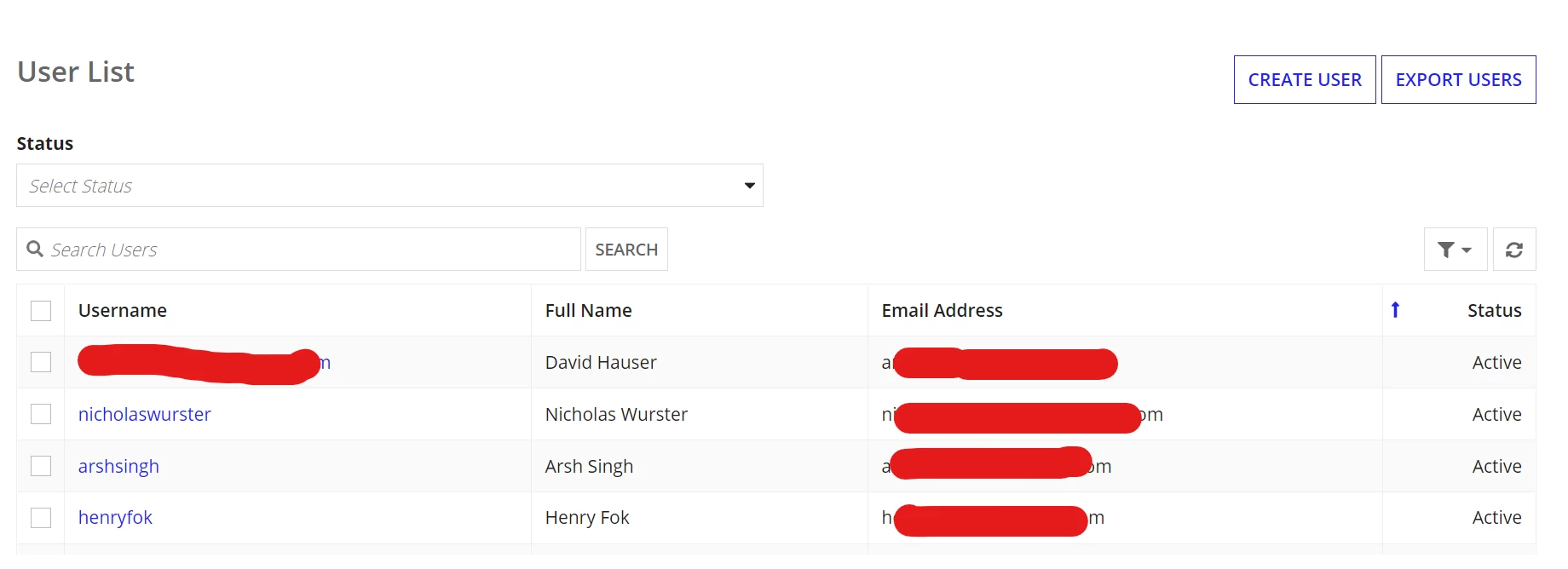
Need to get only these fields in exported file.

6 replies

dhananjayk3480
June 23, 2022

Show a link to download .

1.On click call a model

2.Model will dump all your column form grid to table with same structure ( Add extra column called processId and map pp!id)

3.Then use Export Data Store Entity to Excel Smart Service. link: https://docs.appian.com/suite/help/22.1/Export_To_Excel_Smart_Service.html

4. Make sure to activity chain the nodes in model

5. The smart service return the data dump in table in an excel document format

6. Delete the rows you inserted for this transaction based on pp!id

7. Take the generated document back to your interface

8. Show that as a download link

8. User can now download

vijayg1506
May 31, 2023

@omkar are you able to complete this requirement ? if yes please let us know.

omkaro0002
Known Participant
June 1, 2023

vijayg1506 I have done it by using Export Data Store Entity to Excel. (As my data was different)

vijayg1506
June 1, 2023

okay. so by this way we need to store a data into db then call it using Entity. am I correct ?

mathieud0001
Brainy
May 31, 2023

Please see my response here: [View:https://community.appian.com/discussions/f/user-interface/28687/interface-to-excel/112816#112816]