
zainabm725105
February 4, 2025
Solved

How can I access the db for a record type?

  • February 4, 2025
  • 3 replies
  • 0 views

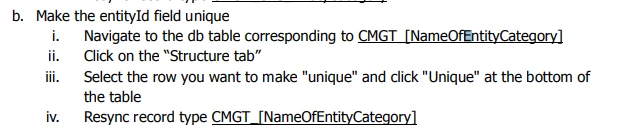
I am trying to make a field unique by following these instructions - (source : 24.3 24.3 Case Mgmt Studio (CMS) Common Customization and Configuration Guidance)
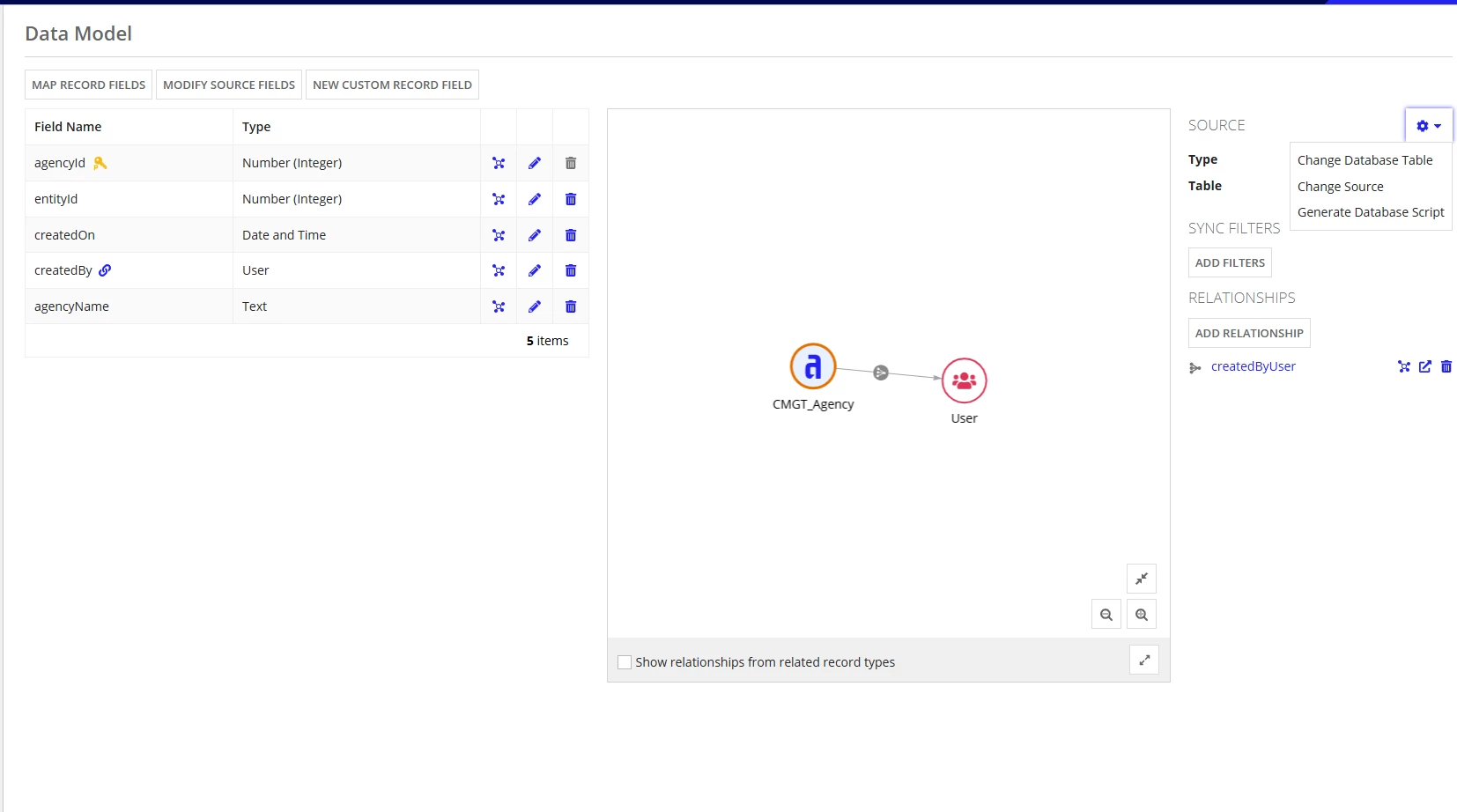
How can I navigate to the db table corresponding to CMGT_Agency? These are the options I see in source settings.

 

Best answer by konduruc733182

Hello [mention:5c5c5502a55d401cadc6903ccf717e3c:e9ed411860ed4f2ba0265705b8793d05] 

Do you have access to Cloud Database in the Navigation pane? If yes, go to the cloud database and select the schema (If theres only one might be with the name APPIAN) and in the search box you can search your record name. It would return the generated database table for CMGT_Agency record.

3 replies

konduruc733182
February 4, 2025

Hello [mention:5c5c5502a55d401cadc6903ccf717e3c:e9ed411860ed4f2ba0265705b8793d05] 

Do you have access to Cloud Database in the Navigation pane? If yes, go to the cloud database and select the schema (If theres only one might be with the name APPIAN) and in the search box you can search your record name. It would return the generated database table for CMGT_Agency record.

zainabm725105
February 4, 2025

That worked! Thank you Chaitanya

varuntejg243705
February 4, 2025

Hi [mention:5c5c5502a55d401cadc6903ccf717e3c:e9ed411860ed4f2ba0265705b8793d05] ,

In order to make  the field unique, you need to navigate to the cloud database,It's visible in the waffle icon as shown in below image.

Please check if you have access to cloud Database.

Navigate to table, Structure and select the column and Hit on unique.