

sebastiand8415
February 2, 2024
Question

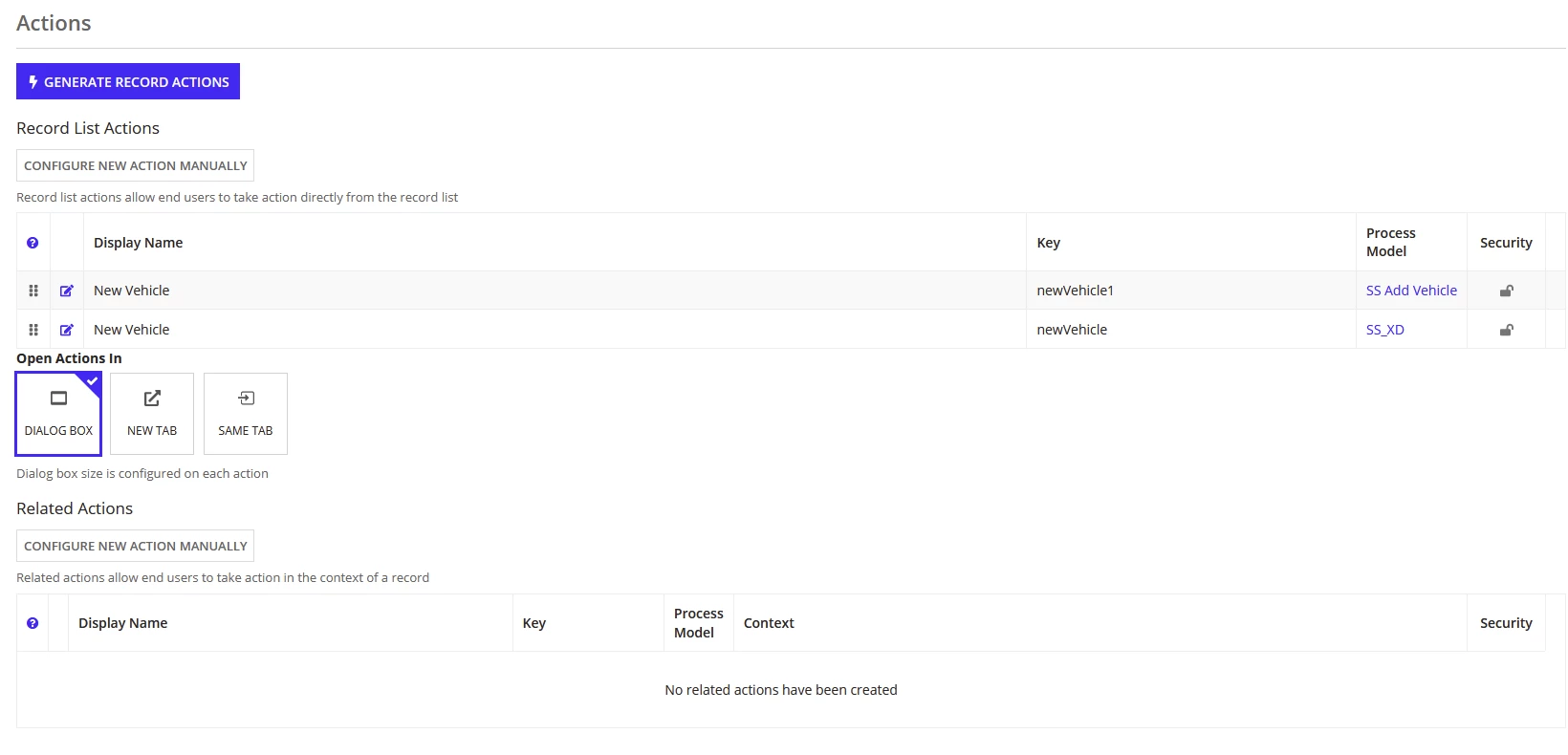
How to delete an action on a Record Type?

  • February 2, 2024
  • 9 replies
  • 0 views

Is there an option to delete an unused action?

I was following the tutorial and adding a new action on Record Type.
I realized, that I chose the wrong option, and created the action without auto-generated Process Model and Interface.
I didn't know how to remove the action, so I thought, that maybe if I remove the empty Process Model and Interface associated
with the action, it would dissapear. Doing that however only made things worse, as now I couldn't create a new action, due to
an error on the existing one (Process Model not found), so I had to put it back in.

Now I have two actions, one of which is not needed. How do I delete it?
9 replies

February 2, 2024

You can delete it by clicking on cross which will be there after security.

konduruc733182
February 2, 2024

Hello [mention:bfc9f4801df0400ebd9036e88bfe1776:e9ed411860ed4f2ba0265705b8793d05] 

Usually theres a 'X' icon on the end to remove the action as shown below. Not sure why you don't have this. Which version are you using? Did you try reloading the record?

harshitb6843
February 2, 2024

I thought the problem was with the security but then he wouldn't have the buttons to add new actions. Still, [mention:bfc9f4801df0400ebd9036e88bfe1776:e9ed411860ed4f2ba0265705b8793d05] you should check the security of the record. Here is a list of what you will be able to do with what role. 

If you are in the correct role, try adding the process model again to see if that cross icon appears.