
January 20, 2022
Question

How to have Record Level Security for my Appian Application?

  • January 20, 2022
  • 13 replies
  • 0 views

Hi, 

I have a use case where while updating an already created Form, I want to limit the user to only update a particular attribute / field in the form where the rest shows as "Read-Only"
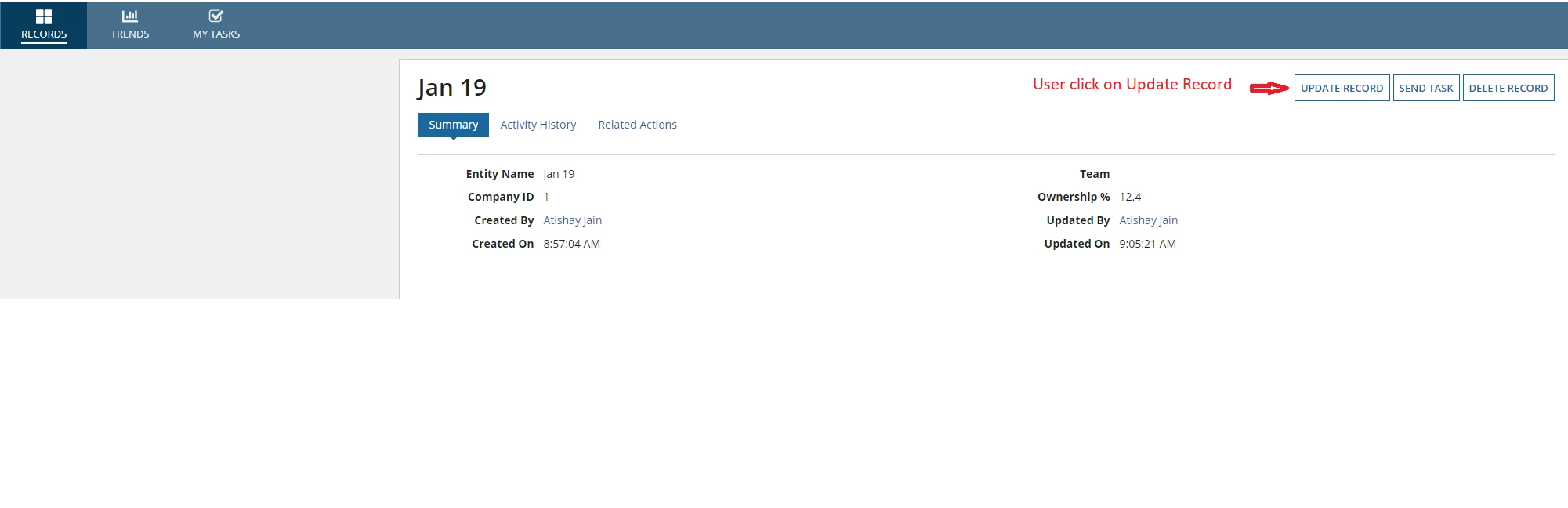
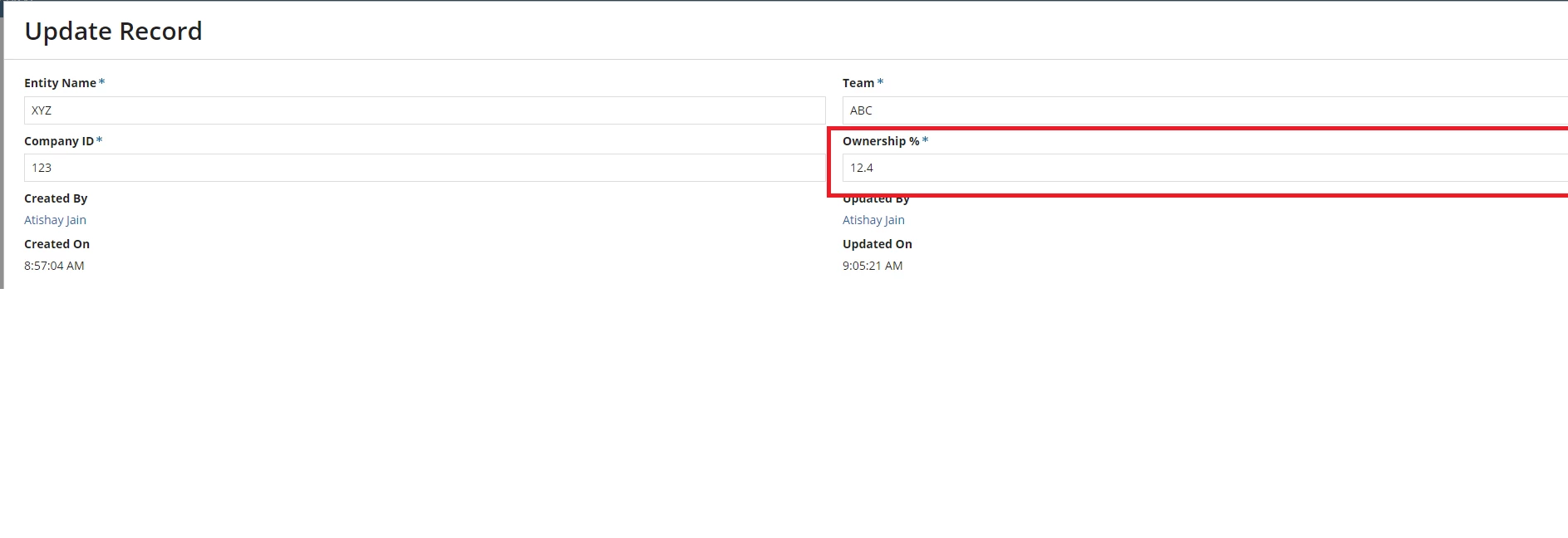
For example, in the above case, I want to give an access to only update the Ownership % for particular users, and rest fields be "read-only".

13 replies

harshitb6843
January 20, 2022

Hi Atishay,

You can directly apply this logic in the individual component's readonly or disabled property. You can check if the loggedInUser() is a part of a specific group, then only these fields should be enabled. Else, you can show when disabled. Or vice versa. 

You can also include checks like if this is an update action. If you are using the same interface for create and update actions, then you can have an additional RI to pass if this interface is being opened in context to updating. Something like isUpdate. Pass true in it while using in related action (update), and false when passing in action (create).

January 25, 2022

Hi Harshit, 
Thanks for the revert! Could you please help me with the actual code of this?

harshas2775
Brainy
January 20, 2022

You can create an additional rule input of boolean type say ri!isRelatedAction. Within the related action interface pass this boolean as true. And in the interface set readonly as ri!isRelatedAction against all the form fields except Ownership %. 

If you already have readonly set to some variable or value then have the newly created rule input within an or() function. like  

readOnly:or(ri!readOnly,ri!isRelatedAction)

Next, check the dependents of this interface and pass false for the value against ri!isRelatedAction. So that in all other places the change doesn't cause any other regression issues.

January 25, 2022

Hi Harsha, 
Thanks for sharing this solution.

Just to give a background, we are using the same interface for Creation & Updating of records. 

With your approach, if I change all the fields to read-only it will actually restrict everyone to even create a new record, as all these fields will be read-only. 

For my use case, I want to give access to a set of users to create a record, and then a selective access to only update the Ownership % field. 

Let me know if you need any more details on this. 

January 27, 2022

[mention:4df72f3058e64bf49d2d98a1f350e336:e9ed411860ed4f2ba0265705b8793d05]

mikes0011
Brainy
January 20, 2022

Just as as quick FYI, it's usually standard practice around here to post clarifying information like this as a new reply on the original post, rather than as a brand new post like this one.  If people made brand new posts every time instead of replying, this forum would quickly become so cluttered it would be unusable.

The Expression Guru
January 25, 2022

Thanks, Mike! Noted. 

February 21, 2022

Since, we have now restricted users not updating all the fields except editing "Ownership %" field, and rest all other fields are non-editable, how can this logic be applied to only allow a specific "group" of user to edit "Ownership %" field?

Look forward to your help on this!

mikes0011
Brainy
February 21, 2022
how can this logic be applied to only allow a specific "group" of user to edit "Ownership %" field?

This would use the exact same logic as [mention:ef600ff8f5d2497eb2def2126dc89484:e9ed411860ed4f2ba0265705b8793d05] posted earlier in this thread, FWIW. 

In sort:

  1. In your SAIL code, you'd check whether a user is a member of this group (store this result in a local variable etc)
  2. Base logic of the editability of whatever field(s) you want on the results of that initial check, and in combination with any other factor(s) you might come across.
The Expression Guru