
April 13, 2022
Question

How to store data in Appian Cloud Database in absolute decimal form?

  • April 13, 2022
  • 5 replies
  • 0 views

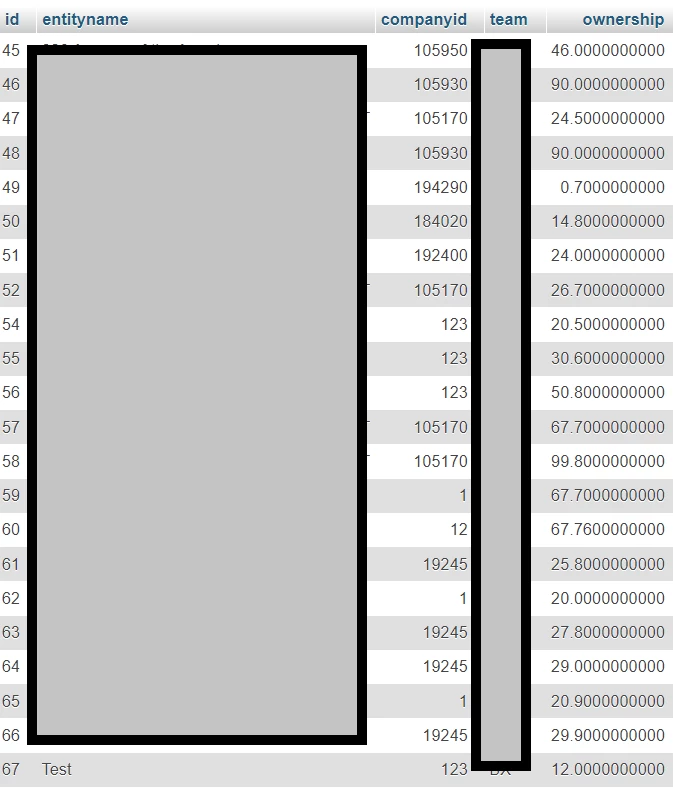
I want to save the value for Ownership % field (last column) in the below image, as absolute values, i.e (Number/100)

E.g. If a user inputs 46.00 in the Interface Dashboard, the database would store it as 0.4600

If there any workaround to achieve this?
5 replies

stefanhelzle0001
Brainy
April 13, 2022

Can you give us a few more details? How does the interface look like? Screenshot showing the entered value? There is just too much going on between the user entering the value and the screenshot of the database.

April 18, 2022

[mention:126a676c85024855948336691b0a7b92:e9ed411860ed4f2ba0265705b8793d05]

Please find attached the screenshot of the interface. 

stefanhelzle0001
Brainy
April 18, 2022

OK. I need to see the value in the field, the rule input and the process variable.

April 13, 2022

There are two things when you consider a decimal field in a DDL script used to generate tables like below test table.

CREATE TABLE `Test` (
  `id` int(11) NOT NULL,
  `ownership` decimal(10,2) NOT NULL
) ENGINE=InnoDB DEFAULT CHARSET=utf8;
The 10 indicates the precision which is the maximum allowed integer and decimal digits.The 2 indicates the scale which is 2 decimal places.
If you want to have only 2 decimal places then update your table with DECIMAL(10,2) like above.
April 18, 2022

Hi,

As Balachandran mentioned use decimal field in your CDT and data base to store decimal values. In case if user is entering the values in numbers (ex: 40, 50 65 etc..) save this value in one local variable first and then convert that value to percentage and save back to your CDT.