

Put data from Response from BigQuery to record type with sync
Hello!
I am having a hard time trying to understand how to put or format my response from bigquery to create records and filter views easily.
So far, I know you can only connect to bigquery via API, using GET method you can get this response
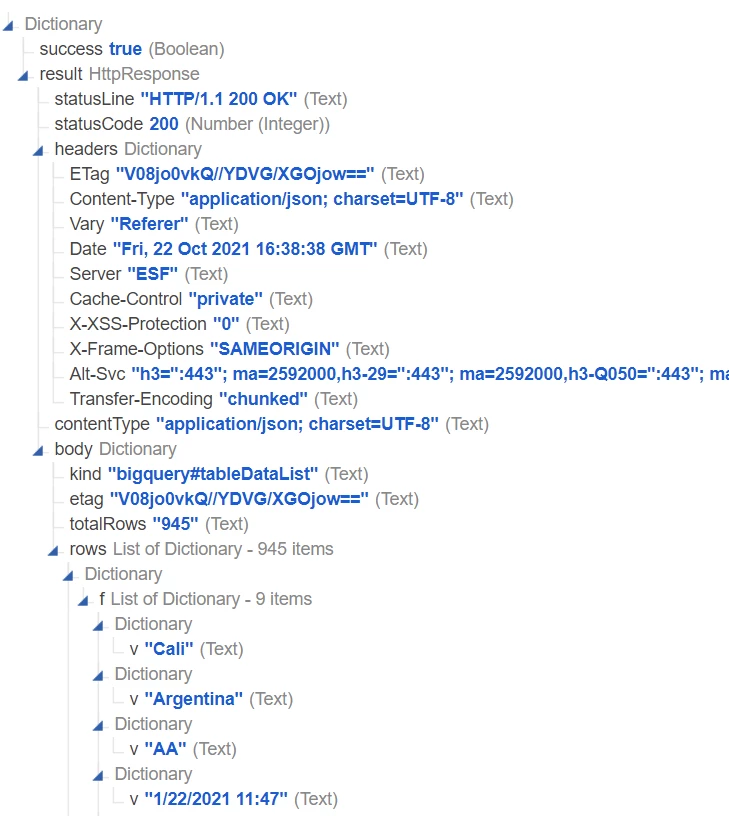
So I get the response, that part is fine, then I noticed Appian takes whatever that comes in the body, as the values to use as columns, however, in this case, the values I need, are into the subsection 'rows'
I was able to access that by using .body.rows but that takes me here
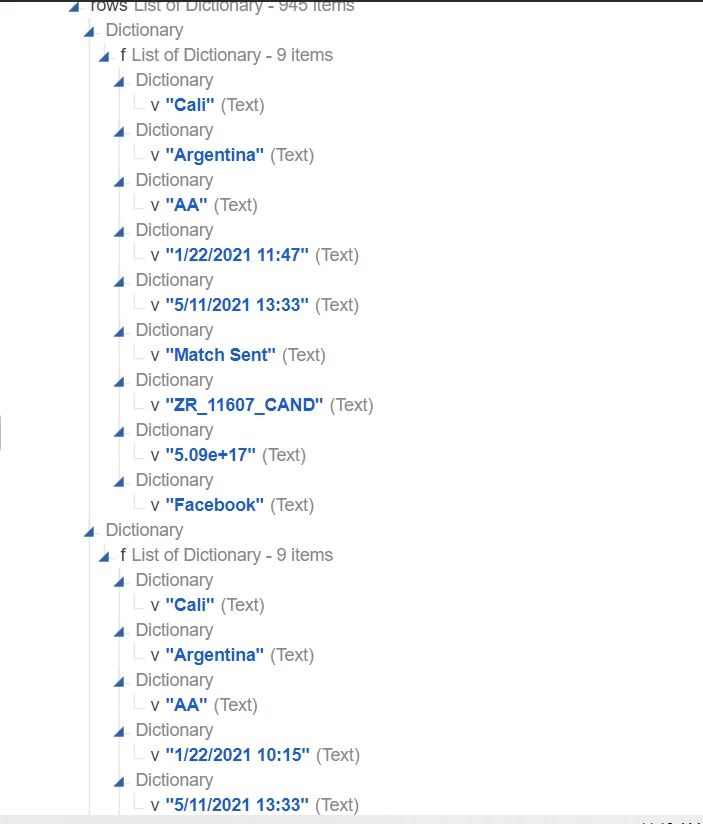 which as you see, does not come with column names, so Appian is not able to understand how to put that data into the record type.
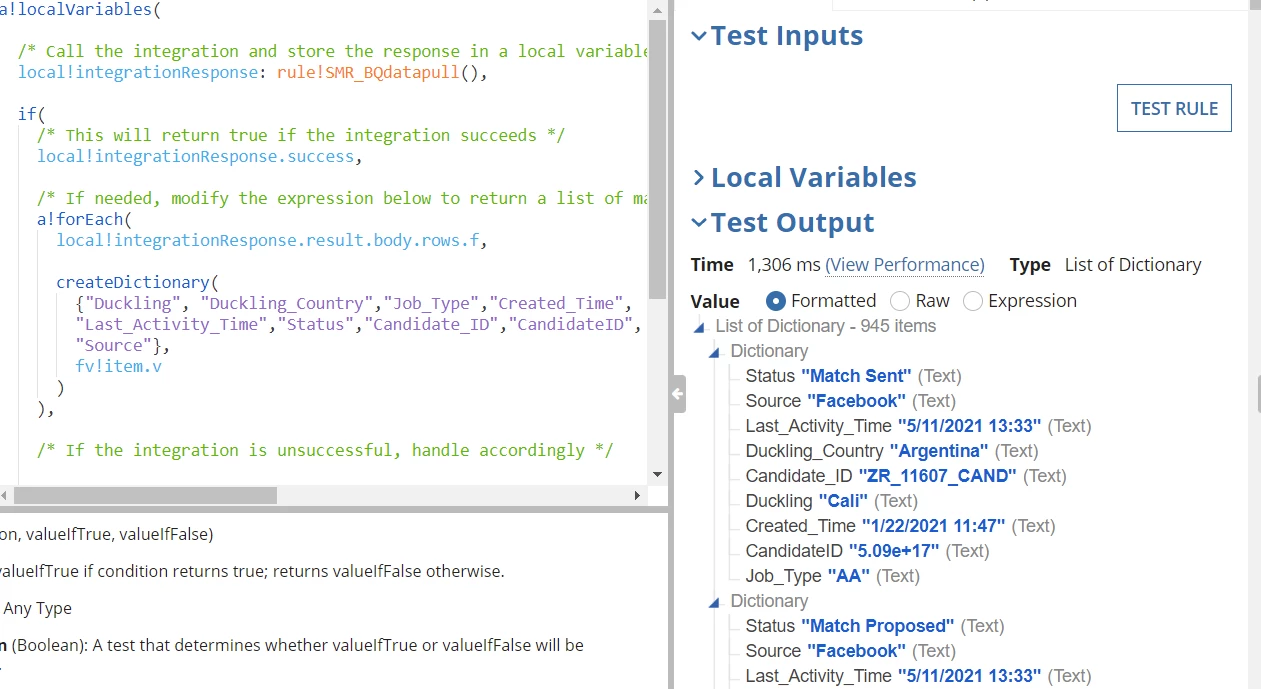
Now, I was able to use the input rule on the response, to map to a dictionary and it works:
But then, I get this error on the record type
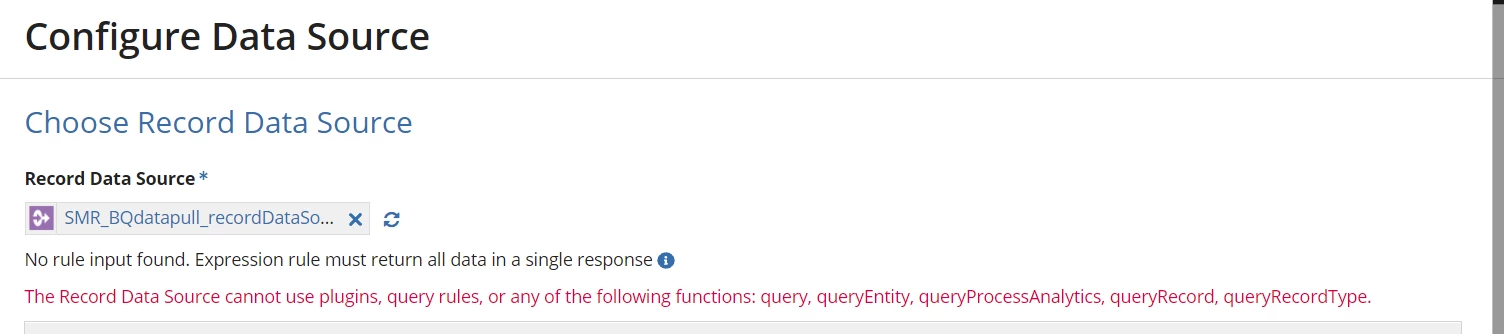
How can I use my response to be a dictionary, on the record type so that I can work with filters and sync and so on, if my response is coming like that?
