
July 22, 2021
Question

Record Data Sync

  • July 22, 2021
  • 6 replies
  • 0 views

I have a synced record with a database table. I can successfully write new data to the table using the "import excel to database" within a process model. Unfortunately, after uploading new data the synced record is not updating. If I manually sync the record it will update correctly. How do I ensure the data is synced when I upload new data?

According to Appian Documentation the record is suppose to automatically sync: "To keep your synced data up-to-date with the source, an immediate sync occurs whenever Appian writes to the source of your data."

https://docs.appian.com/suite/help/21.2/Records_Monitoring_Details.html

Additionally, I've confirmed that Sync is enabled: 
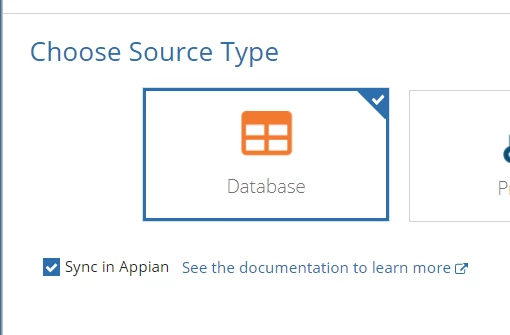
Any thoughts or suggestions is appreciated. 

Thanks!

6 replies

akshays0003
July 22, 2021

Please try Activity chaining in the process models. Maybe the data is not reflected due to asynchronous processes. This also happens with me sometimes. try it 

July 22, 2021

Confirmed Activity chaining is turned on. No luck so far. thanks for the quick reply!

stefanhelzle0001
Brainy
July 22, 2021

Records get automatically updated when using the write to data store nodes/functions. That plugin is going directly to DB by-passing this mechanism.

Is it possible to NOT sync that record?

akshays0003
July 22, 2021

we can turn off the sync from the record type settings. if we don't want to sync it automatically

stefanhelzle0001
Brainy
July 22, 2021

I know that. My question is: Why is that records synced and would that chosen design work without it.