
December 7, 2023
Question

Replicating Objects View For Appian Objects To Be Stored For Records

  • December 7, 2023
  • 4 replies
  • 0 views

Simple explanation:

I want to quickly see all of the objects belonging to the current application on one scrollable sheet of sorts (Spreadsheet, Interface, TXT, etc).

Complex explanation:

I can't seem to find any way to utilize readcsvpaging / readlogpaging with any of the system logs to get ALL of the application objects.

I can muster up a list of Interfaces, Expression Rules, Integrations, Process Models, etc. but not ALL objects.

It's already hard work to parse these individually (not that it isn't done), but I would like to know if there's a way to do this in the Community Edition / Paid Edition respectively.

If anyone can provide a solution, or needs more information, I'd be happy to divulge further.

Attached is a sample of retrieving information of one object.

Utilizing UUID / Name, I am able to find a good amount of object information, but this does not cover all application objects.
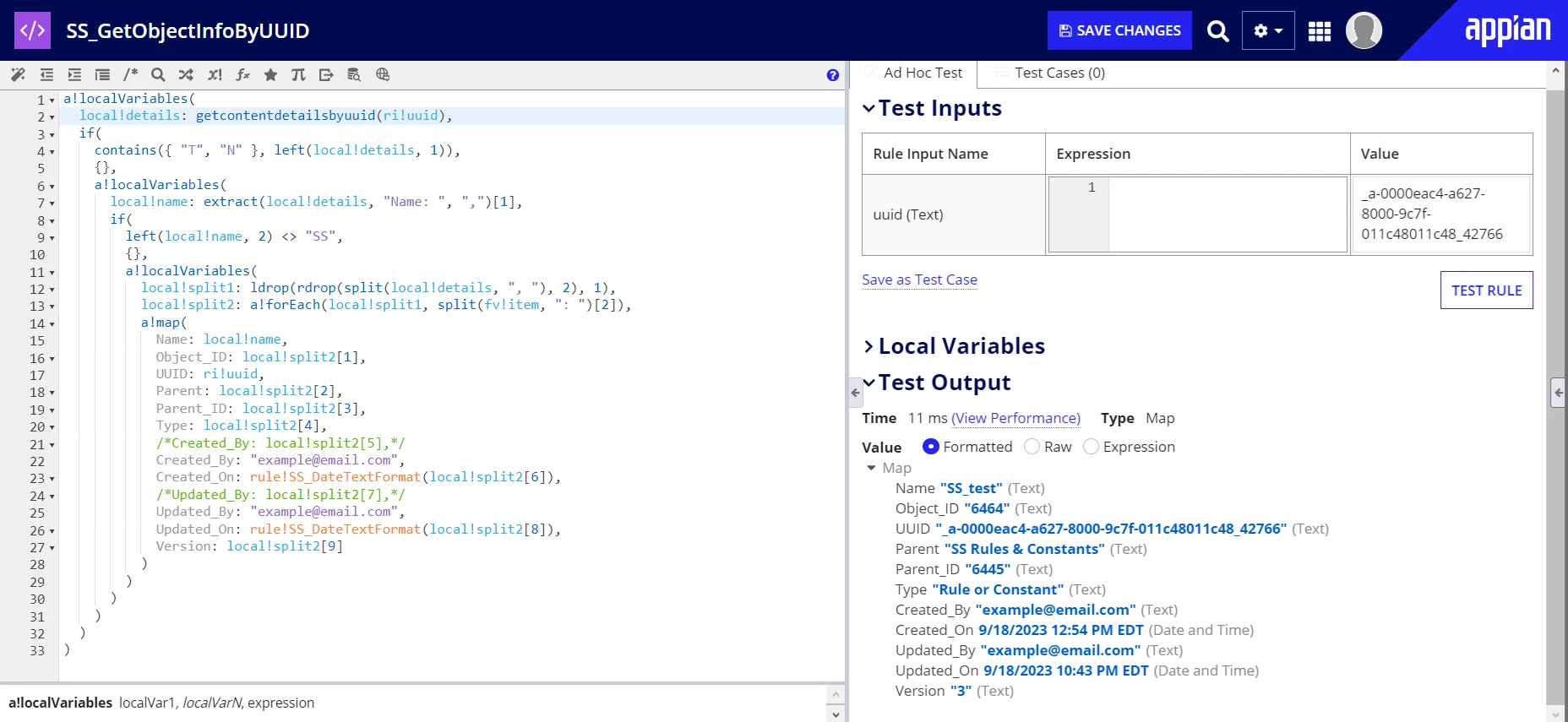
Thanks, Jacob

    4 replies

    annap0005
    December 7, 2023

    afaik we do not have such thing available. if it just to get the all list of objects from application then you can export the application and get all list from the export log file

    December 7, 2023

    The problem is that I am on the community edition making this, so I cannot export the application.

    stefanhelzle0001
    Brainy
    December 7, 2023

    I don't have a solution, but I am mostly interested in the purpose of this.

    December 7, 2023

    For work, we must modify a shared Excel Spreadsheet by adding the current date, our name, and the objects we have modified for that day. Sometimes multiple people edit the same objects, hence the overlap. Sometimes objects are forgotten, and I am not aware of the process to check this, but I do know it costs time. That's why I would like a more clean looking document. Is there an alternative to export log for community users?