Storing Data to Appian db after processing json from GET api
Hi,
I am trying to save data in appian db which I am getting from an api call. API is : https://run.mocky.io/v3/ac936aeb-6ae5-46e1-ab38-b953ab3ac2a5 [Below is the body that I am getting after running API call in Appian]
[{
		"FXRateMicroservicesSuite1": [{
				"FXR": [{
						"FXRateGET": ["test step 1", "test step 2"],
						"link": "FXRateGET.com"
					},
					{
						"FXRateMiscellaneous": ["test step 1", "test step 2"],
						"link": "FXRateMiscellaneous.com"
					},
					{
						"FXRatePolicyServer": ["test step 1", "test step 2"],
						"link": "FXRatePolicyServer.com"
					},
					{
						"FXRatePOST_DELETE": ["test step 1", "test step 2"],
						"link": "FXRatePOST_DELETE.com"
					}
				]
			},
			{
				"Script2": [{
					"Test cases": ["test step 1", "test step 2"],
					"link": "Script2.com"
				}]
			}
		]
	},

	{
		"FXRateMicroservicesSuite2": [{
				"FXR2": [{
						"FXRateGET2": ["test step 1", "test step 2"],
						"link": "FXRateGET2.com"
					},
					{
						"FXRateMiscellaneous": ["test step 1", "test step 2"],
						"link": "FXRateMiscellaneous.com"
					},
					{
						"FXRatePolicyServer": ["test step 1", "test step 2"],
						"link": "FXRatePolicyServer.com"
					},
					{
						"FXRatePOST_DELETE": ["test step 1", "test step 2"],
						"link": "FXRatePOST_DELETE.com"
					}
				]
			},
			{
				"Script2_2": [{
					"Test cases": ["test step 1", "test step 2"],
					"link": "Script2_2.com"
				}]
			}
		]
	}
]
Below given is how I want to store it in database:
| SuiteName | Scripts | SuiteID |
| FXRateMicroservicesSuite1 | [FXR,Script2] | 1 |
| FXRateMicroservicesSuite2 | [FXR2,Scrip2_2] | 2 |
So basically, FXRateMicroservicesSuite1 object is an array of scripts which is further an array of steps as you can see in the response of the above api. However I only want to store the suiteName and then Scripts as an array in the Scripts column.
For that, I am basically writing an expression by which I can achieve the above target. However I am not getting the expected output.
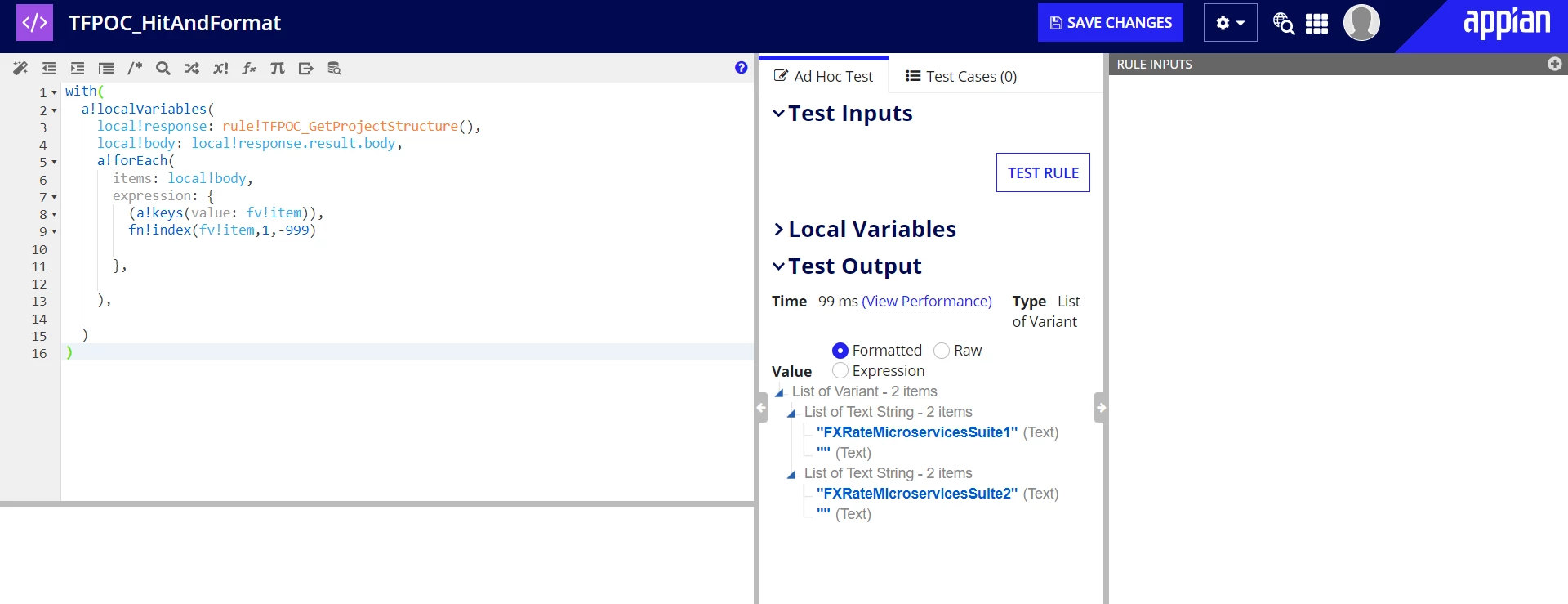
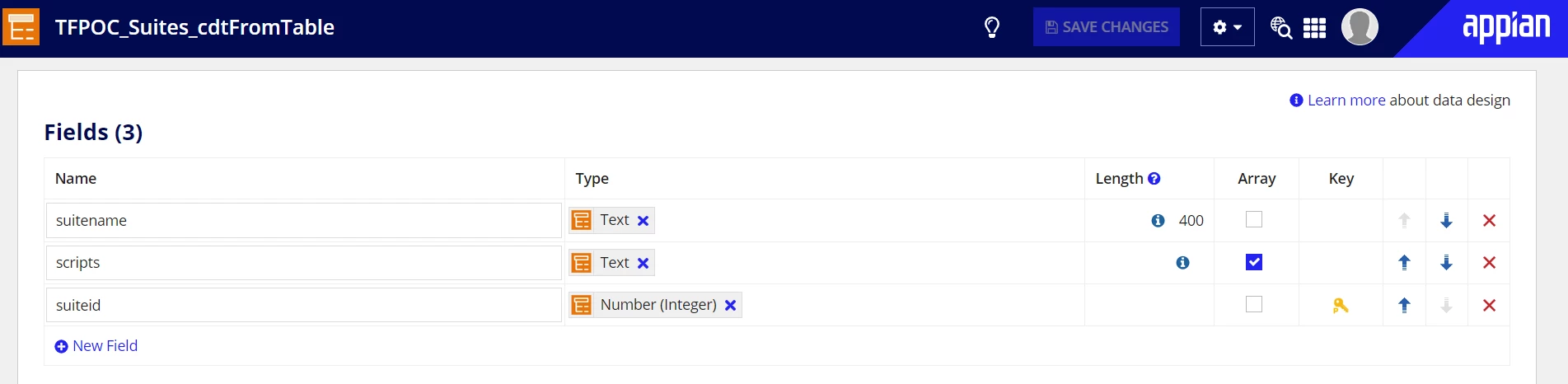
Can you guyz pls help me in writing a Expression rule so that I can store it in a process variable and then can store it in database ? Below is the CDT that I am trying to save the output of the expression rule so that I can save it in appian db.
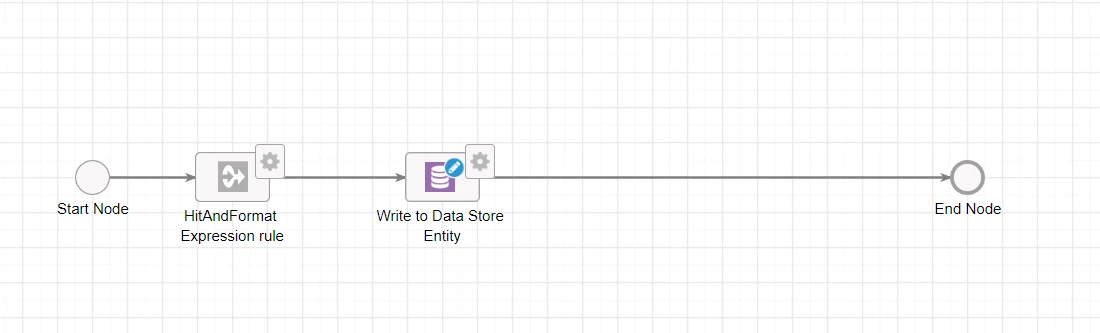
Below is the process model for the same: