
Solved
User Filter to select a list of companies, list of departments etc
I feel this is a really easy one, but Ive been struggling for hours now. I want a drop down list to filter on the company, and another for the department etc. I know there is a free text search field but they want three different searches.
I have tried two different expression based queries.
I have tried using a expression rule - rule!DMR_V2_UserFilter( array: rule!DMR_V2_AllCompanies().company, field: "company" )
DMR_V2_UserFilter is:
a!recordFilterList(
name: proper(ri!field),
options: a!forEach(
items: ri!array,
expression: a!recordFilterListOption(
id: fv!index,
name: fv!item,
filter: a!queryFilter(
field: ri!field,
operator: "=",
value: fv!item
)
)
)
)
name: proper(ri!field),
options: a!forEach(
items: ri!array,
expression: a!recordFilterListOption(
id: fv!index,
name: fv!item,
filter: a!queryFilter(
field: ri!field,
operator: "=",
value: fv!item
)
)
)
)
Also another from
Both give me the error:
The Requested Record Type Is Not Available The User Filter expression failed to evaluate. Details: [Expression evaluation error at function a!queryFilter: The field [“company”] used in “filters” was invalid. A record type field reference must be used when filtering record data.]. (APNX-1-4205-021)
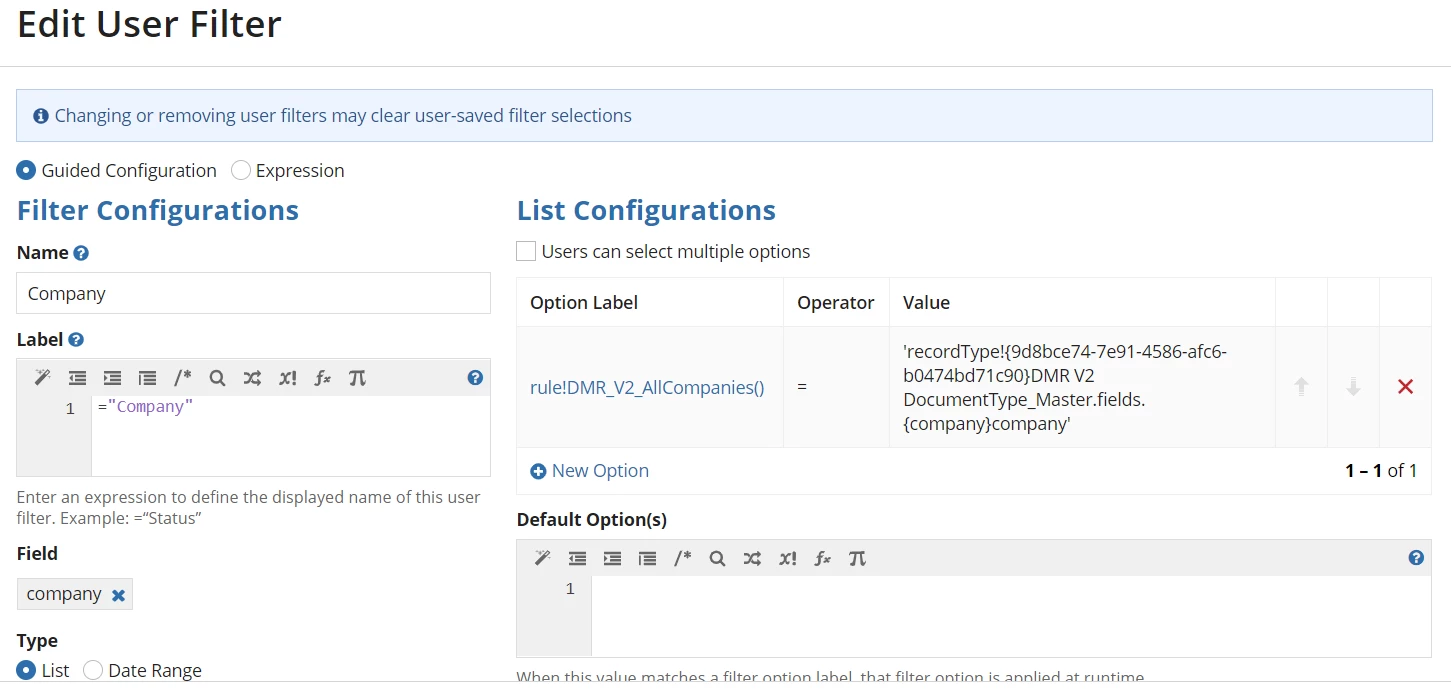
Have also tried using the wizard with a expression that groups the company name = record.company
David
