

stephenk0001
November 16, 2023
Question

Add task report filters to user interface

  • November 16, 2023
  • 14 replies
  • 0 views

Hi Team
I have an existing report, "All Tasks", which is an ARF file, of course.

I am able to configure filters on the report to customise the report.

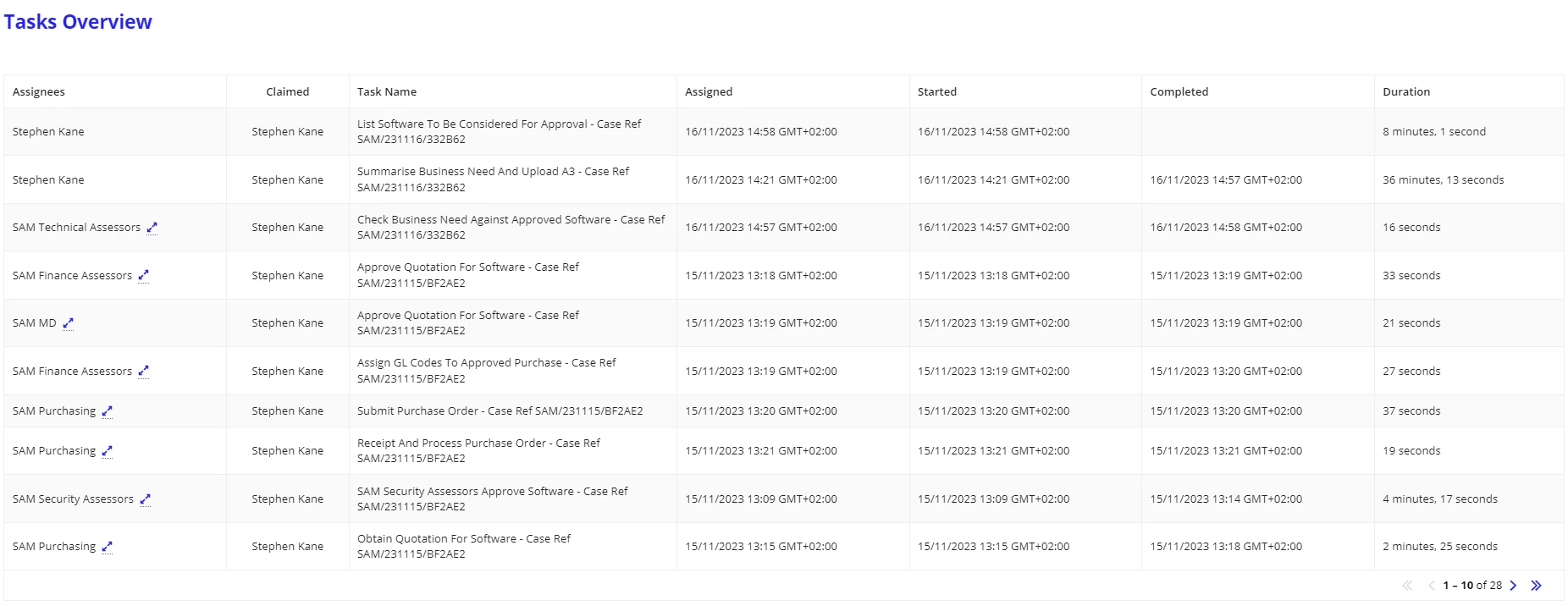
My requirement is to show the report in a UI so a team lead can see what tasks have been, by whom, whether it is complete, and the duration of the task.

Downloading the report and converting it to Excel is not an option - the requirement is to view the report on my site.

I have an interface with a read-only grid that returns exactly the information required.

Is it possible to add filters to a report backed UI?

If so, how do I go about it?

Thanks and blessings

Stephen
14 replies

stefanhelzle0001
November 16, 2023

a!queryProcessAnalytics has a query parameter in which you can feed filters and logical expressions.

November 16, 2023

Hi, yes can create dropdown for the filters. For column Claimed a dropdown filter can be created and the value of it can be passed to the filters of queryProcessAnalytics, then the data you will get will be filtered on passed value. Let us know if you have any queries.

sriramk5349
November 17, 2023

Hi [mention:43b7d4a83a2f4a89ab88fae153c3c34f:e9ed411860ed4f2ba0265705b8793d05] 

Please go through the link here, It has the pattern from which you can get inspiration.

stephenk0001
November 21, 2023

I have followed all the steps listed here:


 https://appianspace.com/2023/06/29/showing-tasks-on-the-site/

but am getting the following error:


errorMessage"The report column specified for the additional filter is not available. (APNX-1-4156-001)"(Text)

The column does exist and should be available, so I'm a bit stumped.

[mention:b8ea18cfbb2e4f6d841cf3c1d4d7420b:e9ed411860ed4f2ba0265705b8793d05] , can you shed any light on this?

stefanhelzle0001
November 21, 2023

We can only say anything after looking at all the details that you can share.