

jaideepb0002
November 8, 2022
Solved

Appian bar charts - how to prevent trailing decimal places to appear in label

  • November 8, 2022
  • 8 replies
  • 0 views

hi, 

I have built a bar chart with a simple measure of SUM of time
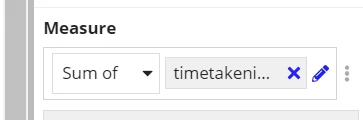
but when I put the labels I see
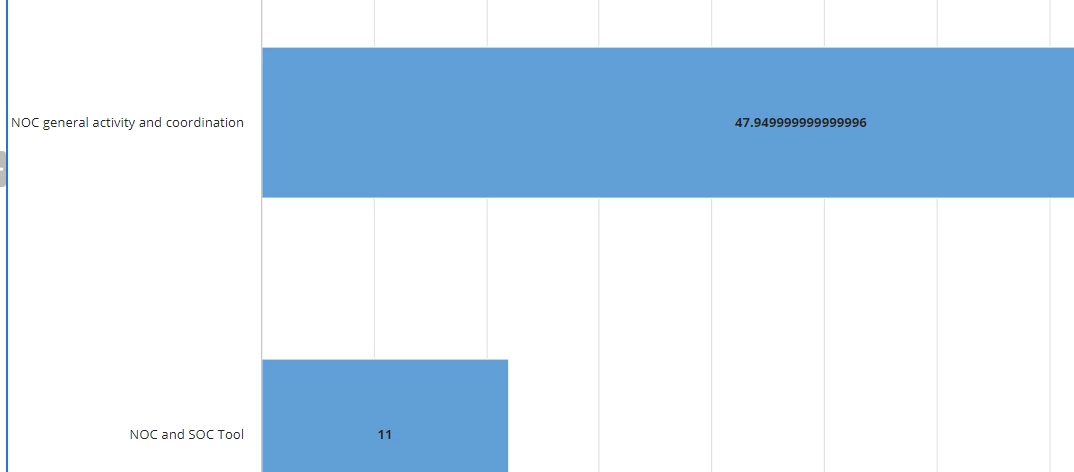
a value like 47.9499999999999996

I have checked the issue is not with data.. I do not have that kind of data. I have a solution that I round off the the time taken, store it in another variable and use it for SUM and it works.. but I cannot individually round off the time field.. the overall data deviates a lot. All I need is to round off the above data to 47.95 .. when I see the expression generated by the MEASURE function on the chart I see
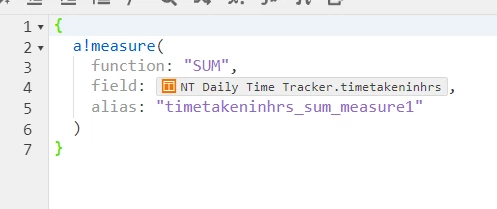
Is there a way i can modify this expression so that it returns a value upto 1 or 2 decimal places..

I tried using round func in this expression but that's not working

thanks much 

jaideep


Best answer by jaideepb0002

a better answer is 

formatValue: roundup(fv!value,1)

8 replies

sunilnaikb0002
November 8, 2022

Hi,

You can use rounddown() Function for your requirement here.
Please visit the link for more details https://docs.appian.com/suite/help/22.3/fnc_mathematical_rounddown.html 

jaideepb0002
November 8, 2022

just got the solution .. formatvalue:"INTERGER" does the work :-) 

sunilnaikb0002
November 8, 2022

Are you getting the two decimal points you mentioned?

jaideepb0002
November 8, 2022

we can also use formatValue: roundup(fv!value,2) - for 2 decimal places..

sorry my bad - didn't knew about the formatValue within a!measure. We can also modify the label values to text

jaideepb0002
jaideepb0002AuthorAnswer
November 8, 2022

a better answer is 

formatValue: roundup(fv!value,1)

sunilnaikb0002
November 8, 2022

Well, you learned it.
I suggest you to be clear with what you need exactly.

All the best!

peter.lewis
Employee
November 8, 2022

It looks like you found how you can use the formatValue parameter, but I'm not sure using roundup() or rounddown() is the right answer. In both of those cases it will always round in the specified direction. For example, this expression returns 2:

roundup(
  1.000001,
  0
)

I think instead you want to use the regular round() function which will round up or down depending on if the value is closer to the higher or lower value.

jaideepb0002
November 11, 2022

yes Peter, thanks for sharing. Primarily I just wanted to know if there is a way I can format my label values on charts to prevent seeing the huge number of decimal places. FormatValue was the answer.

round(), roundup(), rounddown() are the functions depending on the user need.