
March 7, 2023
Question

Change/View Report type

  • March 7, 2023
  • 2 replies
  • 0 views

Hello All,

I recently created a process report , wasn't able to access SAIL functions like tp!name, tp!assignees. I get a warning improperly scoped variable

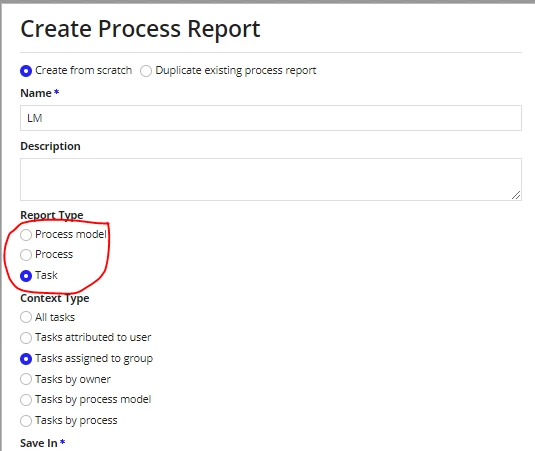
Was suspecting it to be because of the report type value. I don't remember which one I selected from the below screenshot ( Process model, Process, Task)

Question: Where i can see the value of the report type for the already created report and is there a way to update it ?
2 replies

stefanhelzle0001
March 7, 2023

You cannot change the context after creation. And you can indirectly see the context based on which kinds of objects you configure in the report properties dialog.

March 8, 2023

you will be able to configure those properties once report is created. You can use queryProcessAnalytics to query the report and use those values in UI. Refer Appian documentation here for more details 

https://docs.appian.com/suite/help/23.1/Configuring_Process_Reports.html

https://docs.appian.com/suite/help/23.1/Process_and_Report_Data.html

https://docs.appian.com/suite/help/23.1/Process_Reports.html