May 31, 2022
Question

Error while adding interface to report

  • May 31, 2022
  • 4 replies
  • 0 views

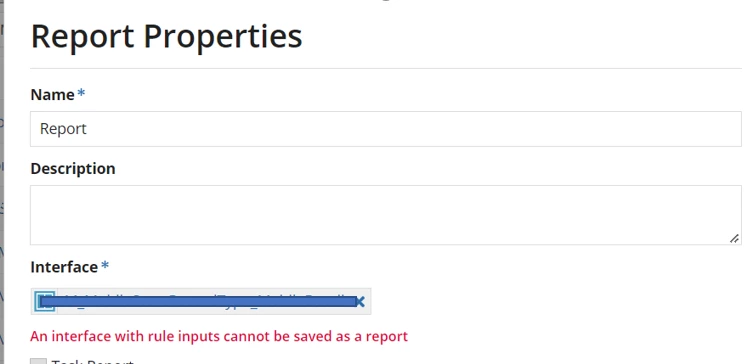
Getting the error "An interface with rule inputs cannot be saved as a report" when adding interface to report

    4 replies

    May 31, 2022

    Looks like the interface you are trying to add has rule inputs. It is not possible to add interface with rule inputs as a report or site pages in Appian. Remove rule inputs form your interface and call that interface here that will work.

    June 1, 2022

    yes. i have tried with dummy interface without rule inputs, it was working.

    but  i have built the interface from datatype template.

    by default it created ruleinputs and loaded into grid. in that scenario, how to replace rule inputs?. 

    any guidelines or samples to refer?

    June 1, 2022

    consider my interface "employeeinterfacewithruleinput" is created from  employeedatatype and has rule inputs

    "employeedatatype,cancel,record".

    i have tried to call the above interface with 3 parameters in a new interface "employeeinterfacewithoutruleinput".

    how to pass value for employeedatatype in "employeeinterfacewithruleinput" 

    e.g rule!employeeinterfacewithruleinput(???,true,true)

    mikes0011
    Brainy
    May 31, 2022

    As Naresh indicated... you need to select an interface with no rule inputs.  The point here is that a reporting interface will always load without any further context, hence no parameters.  A simple solution if you need to expose an existing interface as-is, is to create a new interface (with no rule inputs) and call the existing interface from it, hardcoding or otherwise pre-setting its input values.