

manjit.1486
September 27, 2024
Question

Percentage show on Pie Chart

  • September 27, 2024
  • 3 replies
  • 0 views

Hello,

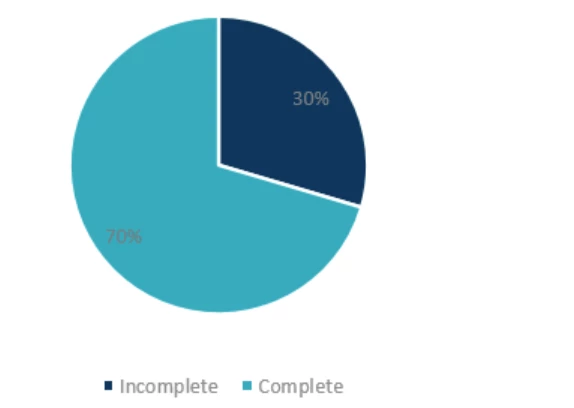
I want to show percentage or numbers on pie chart instead of showing up with the legends. Can anyone please help me in this? 

Also move the legends to bottom of pie chart.

Currently it is showing up like this: 
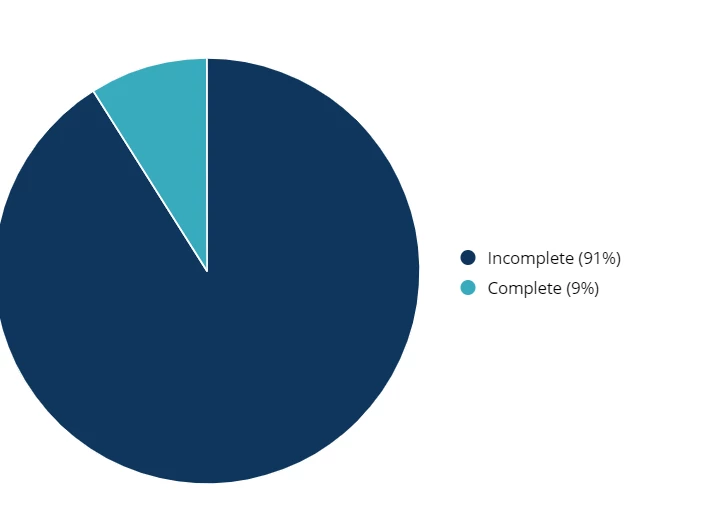
Attaching screenshot for reference: I want to replace with this:
3 replies

parthasarathym6661
October 7, 2024

Hi [mention:734d485eba7242aeab9bb03aafa409b0:e9ed411860ed4f2ba0265705b8793d05] Recently Appian don't have such functionality to customise the pie charts. You can use only default designs  refer https://docs.appian.com/suite/help/24.3/Pie_Chart_Component.html .

October 7, 2024

You can do like following if works:

a!pieChartField(
  label: "",
  labelPosition: "COLLAPSED",
  series: {
    a!chartSeries(label: "Complete", data: 9),
    a!chartSeries(label: "Incomplete",    data:  91),
  },
  colorScheme: "MIDNIGHT",
  showDataLabels: true,
  showTooltips: true,
  showAsPercentage: true
)

October 8, 2024

Please make sure showAsPercentage is true in the code