
Question
Appian RPA Set Search Context wildcard in title name
Hello,
I would like some help on how to use wildcards when search for a window, so the RPA can search for explorer and select the first window (index 0) when recording it ask for a complete name if I enter * in the text and modify the Name to search it enter the * as string.
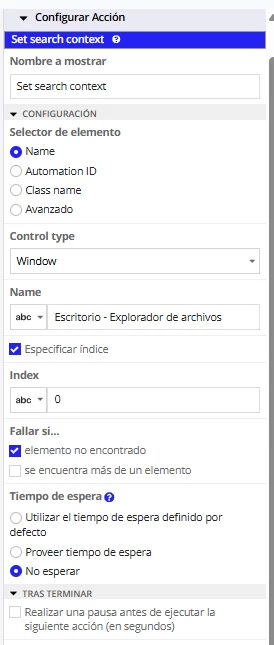
[DEBUG] 2025-12-09 12:50:51 13s (0h) - Element search criteria: SearchCriteria [controlType=Window, automationId=null, name=Escritorio - Explorador de archivos, className=, failIfMultiple=false, failIfNotFound=true, index=0]
[DEBUG] 2025-12-09 12:50:52 13s (0h) - Waiting for condition "Searching for element...", try #1 of #1
Thanks