

jaideepb0002
December 21, 2022
Solved

Appian Task Recorder - Not able to see the dropdown SELECT APPLICATION on the pop up

  • December 21, 2022
  • 12 replies
  • 0 views

Hi, 

I am using a windows machine and while trying to use the Task Recorder on Appian RPA I am not able to select the Application. There is too much white space in between. I can see that the SELECT APPLICATION dropdown is at the bottom if I forcibly move the popup window at the top. I cannot resize this window (pop-up) nor I can drag it enough at the top for me to select the application. I see the issue on both of these versions. 

Appian Version 22.3 Appian RPA 8.5.0
Appian Version 22.4 Appian RPA 8.7.0
I didn't face this issue earlier.. This may have happened in last 2-3 months with latest upgrade possibly. Is it just me or everyone is facing the same issue. I have already raised it with Appian
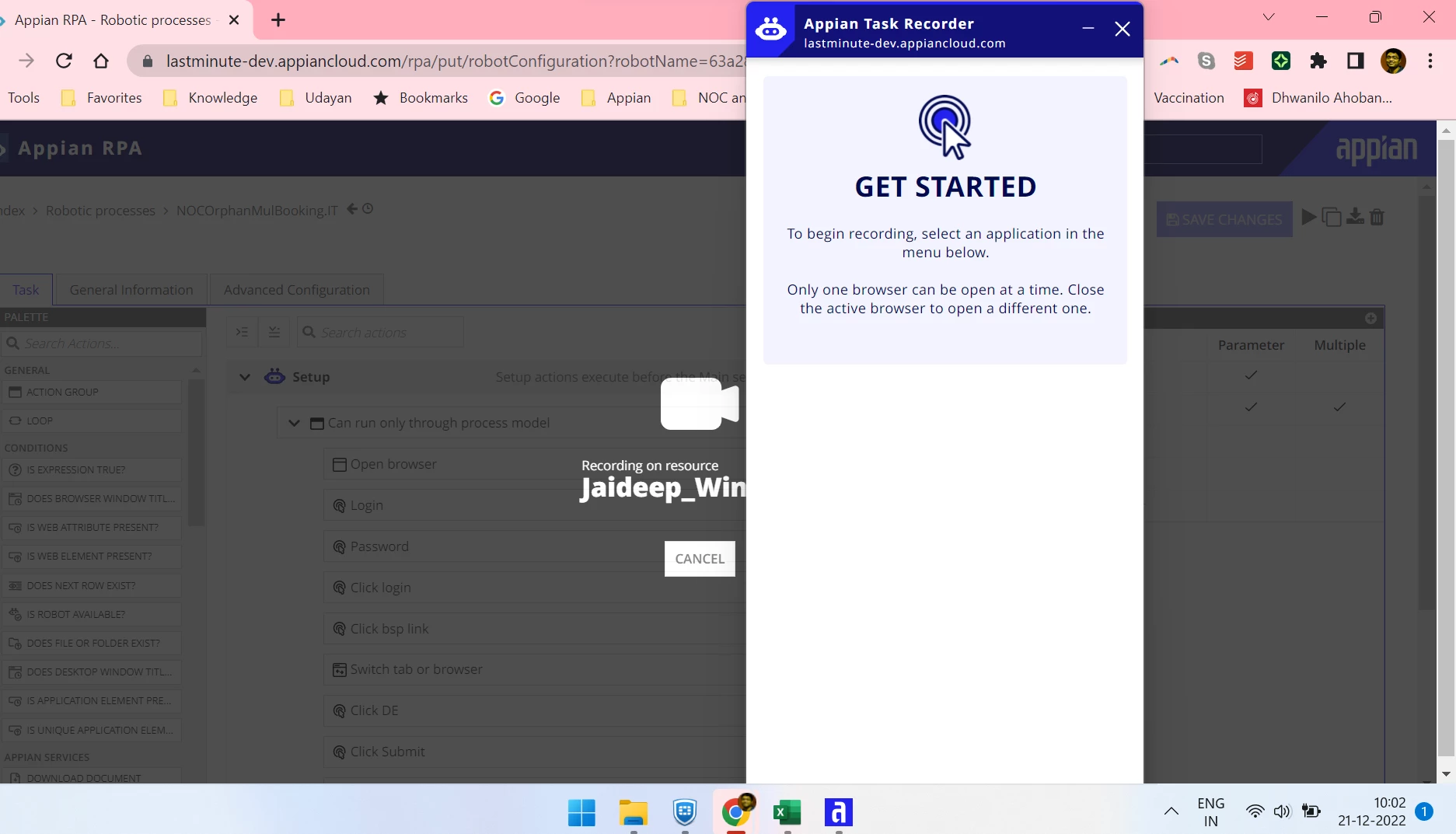
thanks
jaideep
Best answer by david.catalan

Hi:

Currently the task recorder requires a minimum screen resolution of 1024 x 768. In addition, even if the resolution is this or higher, you must verify that the Scale & Layout is 100%.

12 replies

December 21, 2022

Hi:

Currently the task recorder requires a minimum screen resolution of 1024 x 768. In addition, even if the resolution is this or higher, you must verify that the Scale & Layout is 100%.

jaideepb0002
December 21, 2022

Many thanks David. I just modified my previous Scale and Layout to..

and is working now

regards

jaideep

March 7, 2024

I would suggest.

If list is not filled with application list then change the resolution to slandered asked from appian (1028X758 and Scale 100%).

Start recorder then list will be filled with all application, once list will be there then you can perform operation with any resolution.

So take is that from this exercise that if you are having high resolution list of application will not be filled as you change resolution then list will be filled.