Configuring Mouse Coordinates in RPA
Hello! This question arose from working through the course "Tutorial: Automate Windows Applications (RPA)", which involves copying and pasting text between Calculator and Notepad.
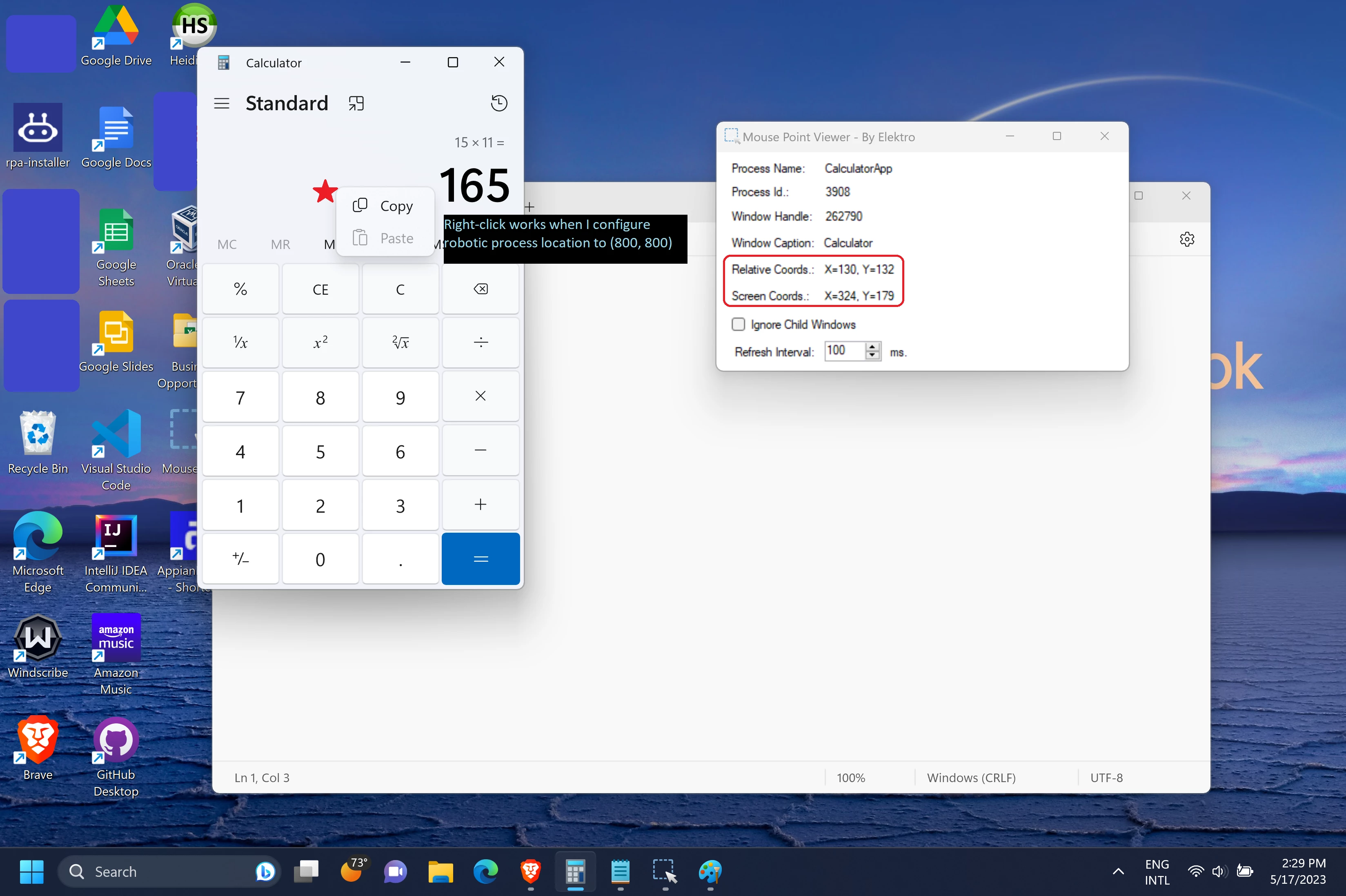
Unfortunately the instructions assume an older version of Calculator, since mine doesn't have an Edit menu. My workaround is to have the robotic task right-click into the display screen in order to be able to grab the text. Since RPA is new to me, I am currently having to brute-force the coordinates of where the mouse should go to click. I downloaded Mouse Point Viewer and got the following values:
Relative (Calculator) Coords: X=130, Y=132
Screen Coords: X=324, Y=179
However, in the Move Mouse function in the task, after much trial and error, it finally worked after I configured the location to (800, 800).
Can anyone explain where (800, 800) comes from?