
April 9, 2024
Question

How to specify files for RPA “Open or create workbook (License not required)”

  • April 9, 2024
  • 9 replies
  • 0 views
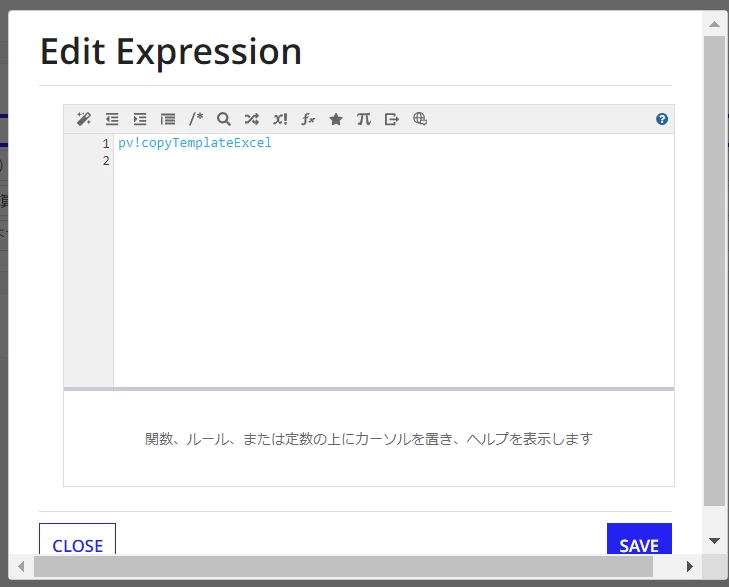
I get an excel file with the process model and store it in "pv!copyTemplateExcel".



I specify it in "Open or create workbook(License not required)".


But I get an error saying "[Document:10814]" cannot be opened because it does not exist.
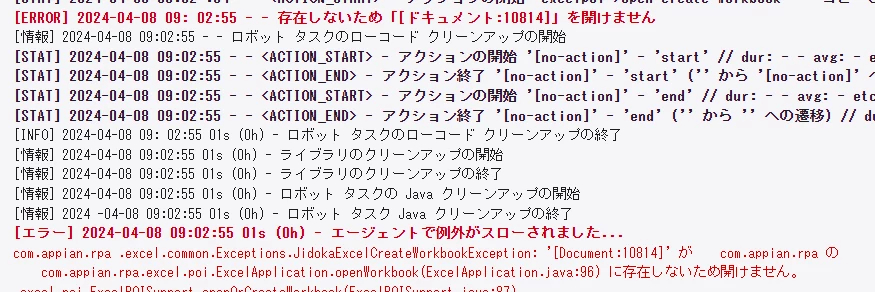


Could you please tell me the solution?

    9 replies

    stefanhelzle0001
    April 9, 2024

    I think you will have to first download the file from Appian to the robotic host,

    https://docs.appian.com/suite/help/24.1/rpa-9.9/actions-appian-services.html#download-document

    misak0001Author
    April 9, 2024

    Thank you for your reply.

    Does this mean that RPA cannot retrieve documents stored within Appian apps?

    (Does this mean that RPA can only retrieve documents located on the host computer?)

    stefanhelzle0001
    April 9, 2024

    No, and no. It is just that you need to download the file from the Appian platform first.

    June 12, 2024

    Hi [mention:a7defab4f7f54defbd445e200add6484:e9ed411860ed4f2ba0265705b8793d05] 
    So basically what "Open or create workbook (License not required)” action does is open an excel workbook which is present in the host system where the agent is active. Since the excel you are trying to open is a file you have on your Appian cloud, the parameter you are passing will fail, The input you need to provide is the file path in your host system.
    So as Stefan said, you need to make sure the excel you are receiving should be downloaded into a file path of your choice before your use "Open or create workbook (License not required)” action.
    Hope this helps!!