
November 22, 2023
Solved

Open excel workbook after using download document in RPA

  • November 22, 2023
  • 6 replies
  • 0 views

Hi, I want to open excel workbook after using download document action in RPA. 
So in download document I am using a variable that receives the excel file from interface & process model, on execution I can see the file downloaded in the provided path.

I have 2 issues :

- The variable for file shows as null instead of the document value coming from the interface and PM, even when it successfully downloads it?
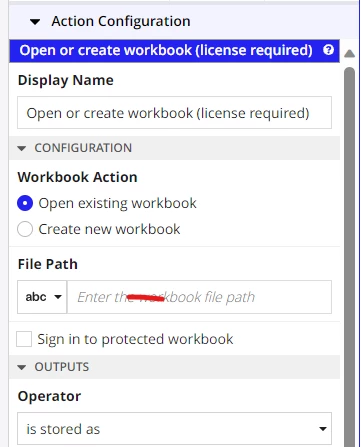


Thanks in advance.

Best answer by tien.bui

The target should be Text variable called "WorkbookPath" or something similar. I believe the output of Download Document will return the folder + filename where you downloaded it. Keep in mind that the input to your Open Workbook action needs to be Path + Filename, so you could even construct it yourself if you know the filepath and the filename.

6 replies

November 22, 2023

Are you setting the output variable for your Download Document action? https://docs.appian.com/suite/help/23.3/rpa-9.3/actions-appian-services.html#download-document The output should store the filepath that it downloaded to, and that can be the input to your Open Workbook action.

November 22, 2023

Thanks for response.

It downloads the file to my folder path I provided in download document,
The output operator says "is stored as", so the Target should be the file path?
Can you tell me if I need to create text type variable holding my folder path as initial value and then I should use in output of download document step, also will operator be "appended to" in this case? Let me know if this is how it will be?

tien.buiAnswer
November 22, 2023

The target should be Text variable called "WorkbookPath" or something similar. I believe the output of Download Document will return the folder + filename where you downloaded it. Keep in mind that the input to your Open Workbook action needs to be Path + Filename, so you could even construct it yourself if you know the filepath and the filename.