

chaitanyatejac0002
October 10, 2023
Solved

Opening excel with RPA

  • October 10, 2023
  • 1 reply
  • 0 views

Hello,

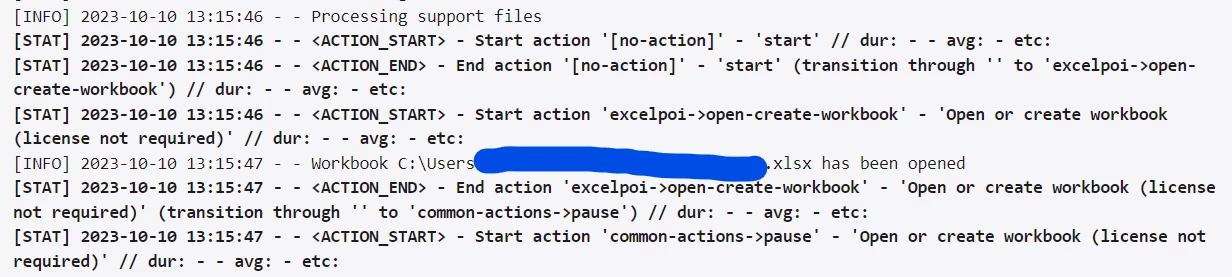
I'm trying to open an Excel file on my local using Appian RPA. The execution log shows the action is successful (refer to the screenshot below) but the file did not open. I tried moving the file to different folders but it didn't work. Can someone let me know if I'm doing something wrong?
Thanks!

Best answer by tien.bui

The License not Required Excel actions don't explicitly open Excel on your screen (it assumes you don't need an Excel license or Excel application) but allows you to read/write/interact with the workbook by reading the contents into memory. 

If you want to test with the Excel application installed, you'll want to use the License Required set of Excel actions.

1 reply

tien.buiAnswer
October 11, 2023

The License not Required Excel actions don't explicitly open Excel on your screen (it assumes you don't need an Excel license or Excel application) but allows you to read/write/interact with the workbook by reading the contents into memory. 

If you want to test with the Excel application installed, you'll want to use the License Required set of Excel actions.