
February 20, 2023
Question

RPA Retrieve File from a folder with my pc as resource

  • February 20, 2023
  • 4 replies
  • 0 views

Hi all,

I'm following the tutorial RPA Tutorial: Parse Excel Files to learn how to retrieve files from a resource.

From this example, I'm using my pc as resource. In one speficic documentation steps, there is the note If you’re using your own desktop as your resource, do not use your mouse or keyboard while the test is running.

So, when I launch  the robotic process, I don't touch my mouse or my keyboard. So, system gives me the expected results for file properties, but, when I move the mouse, to read it, it appears a pop up with a message error.
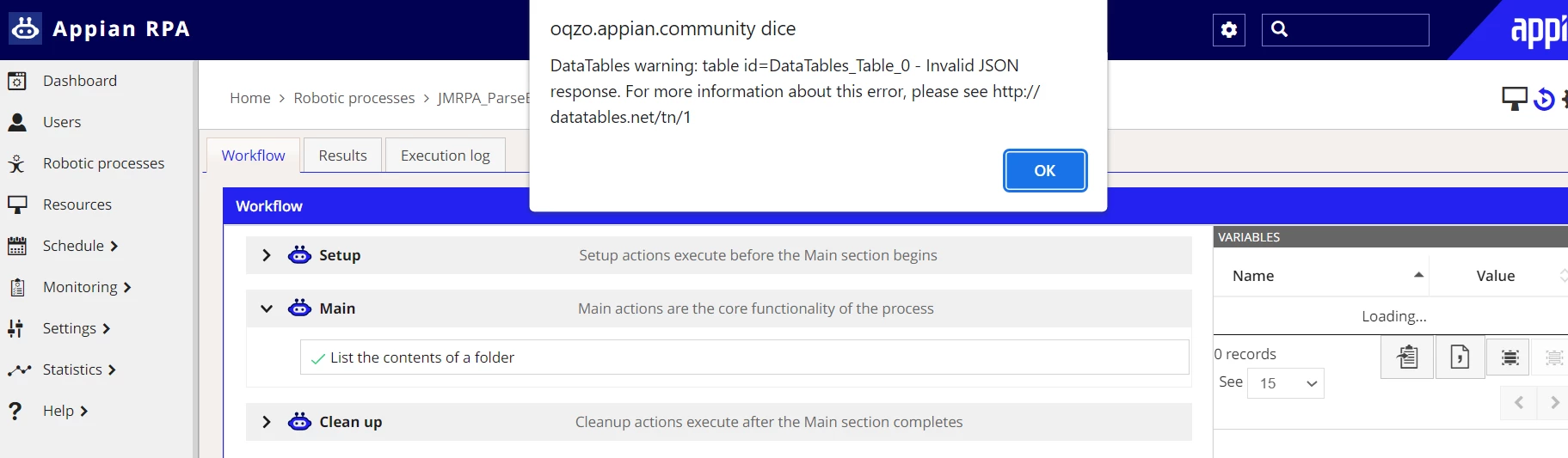
I try however to configure the process and I receive another error with request status ENQUEUED.

Which could the problem be? 

Thanks in advance.

Regard,

Juri Monti

    4 replies

    February 27, 2023

    Hi Jurim0001, I have the same problem, have you been able to solve it?

    February 28, 2023

    To get a list of all files in a specified folder, you can use the Get files in folder action. This action works similarly to the Get subfolders in folder action. The path of the folder is a required input and you can specify it as a variable. Optionally, you can filter files by using the File filter action.

    Regards,

    Rachel Gomez

    randy.richeson
    March 7, 2023

    Hi Juri,

    I was able to reproduce this warning when the agent on the host machine was not started. Make sure the agent is started and your Robot/Resource is online.

    - Randy

    santhalv
    March 9, 2023

    I am able to fix this issue by adding created from and created to parameters in addition to last modified from and last modified to properties of 'List the contents of a folder'