

gautams4173
March 27, 2024
Question

Slowness / Unable Opening the browser

  • March 27, 2024
  • 5 replies
  • 0 views

Hi, 

I am using RPA to create an automation which opens up a chrome browser, logs-in into a webiste, filters data and gets a file downloaded into the local host machine

There are 2 problems that I am facing 

1. It takes ages to even open up the browser 

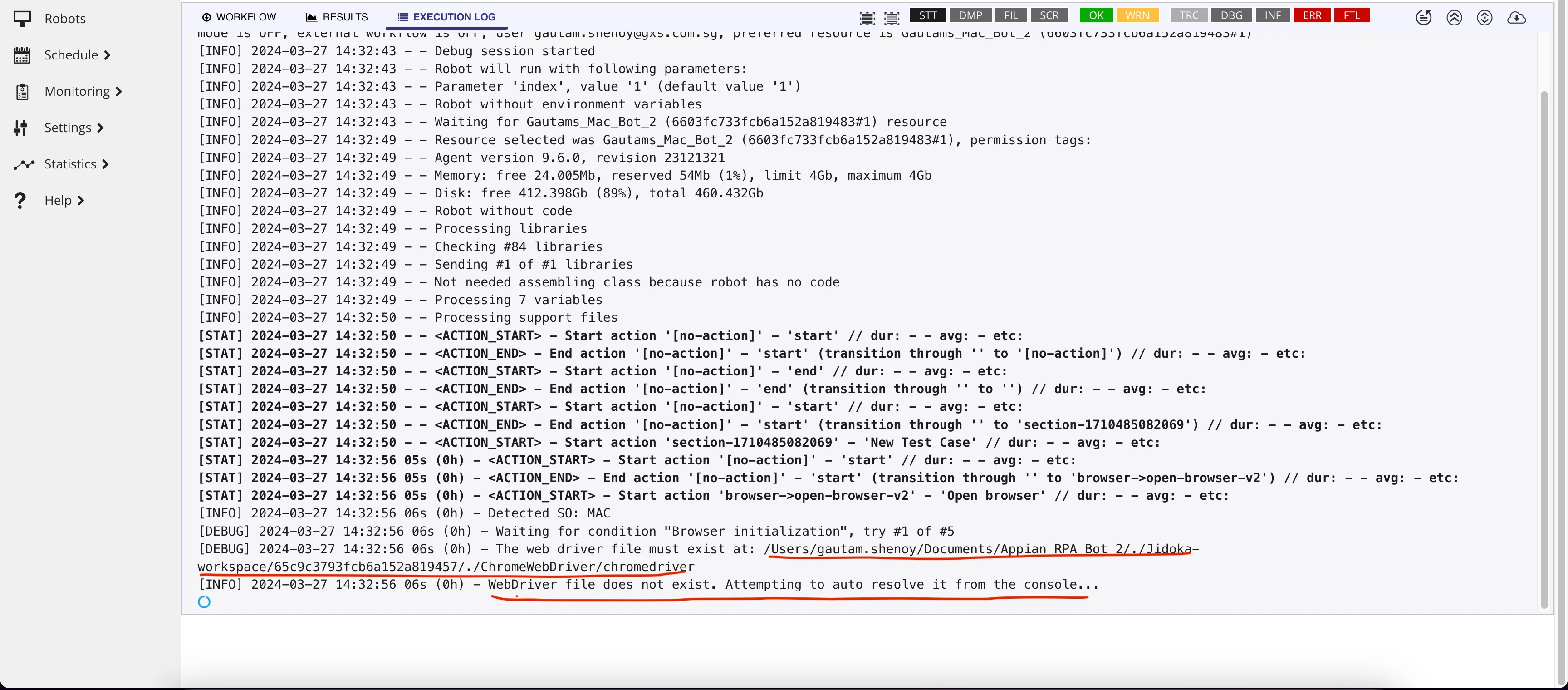
2. While trying to open the browser, it searches for a chromewebdriver to be present inside its assets file in local host machine. Now even though there is a webdriver existing inside the host machine, it gives an error saying : 

WebDriver file does not exist. Attempting to auto resolve it from the console...

Can anyone help me in getting an idea so as to why such issues are happening ?

Screenshot 1 : describing issue 2 
Screenshot 2 : File present in the required destination

System specs : 

Chrome Version : 123.0.6312.87 (Official Build) (arm64)

OS : MAC M1 Pro

Java Version : 21.0.2

5 replies

davidj137213
March 27, 2024

I think that could be related with permissions..even when the webdriver is located in the directory, the user that is executing the code does not have permissions to access it..

gautams4173
March 29, 2024

Hmm [emoticon:5ce50ea3f9eb49809e861e8733750338]

any idea onto how we can grant the desired permission ?  

davidj137213
March 29, 2024

Check permissions over the webdriver file that can be seen in your second screenshot

April 1, 2024

Hi:

Regarding the first question.
Can you send us the complete log of the execution to check how long it takes to open the browser?

Regarding the WebDriver question:

We have seen that your are using 9.6.0 version. Latest version is 9.9.0. Please, could you upgrade to the latest version and check it again? I attach an image with the expected behaviour in the 9.9.0 version

June 12, 2024

Hi [mention:33794ebc39034be6a8166212f1b53ddb:e9ed411860ed4f2ba0265705b8793d05] ,

Using a Chrome browser for your RPA actions are quite troublesome, due to the fact that chrome is always updating itself. So it is a tough task to update your drivers every now and then.

You can have 2 ways for this.

1. Change your broswer to Mozilla Firefox of Edge for a more stable version.

2. You can allow to provide the latest versions of selenium web drivers everytime. It helps you from doing it manually.

 I have attached a ss for a better understanding. Settings>Configuration>Security policies>Allow Appian to provide selenium web drivers 

Hope this helps.!!