

vinayj6479
April 20, 2023
Question

Write Data into Worksheet Action using RPA

  • April 20, 2023
  • 3 replies
  • 0 views

Hi team,

I am Exploring Excel RPA ,

docs.appian.com/.../actions-excel-license-required.html

I want to get values into Excel cell as columns  which are stored in DB,

i have a CDT name resources with fields EMP-ID and Name, i Added some values in DB creating record actions.

then Using Write into Excel Action in the value Array I  tried using both record type and CDT  recordtype!resources.name / 'type!{urn:com:appian:types:ERP}ERP_Resources'(),

But when i use CDT I am getting the fields in the CDT like EMP-ID and name ,but not the values in the DB. as shown below
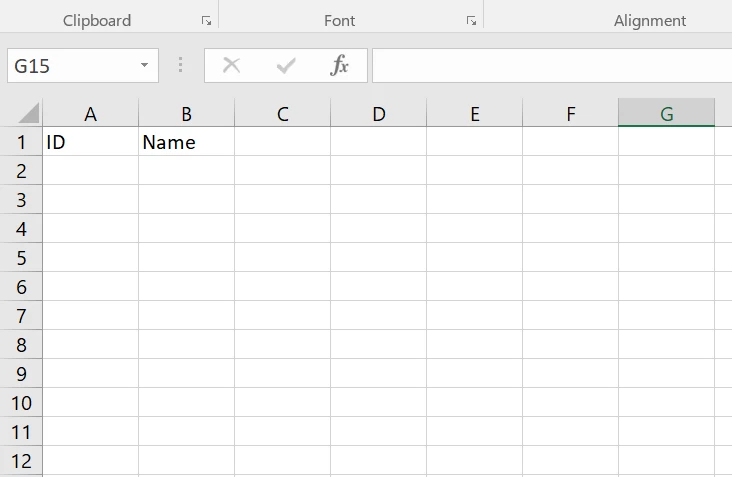
i came to know that we have to give the List of CDT's  in value array , but I don't know how to do it to get the values under Name column .

Help me in Finding more resource to know more about the Excel RPA configurations.

Thank you 

J Vinay

    3 replies

    April 20, 2023

    Hi:

    I will try to explain how to write easily into an Excel file a list of CDT using RPA, I am not sure if this is your question.

    - You should to declare a variable of type ERP_Resource (multiple)

    - Fill in the variable with data, Below you can find an example of how to fill in the variable manually.

    {
    'type!{urn:com:appian:types:ERP}ERP_Resources'(
    ID:1,
    Name: "Name_1"),
    'type!{urn:com:appian:types:ERP}ERP_Resources'(
    ID:2,
    Name: "Name_2")
    }

    - Create the Low Code action to write the Excel file 

    - After the execution, you should have this Excel file

    vinayj6479
    April 20, 2023

    hi David,

    thanks for the reply it helps entering manually,

    but  I want to make those entry Dynamically , means the value stored in DB for that CDT should write into excel. 

    April 20, 2023

    I am afraid that using RPA, there are not any action to write Excel files extracting directly data from the Database, first you must extract the data from the database and convert it in a List of CTD. 

    But maybe, for your case, RPA is not the best approach. Please, review this link to know the recommendations to use Excel in Appian https://docs.appian.com/suite/help/23.1/excel-guidance.html#