

KB-1864 Users not receiving emails from Appian
Symptoms
Users are unable to receive system emails from Appian, such as the following:
- Password reset links
- Monitoring alerts
- Emails from the Send Email Smart Service
Cause
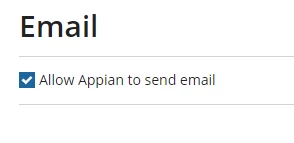
Email integration to allow Appian to send emails has been disabled.
Action
- Navigate to the Appian Administration Console.
- Navigate to the 'Email' tab under the 'Integration' header.
- Select the 'Allow Appian to send email' box and save changes (screenshot below).
Affected Versions
This article applies to Appian 18.1 and later.
Last Reviewed: February 2019