

Question
a!fileUploadField
Even though there is no code changes , I am getting an error when shifting to designer mode from Expression mode.
Could not display interface. Please check definition and inputs. Interface Definition: Expression evaluation error at function a!fileUploadField [line 78]:
In Designer mode: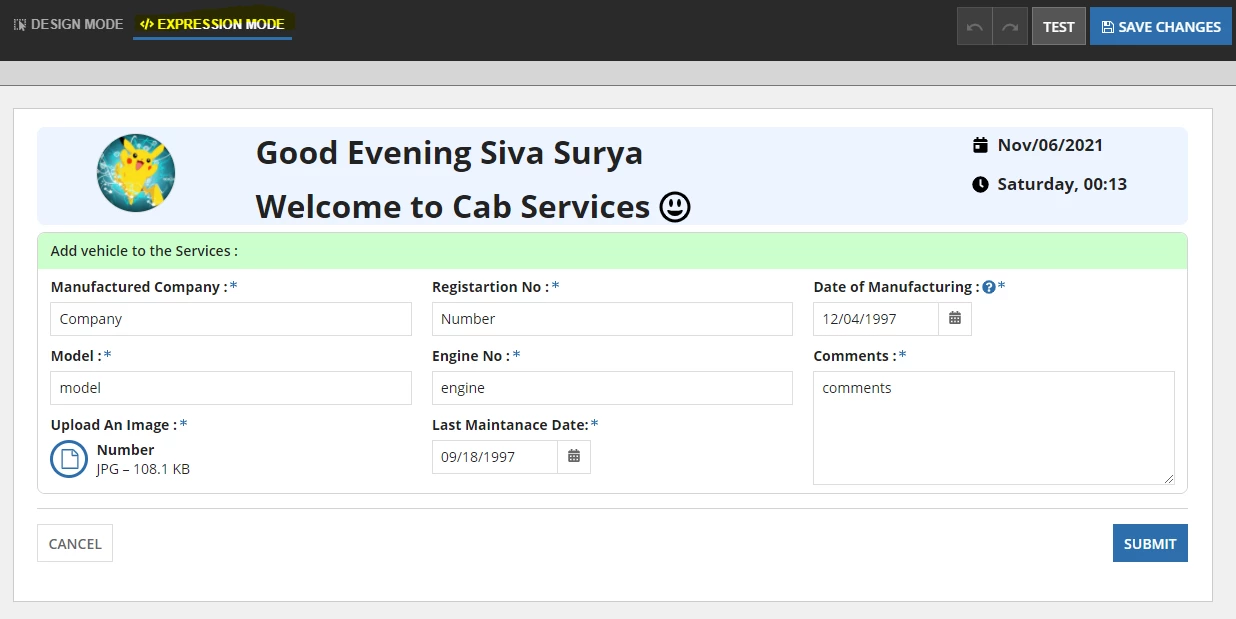
Why this is happening? and how to stop it?
a!fileUploadField(
                        label: "Upload An Image :",
                        labelPosition: "ABOVE",
                        target: cons!CS_DOCUMENT_FOLDER,
                        fileNames: fv!files.name: local!registratioNo,
                        fileDescriptions: "This is the uploaded file for the vehicle : " & local!registratioNo,
                        maxSelections: 1,
                        value: local!file,
                        saveInto: {
                          local!file,
                          a!save(ri!Vehicle.UploadedFile, save!value)
                        },
                        required: if((local!required), true(), false()),
                        validations: if(
                          fv!files.extension <> "JPG",
                          "File format is not supported ",
                          if(
                            fv!files.size > 1000000,
                            "File size should not be greater than 1 MB",
                            {}
                          )
                        )
                      )
Thanks In Advance,
Surya.