
March 15, 2022
Solved

Action don't reflect on the application

  • March 15, 2022
  • 10 replies
  • 0 views

Hi Community,

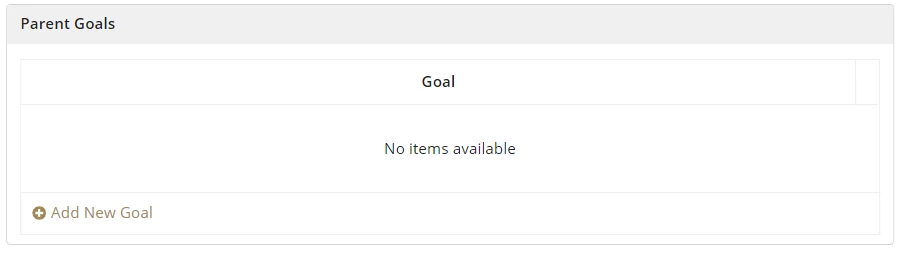
I have a case that I add new row (Add new Goal) to my grid as the image below shown:
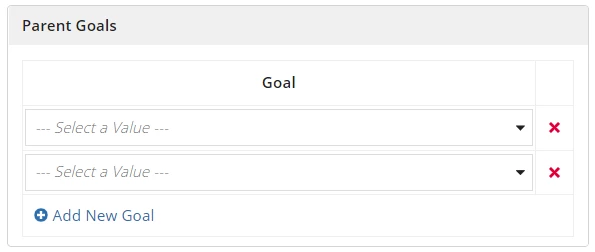
This action is work perfectly in the interface design as the image below shown:
But when I open the application, the add button don't give result.

Anybody know why this happens ?

Thanks in advance.

Best answer by stewart.burchell

That might be true as you may be have correct mapping/cardinality in place for that, but it might be incorrect for the grid that isn't working. Check both and see if you can see what's different.

10 replies

stewart.burchell
March 15, 2022

we'd need a bit more detail into what "the add button don't give result" actually means. Does it not add a new row? It does add a new row but doesn't show any data in the drop-down? You can add a new row and select an item from the dropdown but it then disappears again? 

March 15, 2022

Oh sorry for don't give clear clarification.

I mean that the add button does not add a new row.

stewart.burchell
March 15, 2022

Ok, thanks. When you add a new row where is the data for the row being stored. Are you adding it to a local variable or to a rule input on your interface?

gopalk2865
Participating Frequently
March 15, 2022

Hi Ammar, Could you please share the code here so that we can have a look?

March 15, 2022

a!sectionLayout(
label: "Linked Goals",
contents: {
a!cardLayout(
contents: {
a!columnsLayout(
columns: {
a!columnLayout(
contents: {
a!boxLayout(
label: "Parent Goals",
contents: {
a!gridLayout(
label: "",
labelPosition: "ABOVE",
headerCells: {
a!gridLayoutHeaderCell(
label: "Goal", align: "CENTER"
),
a!gridLayoutHeaderCell(
label: ""
)
},
columnConfigs: {
a!gridLayoutColumnConfig(
width: "DISTRIBUTE"
),
a!gridLayoutColumnConfig(
width: "ICON"
)
},
rows: {
a!forEach(
items: ri!parentGoals,
expression: a!gridRowLayout(
contents: {
a!dropdownField(
label: "",
labelPosition: "ABOVE",
placeholder: "--- Select a Value ---",
choiceLabels: if(
rule!APN_isEmpty(
local!goals
),
{},
a!forEach(
local!goals,
fv!item.goal
)
),
choiceValues: if(
rule!APN_isEmpty(
local!goals
),
{},
a!forEach(
local!goals,
fv!item.pkgoalId
)
),
value: fv!item.fkgoalGoaltypeid,
saveInto: fv!item.fkgoalGoaltypeid,
searchDisplay: "AUTO",
required: true,
validations: {}
),
a!richTextDisplayField(
label: "Rich Text",
labelPosition: "ABOVE",
value: {
if(
rule!APN_isBlank(fv!item.pkgoalId),
a!richTextIcon(
icon: "times",
link: a!dynamicLink(
saveInto: {
a!save(
ri!parentGoals,
remove(ri!parentGoals, fv!index)
)

}
),
linkStyle: "STANDALONE",
color: "NEGATIVE"
),
{}
)
},
align: "CENTER"
)
}
)
)
},
selectionSaveInto: {},
selectable: false,
selectionRequired: false,
selectionDisabled: false,
addRowLink: a!dynamicLink(
label: "Add New Goal",
saveInto: a!save(
ri!parentGoals,
append(
ri!parentGoals, local!newRow
)
)
),
shadeAlternateRows: false,
borderStyle: "STANDARD"
)
},
style: "STANDARD",
shape: "SEMI_ROUNDED",
marginBelow: "STANDARD"
)
}
)
}
)
},
height: "AUTO",
style: "NONE",
marginBelow: "STANDARD"
)
},
showWhen: ri!readOnly <> true
)

gopalk2865
Participating Frequently
March 15, 2022

Hi, As Stewart suggested please compare those two grids , check all the parameters,