

floriang0001
April 30, 2021
Question

Adding a new custom data type as rule input to an interface not showing its sub-entries?

  • April 30, 2021
  • 2 replies
  • 0 views

When adding a new custom data type as a rule input to interface, Appian does not recognize its entries:
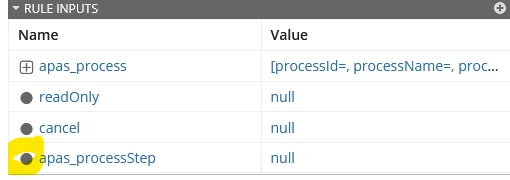
Where my yellow circle is, I expect a "plus" symbol, and instead of the last "null" I should see something like [processStepId=,processStepName=,...] but I don't. What do I overlook?

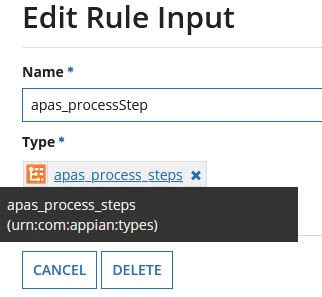
Here the configuration of the first and last rule inputs, respectively:
2 replies

stefanhelzle0001
Brainy
April 30, 2021

This is normal and just a visual "issue". Once you write data to individual fields the whole structure will show up. You can do that by passing a value in the test screen.

shivanid0002
May 3, 2021

Hii, please make sure that you've passed each value individually then your problem gets solve and all your entries getting visible. and please refer to this documentation https://docs.appian.com/suite/help/21.1/SAIL_Tutorial.html for more detailed understanding.