Solved
Checkbox required in front of Record
Hi team,
I am trying to show a checkbox in front of every record in the grid. I have used the following code given below:
 a!gridField(
   label: "Test Cases",
   labelPosition: "ABOVE",
   data: 'recordType!{e805a109-fc8e-434b-a28c-4c7b62baa8d4}BTUA_Suites_RecordType',
   columns: {
     a!gridColumn(
       label: "Test Cases",
       sortField: 'recordType!{e805a109-fc8e-434b-a28c-4c7b62baa8d4}BTUA_Suites_RecordType.fields.{b36e5404-7689-44f8-bcb3-efc90764cd0e}suitefilename',
       /*value: a!linkField(*/
         /*links: {*/
           /*a!recordLink(*/
             /*label: fv!row['recordType!{e805a109-fc8e-434b-a28c-4c7b62baa8d4}BTUA_Suites_RecordType.fields.{b36e5404-7689-44f8-bcb3-efc90764cd0e}suitefilename'],*/
             /*recordType: 'recordType!{e805a109-fc8e-434b-a28c-4c7b62baa8d4}BTUA_Suites_RecordType',*/
             /*identifier: fv!identifier*/
           /*)*/
/*           */
/*           */
/*           */
         /*}*/
       /*)*/

       value: a!checkboxField(
         choiceLabels: {fv!row['recordType!{e805a109-fc8e-434b-a28c-4c7b62baa8d4}BTUA_Suites_RecordType.fields.{b36e5404-7689-44f8-bcb3-efc90764cd0e}suitefilename']},
         choiceValues: {fv!row['recordType!{e805a109-fc8e-434b-a28c-4c7b62baa8d4}BTUA_Suites_RecordType.fields.{b36e5404-7689-44f8-bcb3-efc90764cd0e}suitefilename']},
       )
     )
   },
   validations: {},
   refreshAfter: "RECORD_ACTION",
   showSearchBox: true,
   showRefreshButton: false,
   recordActions: {
     a!recordActionItem(
       action: /**/ null
     )
   },
   actionsDisplay: "ICON"
 )
Please see the line no. 22 where I am trying to achieve the same but I am getting the following screen below.
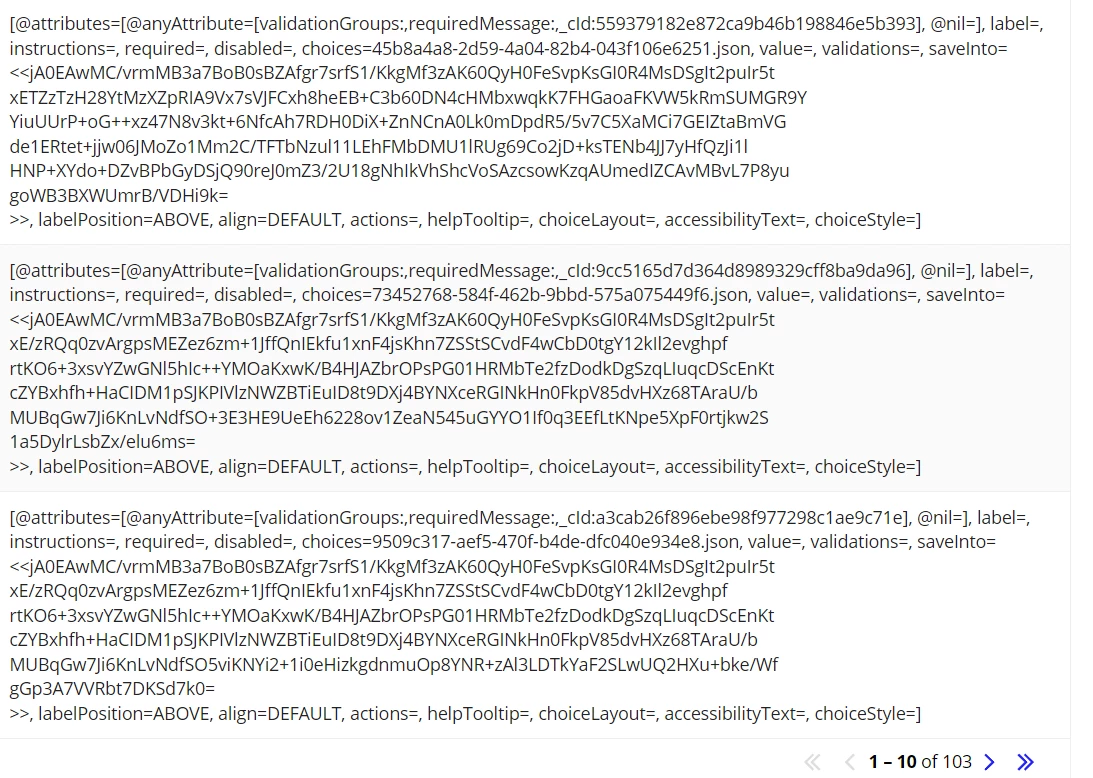
How to fix the same ?
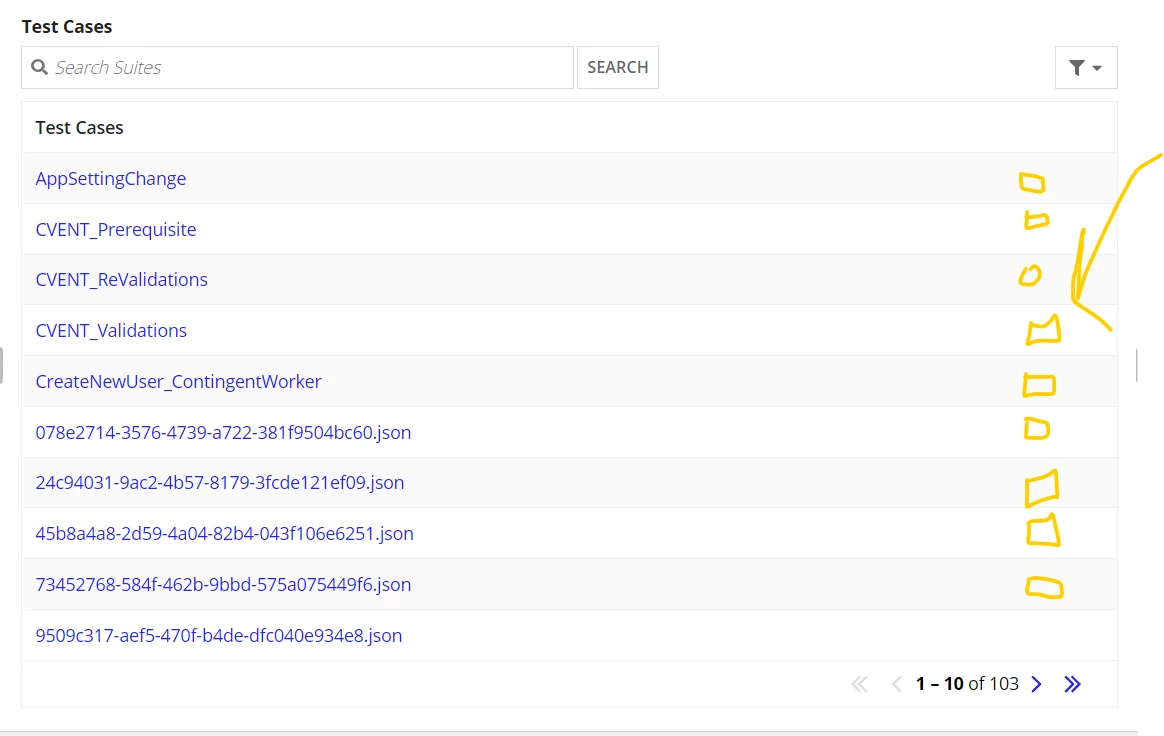
I want to achieve the functionality as depicted by below. Yellow boxes are usually checkbox that I want. Please help.