
October 13, 2023
Question

Custom Field Date time issues
  • October 13, 2023
  • 2 replies
  • 0 views

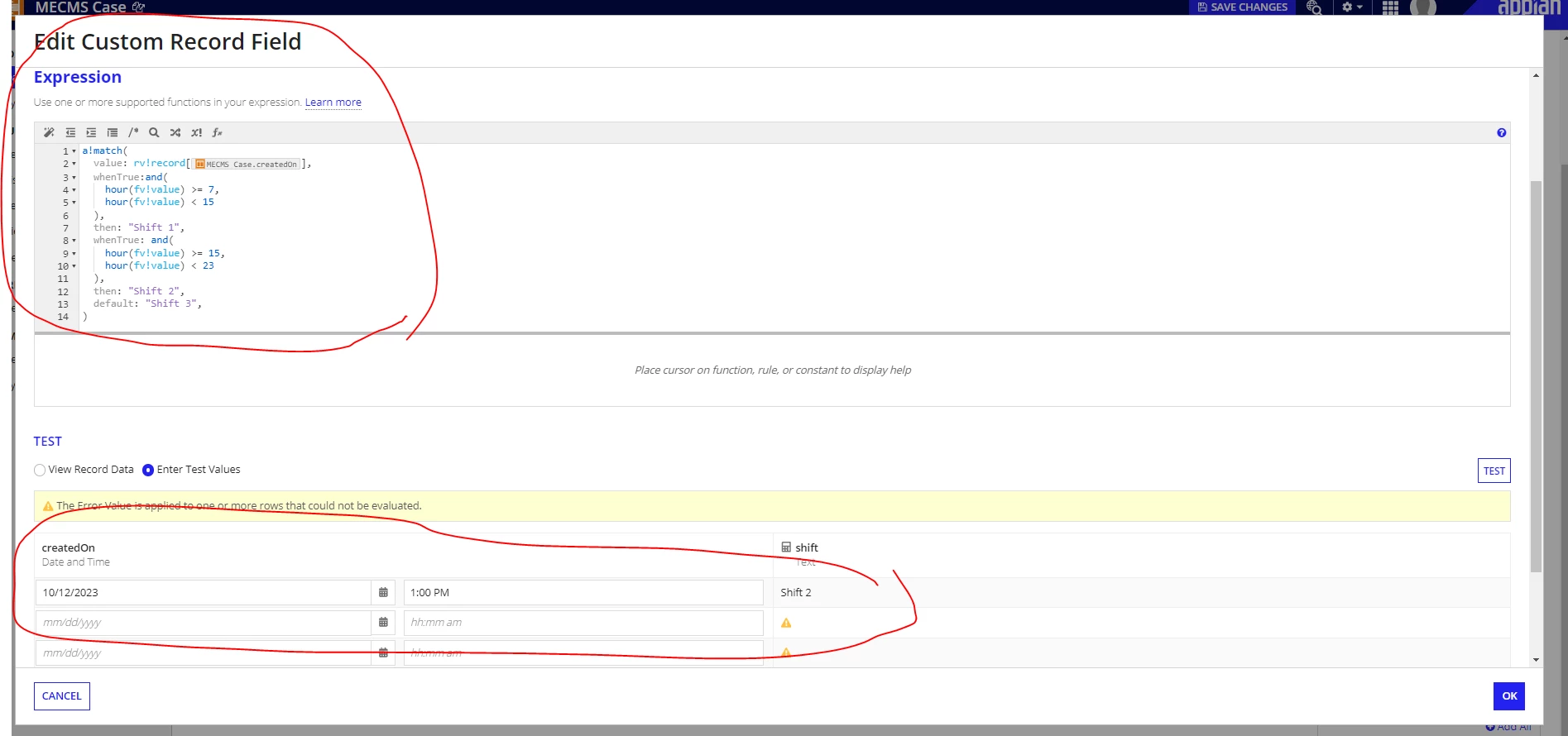
I am trying to determine the shift based on datetime. Here is the use case:

  • Shift 1: 07:00 - 14:59:59
  • Shift 2: 15:00 - 22:59:59
  • Shift 3: 23:00 - 06:59:59

However, it’s not working as expected according to the current code that I have ( Please see the attached screenshot) . The date in Appian writes with GMT adjustment  .

2 replies

mikes0011
Brainy
October 13, 2023

Have you tried explicitly handling NULL values in your a!match() statement?  hour() breaks if passed null.  Just my first guess.

If so, the fix is pretty easy:

The Expression Guru
joseg199Author
October 13, 2023

Thank you Mike for the updates. we have fixed the issue by adding a local time zone function a!match(
  value: rv!record['recordType!{942022df-8dbc-4911-b991-b4a48224c936}MECMS Case.fields.{213813ef-766f-4d3d-95c4-3d6963ed19bd}createdOn'],
  whenTrue:and(
    hour(local(fv!value)) >= 7,
    hour(local(fv!value)) < 15
  ),
  then: "Shift 1",
  whenTrue: and(
    hour(local(fv!value)) >= 15,
    hour(local(fv!value)) < 23
  ),
  then: "Shift 2",
  default: "Shift 3",
)