June 6, 2023
Solved

Divider Line or Horizontal Line between

  • June 6, 2023
  • 6 replies
  • 0 views

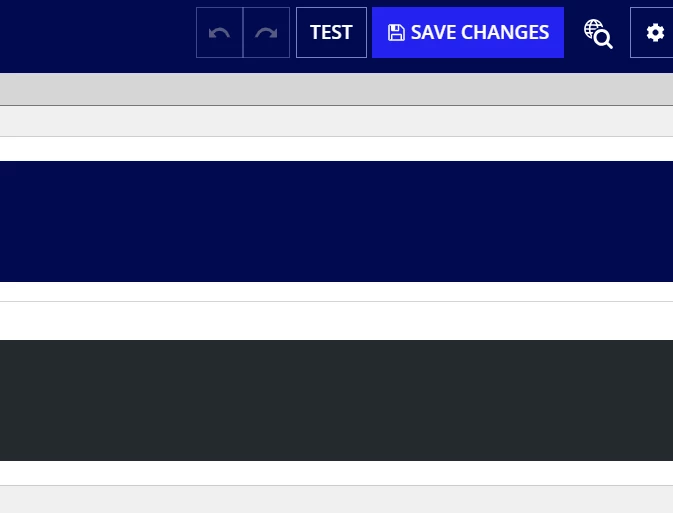
my requirement is to show the line in between two components (As below sample pic)

I have tried with section layout but does not  suits for my requirement,
Any inputs  ...

    Best answer by stewart.burchell

    You could use two card layouts, set the 'marginBelow' on the first to "NONE" and configure the decorative bar to be at the bottom and the color of your choosing. For example:

    {
      a!cardLayout(
        contents: {},
        height: "MEDIUM",
        decorativeBarPosition: "BOTTOM",
        decorativeBarColor: "#FFFF00",
        marginBelow: "NONE",
        style: "CHARCOAL_SCHEME"
      ),
      a!cardLayout(
        contents: {},
        height: "MEDIUM",
        marginBelow: "STANDARD",
        style: "CHARCOAL_SCHEME"
      )
    }

    ....results in this:

    6 replies

    harshitb6843
    June 6, 2023

    Why not. Change the width and color of the divider line and it should look exactly the same.

    harshitb6843
    June 6, 2023

    a!cardLayout(
      style: "#000000",
      padding: "NONE",
      contents: {
        a!sectionLayout(
          divider: "BELOW",
          dividerColor: "#FFF117",
          dividerWeight: "THICK",
          marginAbove: "MORE",
          marginBelow: "MORE"
        ),
        
      }
    )

    sunilc6392
    June 6, 2023

    Hi Bhayu,

    You should change the width and color of the divider line like this :

    {
      a!sectionLayout(
        label: "Section",
        contents: {},
        divider: "BELOW",
        dividerWeight: "THICK",
        dividerColor: "#f1f50c"
      )
    }

    June 6, 2023

    My requirement is 

    sunilc6392
    June 6, 2023

    As you can see Harshit's and Stewart's codes, both code can fulfill your requirement.

    stewart.burchell
    June 6, 2023

    You could use two card layouts, set the 'marginBelow' on the first to "NONE" and configure the decorative bar to be at the bottom and the color of your choosing. For example:

    {
      a!cardLayout(
        contents: {},
        height: "MEDIUM",
        decorativeBarPosition: "BOTTOM",
        decorativeBarColor: "#FFFF00",
        marginBelow: "NONE",
        style: "CHARCOAL_SCHEME"
      ),
      a!cardLayout(
        contents: {},
        height: "MEDIUM",
        marginBelow: "STANDARD",
        style: "CHARCOAL_SCHEME"
      )
    }

    ....results in this: