
March 30, 2022
Question

Error using Start Process Link in an Interface

  • March 30, 2022
  • 11 replies
  • 1 view

Hi,

I am trying to use startProcessLink in a grid view Interface so that an user can edit the selected record by selecting a location Name. This is my first time using this method. 

When I am selecting an entry, I am getting an error message:

 An Error Has Occurred No process parameter found corresponding to override [name=pv!locationId]. Non-parameter process variables cannot be overridden.
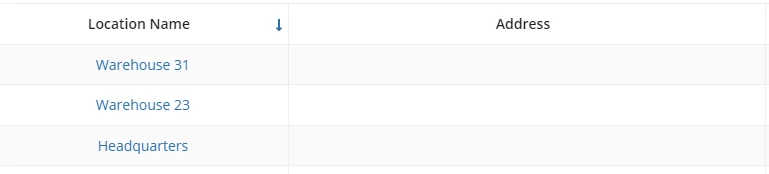
a!gridColumn(
        label: "Location Name",
        sortField: "description",
        value: a!linkField(
          links: {
            a!startProcessLink(
              label: fv!row.description,
              processModel: cons!BC_PM_ADD_LOCATION,
              processParameters: { locationId: fv!row.locationId }
            )
          }
        ),
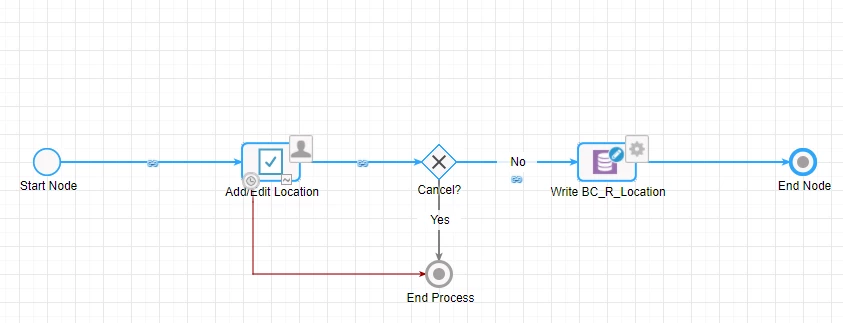
My process model is working fine. So how and where do I fix it? 

Please advice me. 

Thanks

    11 replies

    stefanhelzle0001
    Brainy
    March 30, 2022

    Define the process variables in the model as parameters. Check process model properties to do so.

    March 30, 2022

    Hi Stefan, 

    Should I use both the below parameters in the process link? (processParameters: { locationId: fv!row.locationId })

    Thanks

    stefanhelzle0001
    Brainy
    March 30, 2022

    Not sure. Depends on what you want to do.

    Keep in mind that the data must match. The process variable is of a CDT type and the data passed in is just an ID. That will not work.

    danny.verb
    March 30, 2022

    Have you marked the variable 'locationId' as a parameter?

    Also, for your use case I recommend looking into record actions https://docs.appian.com/suite/help/20.3/Record_Action_Component.html

    It's a much better design pattern and allows your uses to open forms in dialogs instead of a new page.

    Also, I recommend setting your form as a Start Form

    March 30, 2022

    Hi Danny, 

    Thank you for your inputs. I haven't marked Location Id as a parameter. I have location parameter of CDT type and cancel as parameters. 

    I tried using the record action but not able to pull in the action in my interface. I manually typed the name manageLocations.

    I am getting the error: Could not display interface. Please check definition and inputs. Interface Definition: Expression evaluation error at function a!recordActionField [line 4]: Invalid index: Cannot index property 'actions' of type Text into type RecordType

    a!recordActionField(
          actions:{
            a!recordActionItem(
              action: 'recordType!{853ab9ac-cf5f-4aa8-950b-97bb7de9adab}BC Location'.actions.manageLocations
            ),
            
          },
          
        )

    Also, you mean to say that I should add the below form as start form?  or the add/edit form as start form? Please clarify. 

    Thanks

    March 30, 2022

    Hi,

    I fixed the record action problem. 

    But I still want to know how to pass process parameters in process link in an interface in my case? 

    Thanks