
May 9, 2024
Question

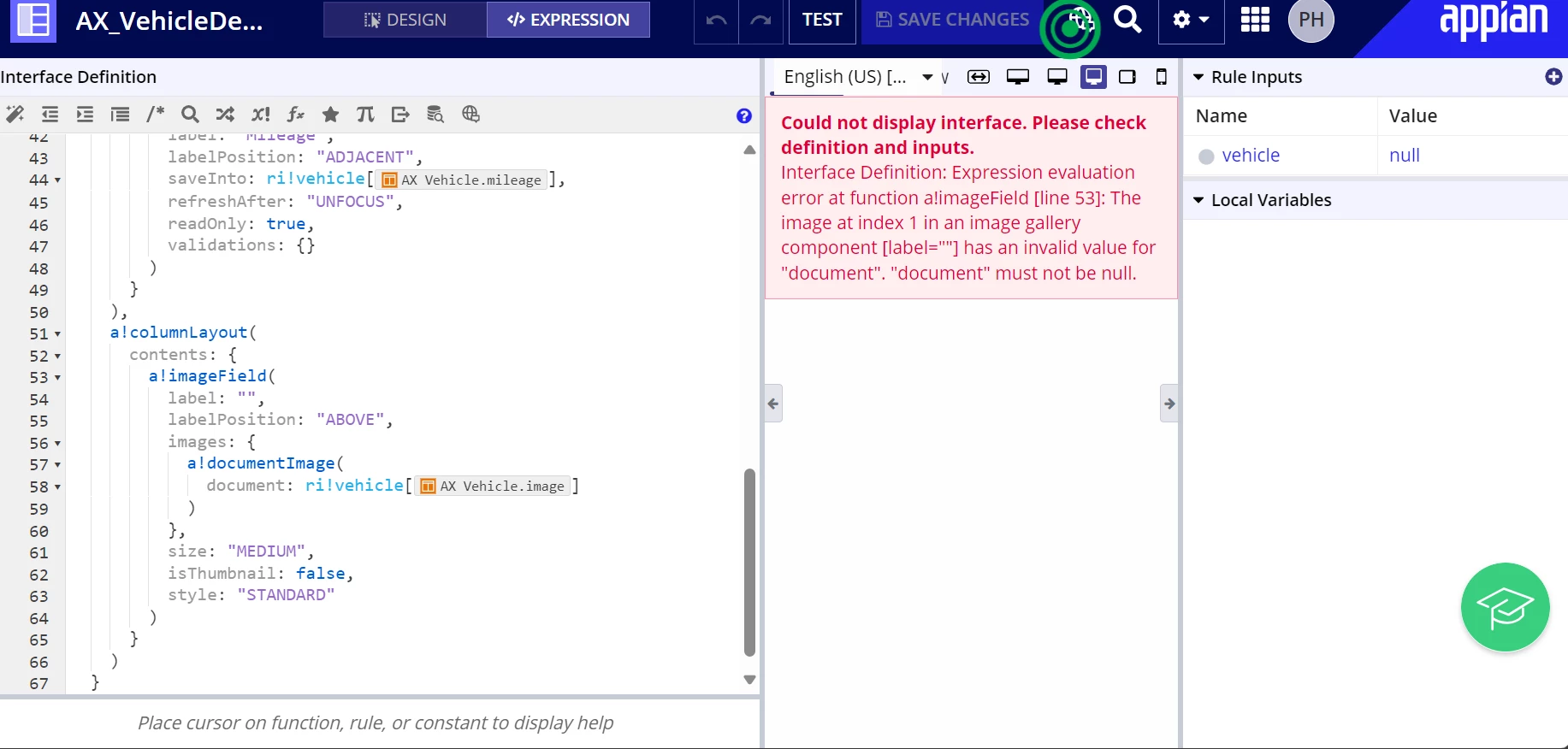
Expression evaluation error at function a!imageField [line 53]: The image at index 1 in an image gallery component [label=""] has an invalid value for "document". "document" must not be null.

  • May 9, 2024
  • 4 replies
  • 0 views

I am new and working on the developer course. I am on exercise 8 create an interface, on the Create a Reusable Interface section. 

When I completed the steps to make AX_VehicleDetailsView and clicked save. It popped up with the interface! But this is the error that I got when it opened, and I don't understand where I go to fix this!

Thank you
    4 replies

    richardm900458
    May 9, 2024

    intro: i did not do the specific exercise but some general information

    the error tells you already the issue :) ri!vehicle, your recordtype is a null value
    In result you don't have a value for vehicle.image neither there

    a!documentimage wont work properly with a null or empty value for the "document:" paramater
    you need a  picture aka document in your application and the ID of the document needs to be the value of ri!record[AC_vehicle.image] 


    perhaps this link helps you:
    docs.appian.com/.../Document_Image_Component.html

    edit: you can try the following in the test parameters of your rule input:
    docs.appian.com/.../reference-records.html

    May 10, 2024

    Ok this all makes sense! What I don't understand is that it hasn't asked me to add images so how do I get them ? Sorry as I am a beginner!

    richardm900458
    May 10, 2024

    step 1:
    you create elements of the dype "document"


    davidj137213
    Brainy
    May 9, 2024

    The problem is that your parameter is null, so when Appian tries to find the document related to the vehicle, returns an error (there is no image for a null vehicle)