
February 1, 2021
Question

File Extension Blocking in File Upload Component.

  • February 1, 2021
  • 3 replies
  • 0 views

Hi,

We have defined the list of file extensions which are to be allowed via admin console as shown below.
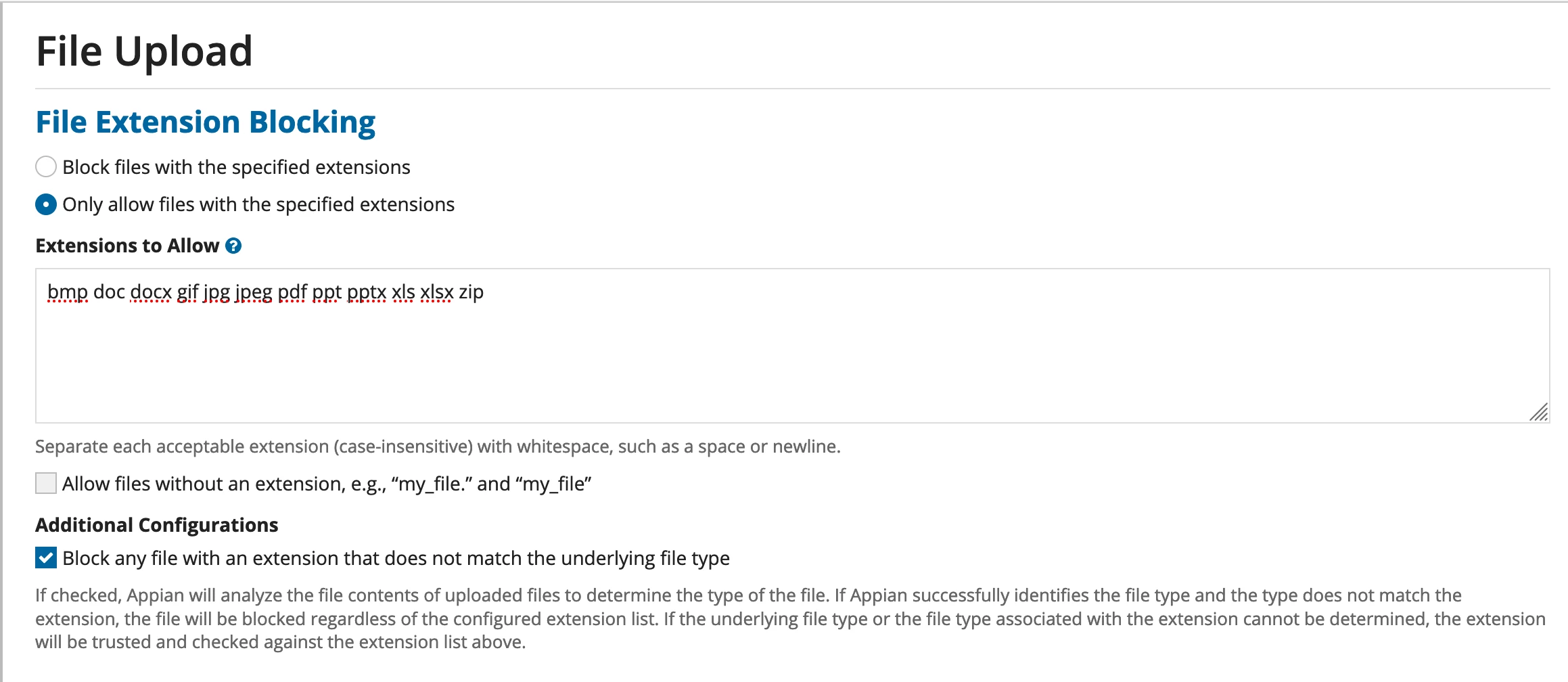
When we try to load any file which has an extension(png) that is not present in the admin console, it prompts an error message to the user as shown below which is expected.
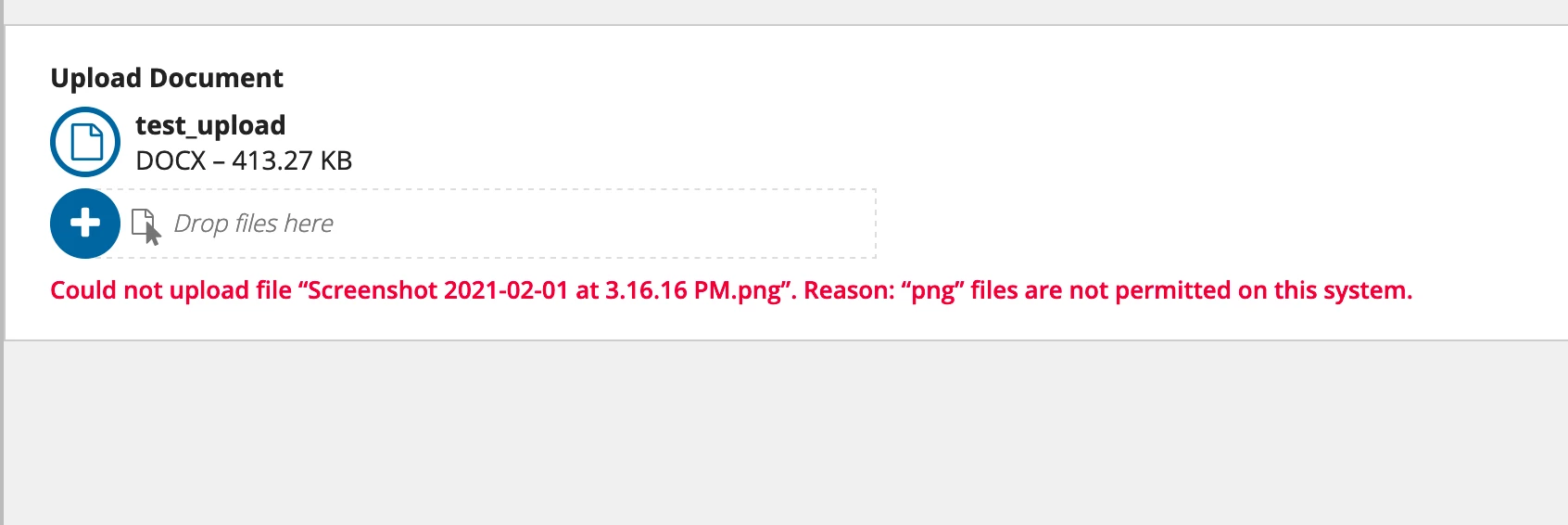


Had anyone faced similar issue, or any inputs to overcome this?

Code snippet:

a!localVariables(
  local!files,
  a!fileUploadField(
    label: "Upload Document",
    value: local!files,
    saveInto: local!files,
    target: cons!TEST_UPLOAD_FOLDER
  )
)

3 replies

mikes0011
Brainy
February 1, 2021

This actually seems very similar to the error reported several months ago where the same thing happens but with an empty file, instead of a file with a disallowed extension.  I'm unclear if a fix was ever released for that. 

If this is causing you any sort of issues, I'd suggest raising a support case with the same details and screenshots you've provided here.

The Expression Guru
December 2, 2021

Did you get any solution for this issue? 

mikes0011
Brainy
April 13, 2023

I can verify it still seems to be an issue - however from what I can tell, it doesn't actively block the submission of a form, even while the apparent validation error is showing up.

The Expression Guru