
December 27, 2023
Solved

File Name Validation

  • December 27, 2023
  • 6 replies
  • 0 views

Hi, everyone!

I have a problem, I'm designing an interface where you can attach a file but the file must have a nomenclature.

Example:

INVENTARIO (always) PRESENT MONTH PRESENT YEAR

INVENTARIO DIC 2023

But I tried with the follow code:

a!localVariables(
  local!var: {
    "ENERO",
    "FEB"
  },
  local!var2;
  {
    a!fileUploadField(
      saveInto: local!var2,
      value: local!var2,
      label: "File Upload",
      labelPosition: "ABOVE",
      validations: {
        if(
          fv!files.name = {"INVENTARIO" & upper(tostring(datetext(today(), "MMM"))) & upper(tostring(datetext(today(), "YYYY")))},
          {
          "Ingrese un documento nombrad correctamente."
        ),
      }
    )
  }
)

  • Add to Phrasebook
    • No word lists for English → Spanish...
    • Create a new word list...
  • Copy
  • Add to Phrasebook
    • No word lists for English → Spanish...
    • Create a new word list...
  • Copy
    Best answer by mikes0011

    Cool, glad to help.

    One final thing to add, this is a good example for why I like abstracting certain things like this (like assembling of the validation string) into local variables - it makes it a lot easier to see, understand, and troubleshoot (and re-use if necessary).

    6 replies

    mikes0011
    Brainy
    December 27, 2023

    You might want to edit this and sort out whatever funny stuff occurred to its formatting when you pasted it in here, because at present it's basically unreadable.

    The Expression Guru
    December 27, 2023

    Ohhhh, I didn't notice.

    I just changed it, can you see it well?

    mikes0011
    Brainy
    December 27, 2023

    that's better.  i'm not sure i understand the issue though.  are you just saying the validation doesn't work?

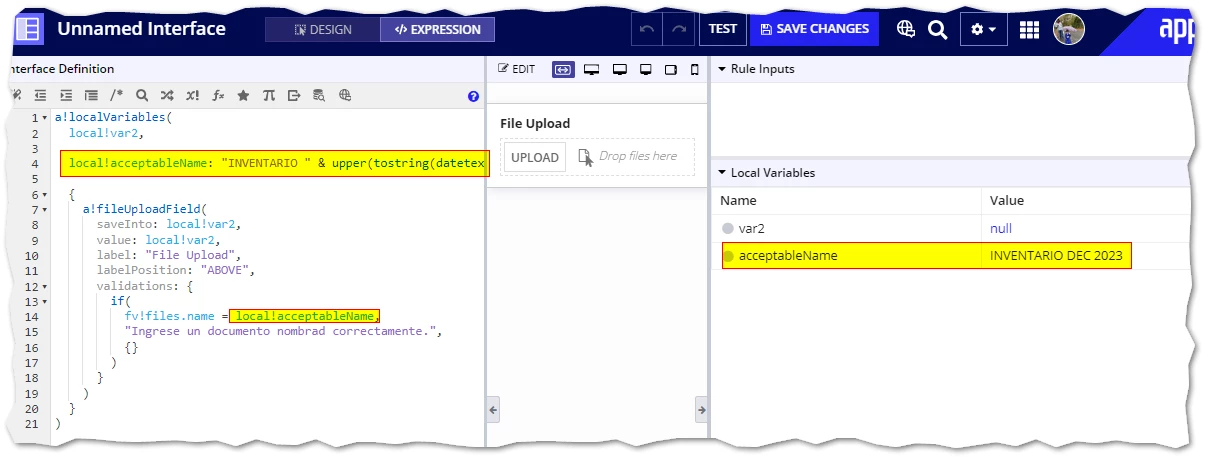
    one thing I do notice is that you seem to have spaces in your preferred naming convention ("inventario dic 2023") but the string you're checking the filename against does not have any spaces built in.

    That is, this code:

    ""INVENTARIO" & upper(tostring(datetext(today(), "MMM"))) & upper(tostring(datetext(today(), "YYYY")))"

    would output "INVENTARIODEC2023", not "INVENTARIO DEC 2023".

    The Expression Guru