
dinesha5713
November 26, 2024
Question

how to display the int to decimal in fields
  • November 26, 2024
  • 5 replies
  • 0 views

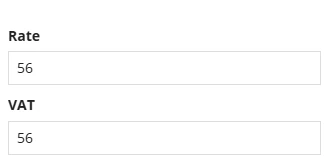
If i enter the value ,the value should be like 56.00 ,
i tried , unable to achieve it 

it is in  floatingPointField function 

5 replies

sivanagamalleswarit0001
Inspiring
November 26, 2024

Is your value saved inside integer or decimal variables?

Even though it is Decimal, Appian by default ignores any 00s in it.

Why do you want to save leading .00s anyway? if you have anything like 56.01 will work and  if you try 56.10 (which again will be 56.1).

stefanhelzle0001
November 26, 2024

I use normal text fields to display numbers in a custom format. Use the text() function to define the format you like.

varuntejg243705
November 27, 2024

Hi [mention:30bb505c1ca4449ca754b36b7a8ed1d7:e9ed411860ed4f2ba0265705b8793d05] ,

As Stefan mentioned, use the text field as shown in below picture:


vempatir680997
November 27, 2024

use text(ri!number,"00.00"), in value so what you are entering it will display like (56.00) format,

example: 

a!textField(
label: "Number",
labelPosition: "ABOVE",
value: text(ri!number,"00.00"),
saveInto: ri!number,
refreshAfter: "UNFOCUS",
validations: {}
)

November 27, 2024

Hi [mention:30bb505c1ca4449ca754b36b7a8ed1d7:e9ed411860ed4f2ba0265705b8793d05] 

Use text() function to define the format you like.