

Image Field - Document Image
Background: This issue is only happening in our three environments (DEV).
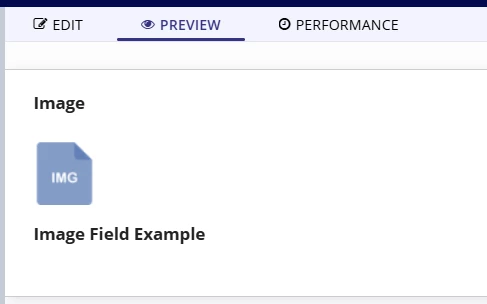
Issue: When using an a!documentImage field inside a!imageField, the image only displays if the sit is set to 'FIT'. It is not displaying for any other size setting (including null). In the following code, the interface is only displaying the image where the size is set to 'FIT':
{
a!imageField(
label: "Image",
labelPosition: "ABOVE",
images: {
a!documentImage(document: a!EXAMPLE_DOCUMENT_IMAGE())
},
size: "MEDIUM",
isThumbnail: false,
style: "STANDARD"
),
a!sectionLayout(
contents: {
a!imageField(
images: {
a!documentImage(
document: cons!G_FILETYPE_ICON_IMG_SMALL
)
},
showWhen: true,
size: "FIT"
)
}
),
a!sectionLayout(
contents: {
a!imageField(
label: "Image Field Example",
images: {
a!documentImage(
document: a!iconNewsEvent(icon: "HAMMER", color: "BLUE")
),
a!documentImage(
document: a!iconNewsEvent(icon: "GEARS", color: "GREY")
),
a!documentImage(
document: a!iconNewsEvent(icon: "BRIEFCASE", color: "GREEN")
)})})}
FYI: In our other environments we are using the image field without issue ( in this root case, in an editable grid, with size of 'TINY' )
Thanks for your time any help you may be able to provide.