December 28, 2023
Question

Interfaces - Step 8 on appian deev training
  • December 28, 2023
  • 4 replies
  • 0 views


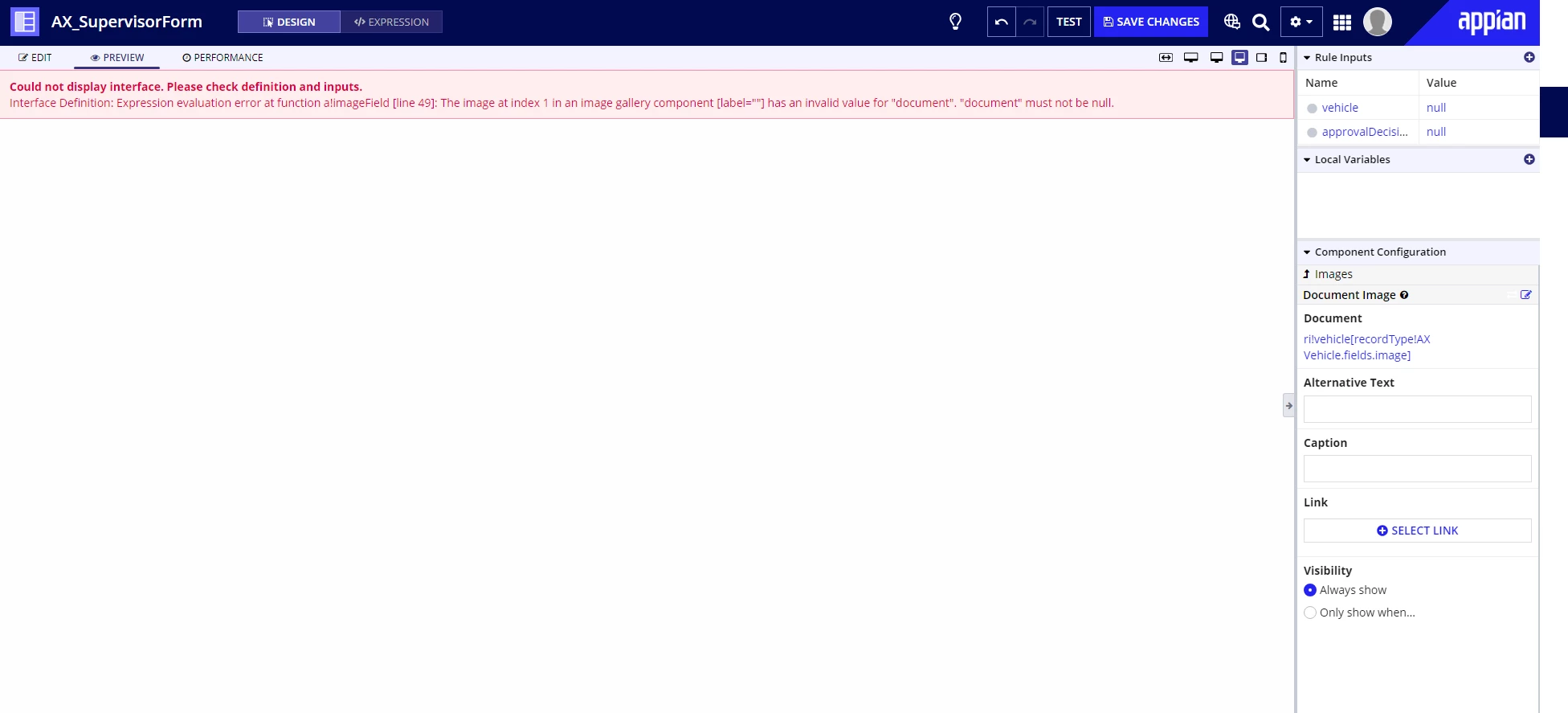
Im encountering this error on this step
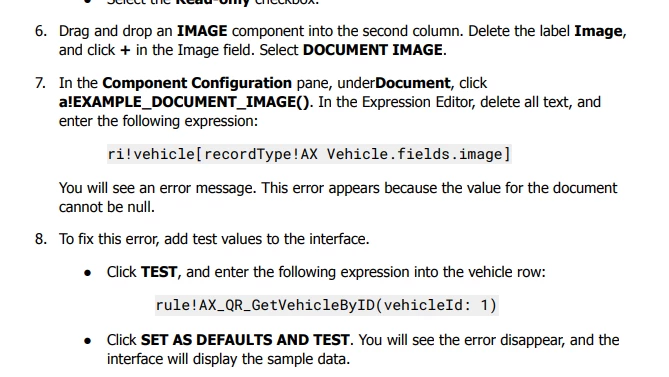


After the last step error still exists
TIA


4 replies

davidj137213
Brainy
December 28, 2023

Could you please paste here the code you are using?

rishikeshr4182
January 10, 2024

I guess you are passing the null value against a!imgaeField. You must pass a valid appian document Id.

harshitb6843
January 10, 2024

Appian treats images as documents. So you need to have a way to refer a document to pass it in the image component. Now in the exercise you are doing, images will be referred to by their IDs. And it looks like either you haven't configured it correctly or you don't have a document/image ID for that particular vehicle.

You will need to add a document ID it the corresponding row in the DB and then sync the respective record to have it visible. 

komalj3844
January 10, 2024

From the image uploaded i can see you haven't completed the step 8 ->point 1 (Click test , and enter .................)

I can't see any data queried into your vehicle rule input and that's why you are getting error