

ulisese2579
October 5, 2023
Question

Open a site page (have it selected)

  • October 5, 2023
  • 5 replies
  • 0 views

Hi all,

I have these site pages, (these pages have rule inputs, but they start as null from sitepages):

On another page, there's a state and location in which the user can click on a button to redirect to those options, in this case I'm able to pass values to RI:
I'm using for these buttons the starprocesslink to display the same site pages, but I notice the tab doesn't have highlighted, it remains highlighted the page from which it was invoked.

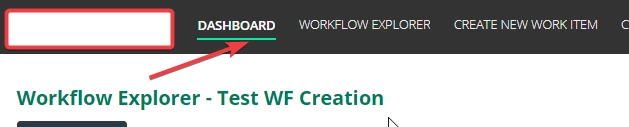
Wrong selection:
Desired:
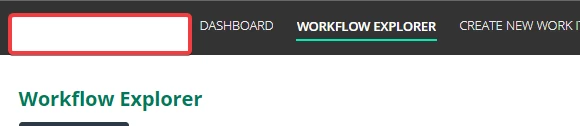
Is there any suggestion in how I can programmatically open the site page (in the 2nd scenario, passing rule inputs) and have it highlighted ?

Thanks in advance

5 replies

stefanhelzle0001
Brainy
October 5, 2023

I am not sure why you try to use a start process link to "navigate" to a page in a site ?!?

Are you new to Appian?

Each page in a site has a url you can directly link to. I suggest to use a safeLink to allow the user to navigate to that page.

Following the Appian UX best practices, links are for navigation and buttons for actions.

ulisese2579
October 5, 2023

I am not sure why you try to use a start process link to "navigate" to a page in a site ?!?

because I can't invoke a site page with rule inputs, my UI can receive ruleinputs (values) or not to work.

Are you new to Appian? not at all

Each page in a site has a url you can directly link to. I suggest to use a safeLink to allow the user to navigate to that page. SafeLink doesn't allow to pass values to my UI as ri, thats the reason

Thanks for your help

stefanhelzle0001
Brainy
October 5, 2023

Hm ... OK .... do you mind describing that larger use case and the planned user interaction?