October 26, 2021
Solved

Question Relate to Read only grid

  • October 26, 2021
  • 2 replies
  • 0 views

i made a expression rule (Name of Expression rule -> CD_Dict) of dictionary:

{

Sunday:{0,6,13},

Monday:{0,7,14},

Tuesday:{1,8,15},

Wednesday:{2,9,16}

}

i made another interface in which i selected "Read-Only" grid

and pass that CD_Dict(Dictionary Expression) as a data in read_only grid.

now my output look like this ->
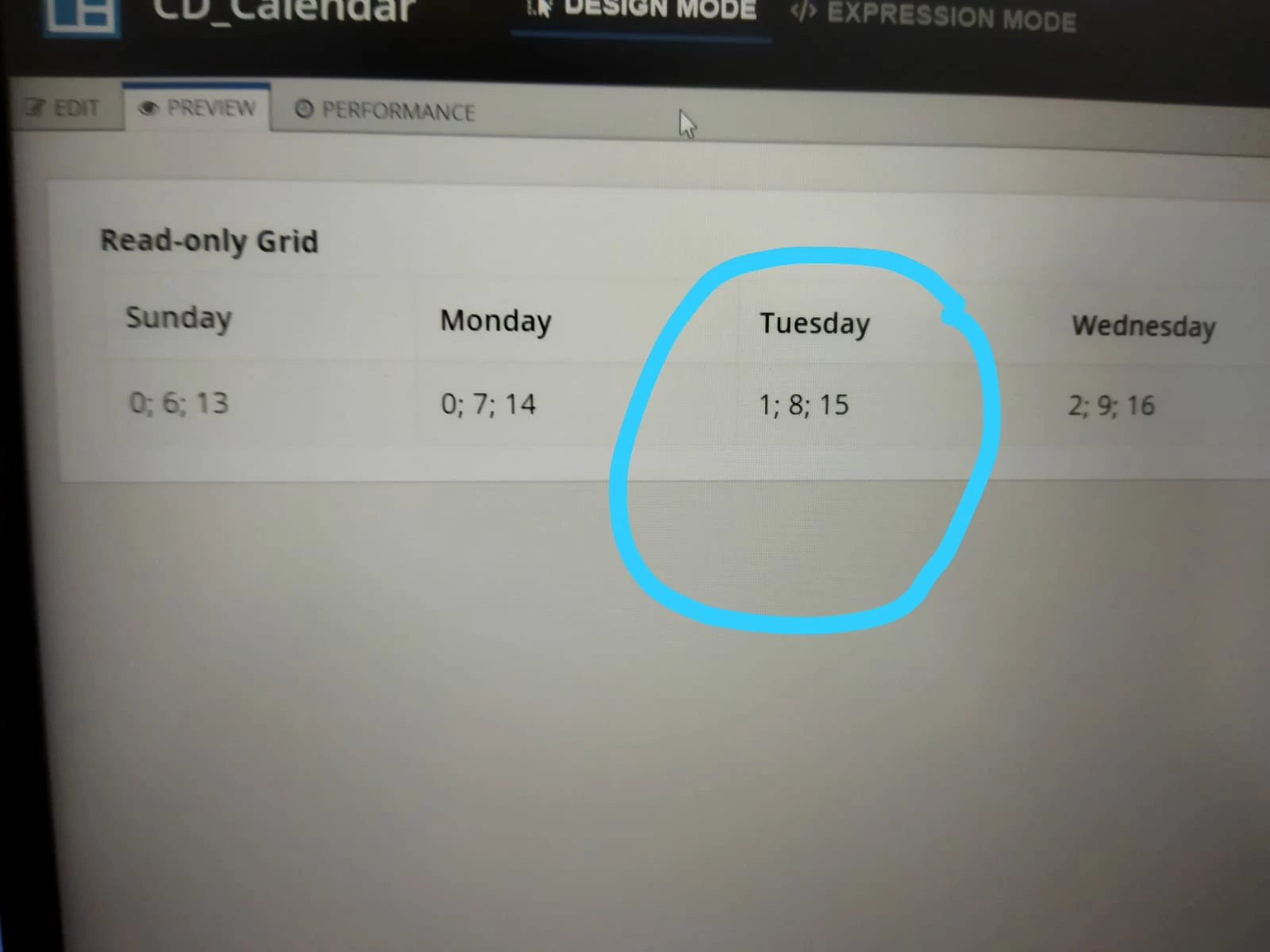
but i want these values in separate-separate rows. All the values are showing in single cell

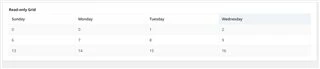
i want output like this:

Sunday     Monday    Tuesday    Wednesday

    0                 0               1                2

    6                 7               8                9

   13               14             15              16

Best answer by pramothv

Hi [mention:b78c6a51a2e84a33be62b32702835468:e9ed411860ed4f2ba0265705b8793d05],

The input you have given to the grid is of single dictionary. For the the required output, try giving the input as a list of dictionary.
For example:
{
{
Sunday: { 0 },
Monday: { 0 },
Tuesday: { 1 },
Wednesday: { 2 }
},
{
Sunday: { 6 },
Monday: { 7 },
Tuesday: { 8 },
Wednesday: { 9 }
},
{
Sunday: { 13 },
Monday: { 14 },
Tuesday: { 15 },
Wednesday: { 16 }
}
}

2 replies

pramothv
pramothvAnswer
New Participant
October 26, 2021

Hi [mention:b78c6a51a2e84a33be62b32702835468:e9ed411860ed4f2ba0265705b8793d05],

The input you have given to the grid is of single dictionary. For the the required output, try giving the input as a list of dictionary.
For example:
{
{
Sunday: { 0 },
Monday: { 0 },
Tuesday: { 1 },
Wednesday: { 2 }
},
{
Sunday: { 6 },
Monday: { 7 },
Tuesday: { 8 },
Wednesday: { 9 }
},
{
Sunday: { 13 },
Monday: { 14 },
Tuesday: { 15 },
Wednesday: { 16 }
}
}

November 1, 2021

Thank you, thank you so miuch sir [emoticon:c4563cd7d5574777a71c318021cbbcc8]