
Solved
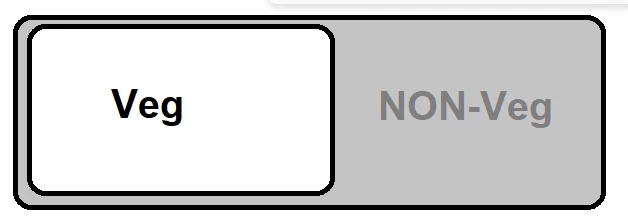
rectangle/button toggle
Hi EveryOne,
I am doing poc, My requirment is to show the Toggle, depends on the User selection, it has to display the respective pages
Thanks in Advance

Hi EveryOne,
I am doing poc, My requirment is to show the Toggle, depends on the User selection, it has to display the respective pages
Thanks in Advance
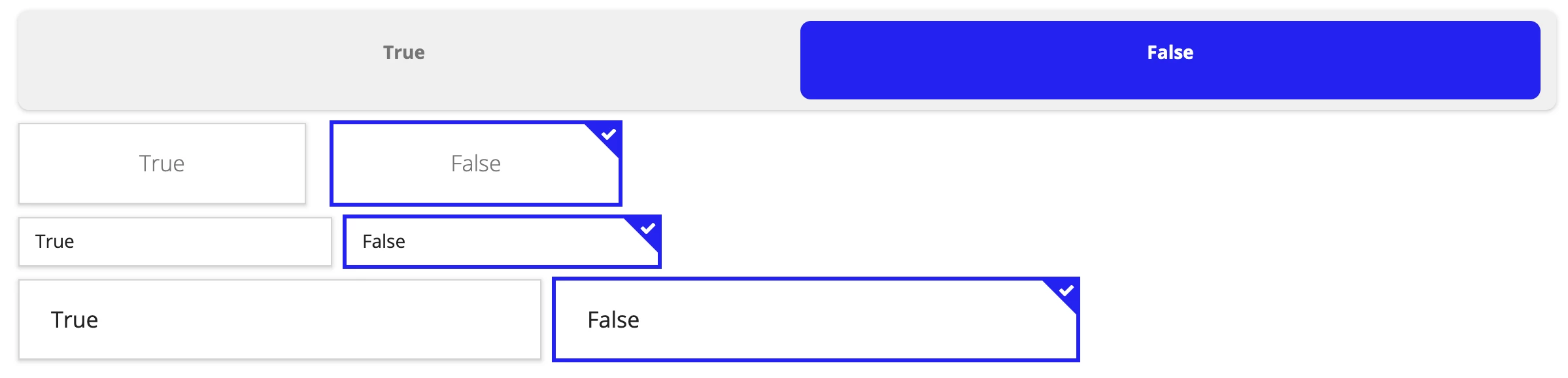
Here is what I came up with (the one on top). Pretty much as close as you can get.
Here it is compared to all 3 types of cardChoice fields. Think I would just stick with the cardChoice field if I were you.
a!localVariables(
  local!toggle: false,
  {
    a!columnsLayout(
      columns: {
        a!columnLayout(
          contents: a!cardLayout(
            style: "STANDARD",
            shape: "ROUNDED",
            showShadow: true,
            showBorder: false,
            contents: {
              a!columnsLayout(
                alignVertical: "MIDDLE",
                columns: {
                  a!columnLayout(
                    contents: a!cardLayout(
                      style: if(local!toggle, "ACCENT", "STANDARD"),
                      height: "EXTRA_SHORT",
                      shape: "ROUNDED",
                      showBorder: false,
                      contents: {
                        a!richTextDisplayField(
                          align: "CENTER",
                          value: a!richTextItem(
                            text: "True",
                            style: "STRONG",
                            color: if(local!toggle, "ACCENT", "SECONDARY"),

                          )
                        )
                      },
                      link: a!dynamicLink(
                        saveInto: { a!save(local!toggle, not(local!toggle)) }
                      )
                    )
                  ),
                  a!columnLayout(
                    contents: a!cardLayout(
                      showBorder: false,
                      style: if(not(local!toggle), "ACCENT", "STANDARD"),
                      height: "EXTRA_SHORT",
                      shape: "ROUNDED",
                      contents: {
                        a!richTextDisplayField(
                          align: "CENTER",
                          value: a!richTextItem(
                            text: "False",
                            style: "STRONG",
                            color: if(not(local!toggle), "ACCENT", "SECONDARY")
                          )
                        )
                      },
                      link: a!dynamicLink(
                        saveInto: { a!save(local!toggle, not(local!toggle)) }
                      )
                    )
                  )
                }
              )
            },
            height: "AUTO"
          )
        )
      }
    )
  }
)Enter your E-mail address. We'll send you an e-mail with instructions to reset your password.