
Regarding Dropdown
Please find the below screenshot of dropdown, in this dropdown we have few values (ex: "a","b","c","Other"). Whenever I select "Other" option in the initial time it is allowing me to Save. but after Save, whenever I'm trying to Select second time in different dropdown as "Other" option then it is throwing below error.
Can anyone please help me with this?
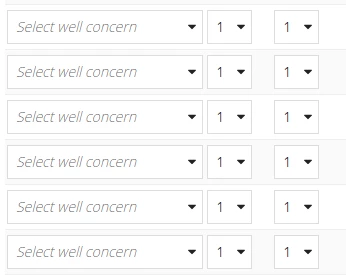
Error:
Interface Definition: Expression evaluation error at function a!forEach [line 521]: Error in a!forEach() expression during iteration 1: Expression evaluation error at function a!dropdownField [line 622]: A dropdown component [label=""] has an invalid value for "choiceValues". Duplicate items are not allowed in the choiceValues array, but choiceValues was [id=, name=Casing & Cementing, point=1, fluidPoints=1; 1; 1; 1]; [id=, name=HSE & Environmental, point=1, fluidPoints=1; 1; 1; 1]; [id=, name=Logistics, point=1, fluidPoints=1; 1; 1; 1]; [id=, name=Other, point=1, fluidPoints=1; 1; 1; 1]; [id=, name=ROP & Hole Cleaning, point=1, fluidPoints=1; 1; 1; 1]; [id=, name=Sag & Stability, point=1, fluidPoints=1; 1; 1; 1]; [id=, name=Total Cost of Ownership, point=1, fluidPoints=1; 1; 1; 1]; [id=, name=Wellbore Stability, point=1, fluidPoints=1; 1; 1; 1]; [id=, name=Other, point=1, fluidPoints=1; 1; 1; 1].