
April 7, 2023
Question

required interface approach dynamically
  • April 7, 2023
  • 4 replies
  • 0 views

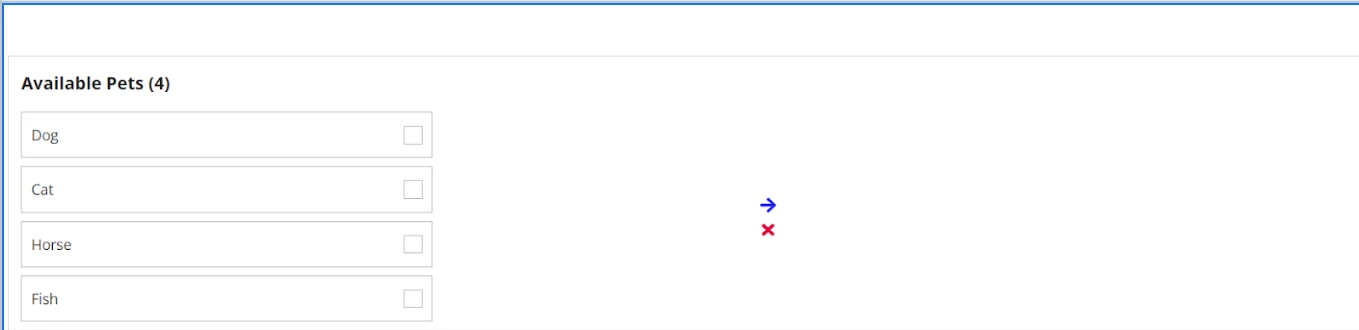
when we will select the any one of available pets check boxes then after click the arrow symbol immediately the selected pets are visible on right side only.

when we will select cancel symbol selected pets portion should be null i.e, like current interface.

Anybody please help me out in this.

thank you

4 replies

harshitb6843
April 7, 2023

Just set the variable that is being used to show selected pets on the right to null using a!save(local!selectedPets, null)

April 7, 2023

You can take reference from below code

a!localVariables(
  local!availablePets: {
    { pet: "Dog", id: 1 },
    { pet: "Cat", id: 2 },
    { pet: "Horse", id: 3 },
    { pet: "Fish", id: 4 }
  },
  local!selectedPet,
  local!showSelectedPets,
  {
    a!columnsLayout(
      columns: {
        a!columnLayout(
          contents: {
            a!checkboxField(
              label: "Avaialble Pets",
              labelPosition: "ABOVE",
              choiceLabels: local!availablePets.pet,
              choiceValues: local!availablePets.id,
              value: local!selectedPet,
              saveInto: local!selectedPet,
              validations: {},
              choiceStyle: "CARDS"
            )
          }
        ),
        a!columnLayout(
          contents: {
            a!richTextDisplayField(
              labelPosition: "COLLAPSED",
              value: {
                a!richTextIcon(
                  icon: "arrow-right",
                  color: "ACCENT",
                  link: a!dynamicLink(
                    saveInto: a!save(local!showSelectedPets, true),
                    showWhen: a!isNotNullOrEmpty(local!selectedPet)
                  ),
                  linkStyle: "STANDALONE"
                )
              },
              marginAbove: "EVEN_MORE"
            ),
            a!richTextDisplayField(
              labelPosition: "COLLAPSED",
              value: {
                a!richTextIcon(
                  icon: "remove",
                  color: "NEGATIVE",
                  link: a!dynamicLink(
                    saveInto: {
                      a!save(local!showSelectedPets, false),
                      a!save(local!selectedPet, null)
                    }
                  ),
                  linkStyle: "STANDALONE"
                )
              }
            )
          },
          width: "EXTRA_NARROW"
        ),
        a!columnLayout(
          contents: {
            a!forEach(
              items: local!selectedPet,
              expression: a!sectionLayout(
                label: local!availablePets.pet[fv!index],
                contents: {
                  /*Add content*/
                  
                },
                isCollapsible: true,
                marginAbove: "STANDARD"
              )
            )
          },
          showWhen: or(local!showSelectedPets)
        ),
        a!columnLayout(
          showWhen: not(or(local!showSelectedPets))
        )
      }
    )
  }
)

If you don't want to remove the selected choices in checkbox on cancel then you can comment/remove the save on Line 53.

April 9, 2023

Thank you very much

stefanhelzle0001
Brainy
April 7, 2023

There is a pattern waiting for you in the pattern palette called "Dual Picklist".